Zoom screen recording alternative for Mac
Screen Charm vs Zoom Recording
Zoom's recording feature is designed to capture meetings, not to create polished product demos. Screen Charm is a native Mac screen recorder built specifically for polished recordings with automatic zoom, motion blur, background music, and webcam overlay, without needing a meeting.

Screen Charm
Polished Mac recordings
- Polished Mac product demos without a meeting
- Automatic zoom on every click
- Cursor effects, motion blur, and background music
- Local 4K MP4 export with no 40-minute limit
- One-time $79 purchase, no per-seat subscription
Public reviews: 4.8 ⭐ (Product Hunt)
Users: 750+ Mac users
🏆 #4 Product Hunt Daily

Zoom
Product website- Recording live meetings with multiple participants
- Cloud storage and searchable meeting transcripts
- Zoom Clips for short async video messages
- AI meeting summaries and action items
- Teams already running their calls on Zoom
Public reviews: 4.5 ⭐ (G2)
Similar to: Microsoft Teams, Google Meet
Typical users: Remote teams, webinar hosts
TLDR: Zoom includes a recording feature, but it exists to document meetings, not to create polished demo videos. Free Zoom accounts get local recording only, with a 40-minute limit on group calls. Cloud recording requires a paid Workspace plan starting at around $13.32 per month.
Screen Charm is a dedicated Mac screen recorder, not a meeting tool. There is no call to join, no participants, no 40-minute limit, and no cloud dependency. You open the app, record your screen, and get an automatically polished video with zoom on every click, smooth cursor, motion blur, and background music.
The comparison really comes down to intent. Zoom records what happens in a meeting. Screen Charm records what you want to show, exactly how you want it to look. For any video where appearance matters, such as a product demo, feature walkthrough, or tutorial, Screen Charm is the purpose-built choice.
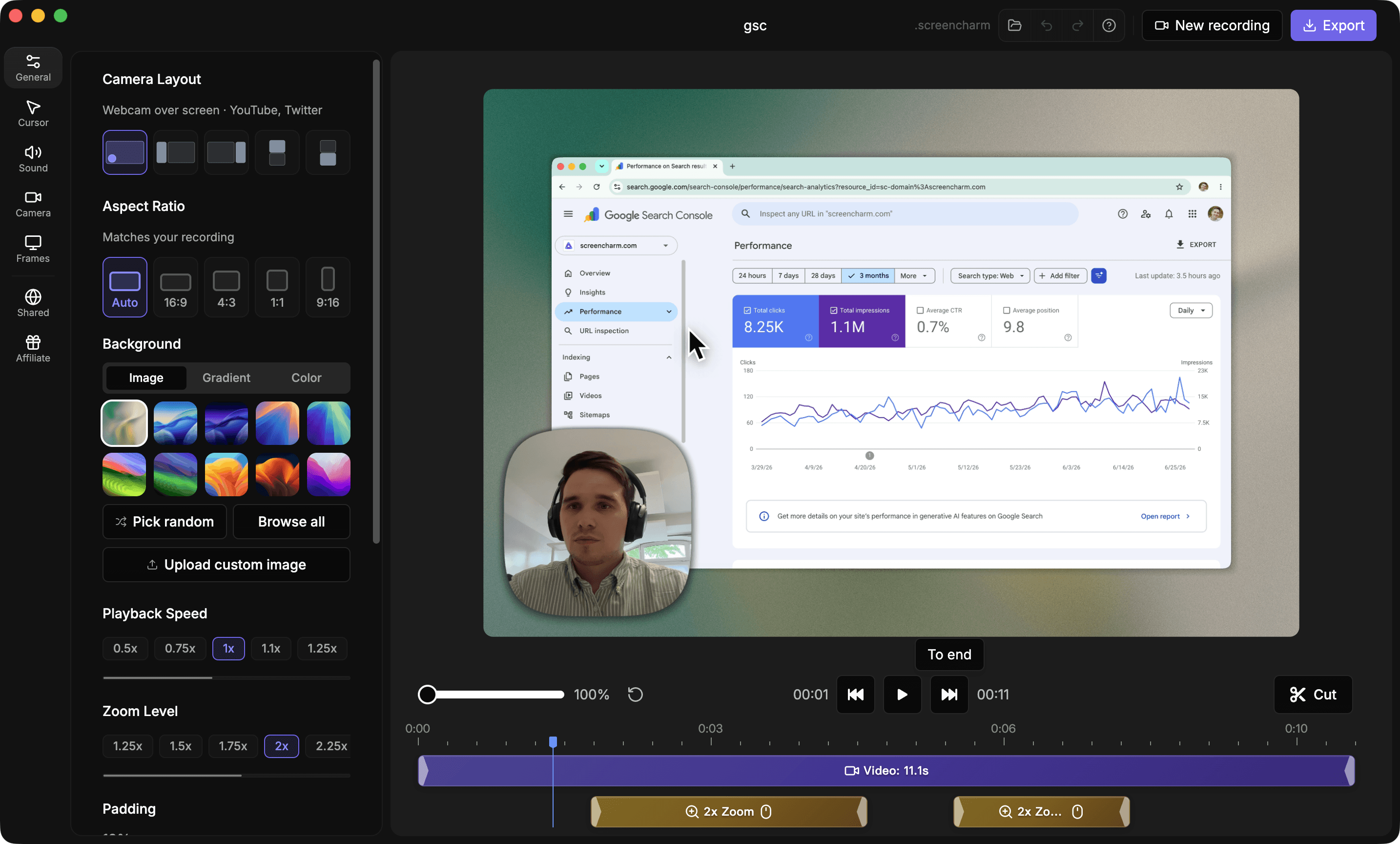
Landing page previews
See the products side by side
A quick visual look at the Screen Charm homepage and the Zoom landing page before you compare features, pricing, and workflow.
Use Screen Charm when
You want to create a polished screen recording, product demo, or tutorial on a Mac without scheduling a meeting or dealing with a 40-minute limit.
Use Zoom when
You want to record a live Zoom meeting, store it in the cloud, and share it with participants, or send short async video clips using Zoom Clips.
Screen Charm vs Zoom: feature comparison
A practical side-by-side for Mac creators comparing polish, pricing, recording workflow, export control, and sharing.
Pricing
One-time purchase
Screen Charm
Zoom
Free recording available
Screen Charm
Zoom
Per-seat subscription for cloud recording
Screen Charm
Zoom
No meeting or participants required
Screen Charm
Zoom
Recording
Native Mac app
Screen Charm
Zoom
Record without scheduling a meeting
Screen Charm
Zoom
No time limit
Screen Charm
Zoom
System audio capture
Screen Charm
Zoom
Webcam overlay
Screen Charm
Zoom
4K local export
Screen Charm
Zoom
Works offline
Screen Charm
Zoom
Visual Polish
Automatic zoom on clicks
Screen Charm
Zoom
Cursor spotlight and effects
Screen Charm
Zoom
Automatic motion blur
Screen Charm
Zoom
Background music
Screen Charm
Zoom
Branded backgrounds
Screen Charm
Zoom
Device frames
Screen Charm
Zoom
Meeting & Collaboration
Live multi-participant meetings
Screen Charm
Zoom
Cloud recording with transcripts
Screen Charm
Zoom
AI meeting summaries
Screen Charm
Zoom
Zoom Clips (async video messages)
Screen Charm
Zoom
Calendar and scheduler integration
Screen Charm
Zoom
Export & Sharing
Local MP4 export
Screen Charm
Zoom
Instant link sharing
Screen Charm
Zoom
No cloud account required
Screen Charm
Zoom
Embeddable player
Screen Charm
Zoom
| Feature |  |  |
|---|---|---|
| Pricing | ||
| One-time purchase | ||
| Free recording available | Local only | |
| Per-seat subscription for cloud recording | ||
| No meeting or participants required | ||
| Recording | ||
| Native Mac app | ||
| Record without scheduling a meeting | ||
| No time limit | 40-min free group limit | |
| System audio capture | ||
| Webcam overlay | ||
| 4K local export | ||
| Works offline | Limited | |
| Visual Polish | ||
| Automatic zoom on clicks | ||
| Cursor spotlight and effects | ||
| Automatic motion blur | ||
| Background music | ||
| Branded backgrounds | ||
| Device frames | ||
| Meeting & Collaboration | ||
| Live multi-participant meetings | ||
| Cloud recording with transcripts | Paid plan | |
| AI meeting summaries | Paid plan | |
| Zoom Clips (async video messages) | ||
| Calendar and scheduler integration | ||
| Export & Sharing | ||
| Local MP4 export | ||
| Instant link sharing | Paid plan | |
| No cloud account required | ||
| Embeddable player | ||
Zoom
Free (local recording, 40-min group limit); Workspace Pro from ~$13.32/mo for cloud recording
Zoom's free plan allows local recording but limits group meetings to 40 minutes. Cloud recording and Zoom Clips require a paid Workspace plan.
Price takeaway
Screen Charm is $79 once. Zoom Workspace at the Pro tier costs roughly $160 per year per user. The use cases barely overlap.
Key differences between Screen Charm and Zoom
Meeting recorder vs dedicated screen recorder
Screen Charm: Opens in seconds, records your screen, and produces a polished video automatically. No meeting, no participants.
Zoom: Designed to record live meetings. Every recording is tied to a scheduled or instant Zoom session.
Visual polish and automation
Screen Charm: Automatic zoom on every click, cursor effects, motion blur, and background music built into every recording.
Zoom: No visual polish features. Zoom recordings are flat captures of the meeting screen and participants.
Time limits and pricing
Screen Charm: No time limit. One-time $79 purchase.
Zoom: Free plan limits group meetings to 40 minutes. Cloud recording and Zoom Clips features require a paid Workspace subscription.
Choose Screen Charm if
- You want to create a polished product demo without joining a meeting.
- You need automatic zoom, cursor effects, motion blur, and background music.
- You want local 4K MP4 export with no time limit.
- You prefer one-time pricing over a per-seat subscription.
- You record screen demos, tutorials, or feature walkthroughs on a Mac.
Choose Zoom if
- You need to record live meetings with multiple participants.
- You want cloud storage, meeting transcripts, and AI summaries.
- You already use Zoom for all your team communication.
- You send short async video messages with Zoom Clips.
- You need calendar integration and meeting scheduling.
Frequently asked questions
Can I use Zoom to record my screen without a meeting?
Zoom Clips allows you to record your screen and camera without a meeting, but it lacks visual polish features. Screen Charm is purpose-built for this use case with automatic zoom, motion blur, and background music.
Does Zoom recording have a time limit?
Zoom's free plan limits group meetings to 40 minutes. One-on-one meetings and local recordings do not have this limit. Cloud recording requires a paid plan. Screen Charm has no recording time limit.
Does Zoom record in 4K?
Zoom does not offer 4K local recording export in its standard plans. Meeting recordings are typically capped at 1080p. Screen Charm supports 4K local MP4 export on Mac.
Is Screen Charm a replacement for Zoom?
No. Screen Charm does not have video calling or meeting features. It is a Mac screen recorder for product demos and tutorials. Zoom is a video conferencing platform. Use Zoom for meetings, use Screen Charm for polished screen recordings.
Compare Screen Charm with other tools
Create polished Mac recordings for a one-time price
Screen Charm gives you auto-zoom, captions, pause and resume, webcam overlay, system audio, cursor effects, and 4K export without a monthly subscription.