Loom alternative for Mac
Screen Charm vs Loom
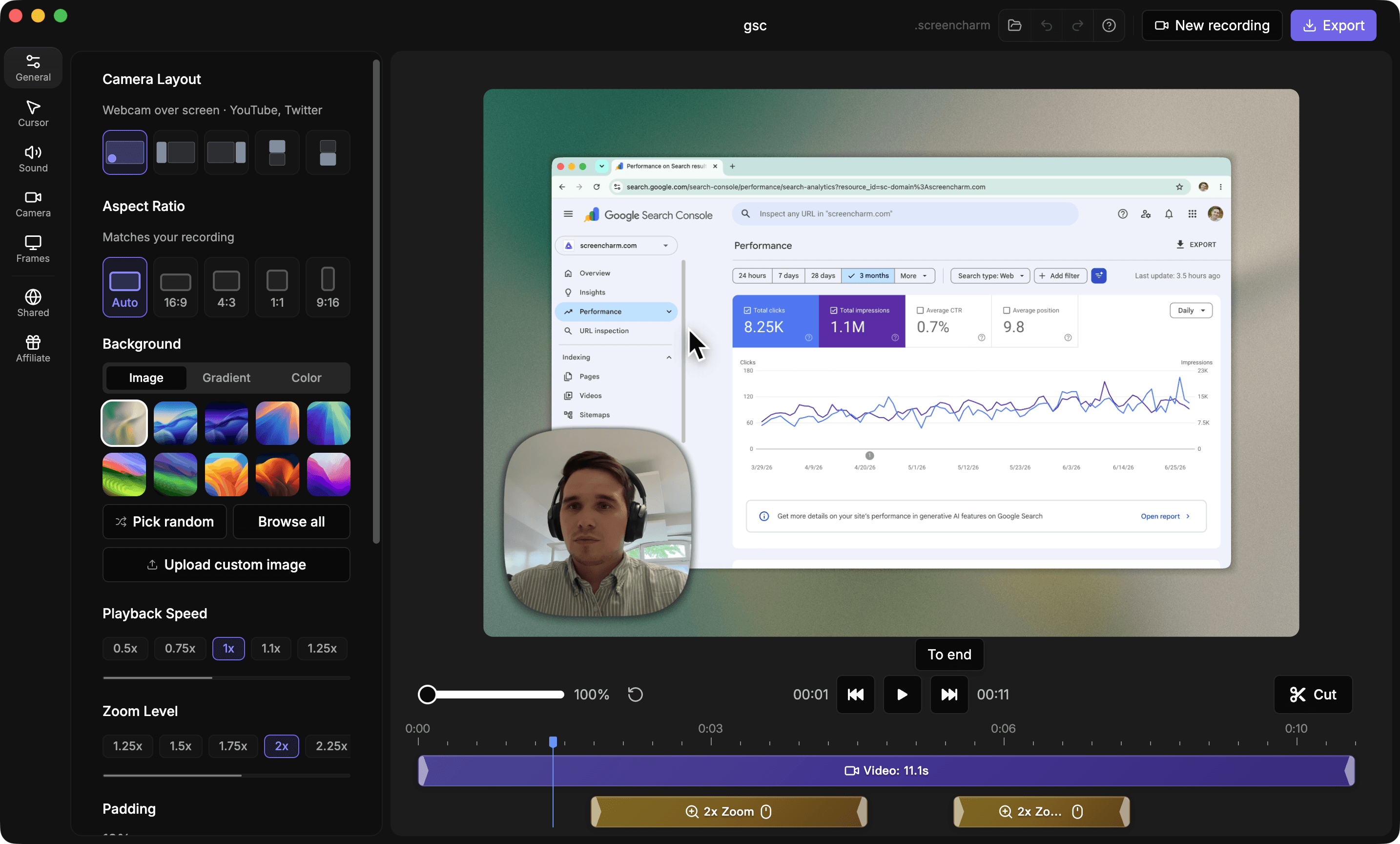
Loom is excellent for quick async team updates. Screen Charm is better when your video needs to look polished and public-facing, with auto-zoom, motion blur, background music, branded backgrounds, local 4K export, and one-time pricing.

Screen Charm
Polished Mac recordings
- Fast polished Mac product demos
- Auto-zoom, motion blur, and cursor polish
- Captions, pause and resume, background music, and local 4K MP4 export
- One-time $99 purchase
Public reviews: 4.8 ⭐ (Product Hunt)
Users: 750+ Mac users
🏆 #4 Product Hunt Daily

Loom
Product website- Async team messages
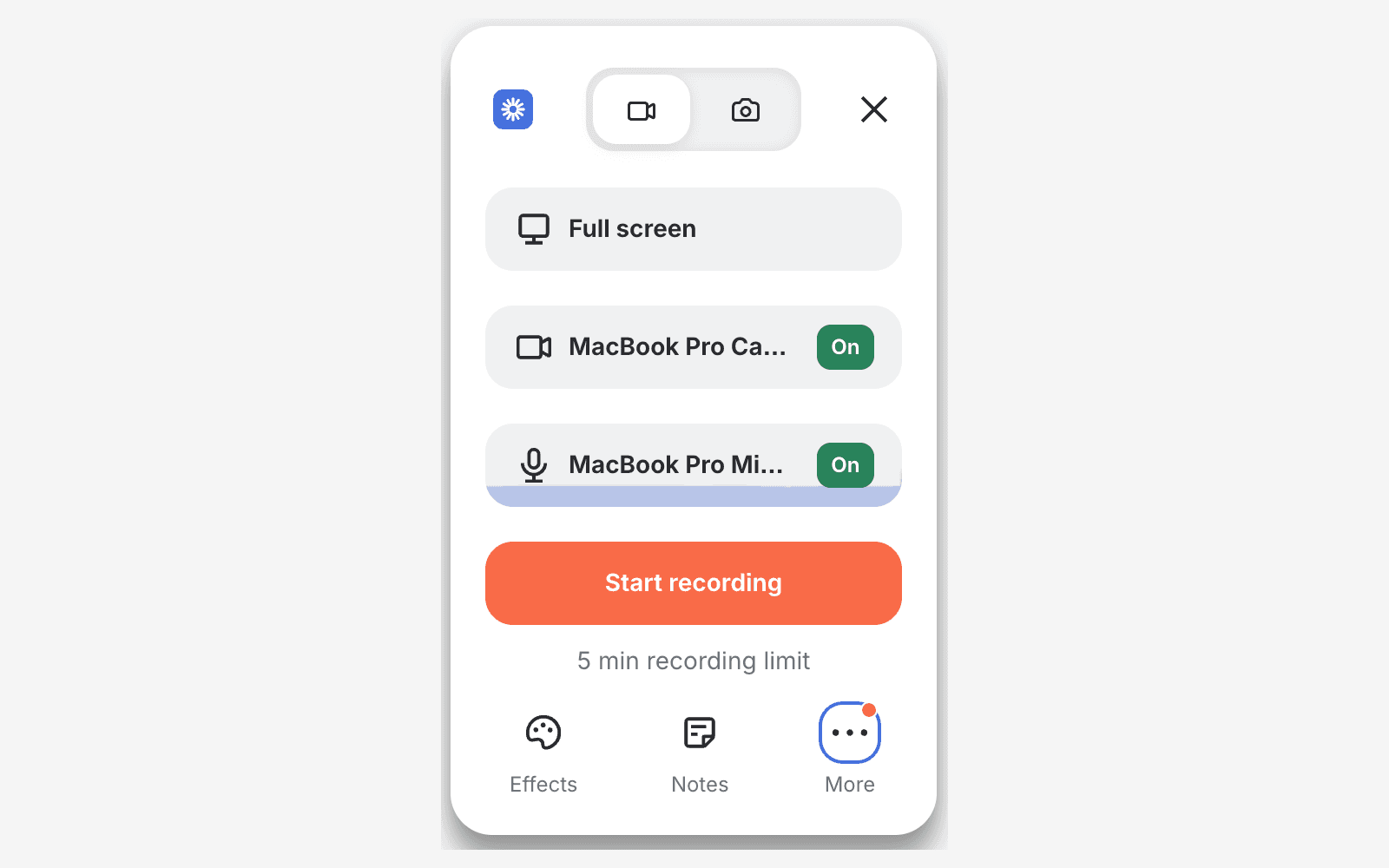
- Browser recording
- Timestamped comments
- Viewer analytics
Public reviews: 4.7 ⭐ (G2)
Similar to: Vidyard, Vidnoz
Typical users: Sales teams, remote teams
TLDR: Loom is a browser-based async video tool for team communication. It records fast, shares instantly, and adds timestamped comments and viewer analytics. Screen Charm is a native Mac recorder for polished product demos, tutorials, and launch videos.
If you need auto-zoom on clicks, motion blur, branded backgrounds, and local 4K MP4 export, Screen Charm is the better fit. If you need browser recording, team collaboration, comments, and analytics, use Loom.
On pricing, Screen Charm is a one-time $99. Loom Business is $18 per user per month, which adds up quickly on a team.
Interface previews
See the products side by side
A quick visual look at the Screen Charm and Loom interfaces before you compare features, pricing, and workflow.
Use Screen Charm when
You are making product demos, tutorials, launch videos, or marketing clips that need polish and local export quality.
Use Loom when
You need fast cloud sharing, browser recording, viewer comments, analytics, and team communication features.
SaaS product demos
Comparing tools for SaaS walkthroughs?
Screen Charm is built for Mac founders and product teams who need polished SaaS demos with automatic zoom, captions, pause and resume, cursor effects, webcam, audio, 4K export, and shareable links.
See SaaS demo recording workflowScreen Charm vs Loom: feature comparison
A practical side-by-side for Mac creators comparing polish, pricing, recording workflow, export control, and sharing.
Pricing
One-time purchase
Screen Charm
Loom
Free tier
Screen Charm
Loom
Subscription
Screen Charm
Loom
Recording
Automatic zoom on clicks
Screen Charm
Loom
Webcam overlay
Screen Charm
Loom
Pause and resume
Screen Charm
Loom
Generate captions
Screen Charm
Loom
Browser recorder
Screen Charm
Loom
Works offline
Screen Charm
Loom
Visual Style
Branded backgrounds
Screen Charm
Loom
Device frames
Screen Charm
Loom
Cursor effects
Screen Charm
Loom
Motion blur
Screen Charm
Loom
Background music
Screen Charm
Loom
Sharing
Cloud sharing
Screen Charm
Loom
Timestamped viewer comments
Screen Charm
Loom
Viewer analytics
Screen Charm
Loom
Local MP4 export
Screen Charm
Loom
4K export
Screen Charm
Loom
| Feature |  |  |
|---|---|---|
| Pricing | ||
| One-time purchase | ||
| Free tier | With limits | |
| Subscription | ||
| Recording | ||
| Automatic zoom on clicks | ||
| Webcam overlay | ||
| Pause and resume | ||
| Generate captions | ||
| Browser recorder | ||
| Works offline | ||
| Visual Style | ||
| Branded backgrounds | ||
| Device frames | ||
| Cursor effects | ||
| Motion blur | ||
| Background music | ||
| Sharing | ||
| Cloud sharing | ||
| Timestamped viewer comments | ||
| Viewer analytics | ||
| Local MP4 export | Paid only | |
| 4K export | ||
Loom
$18/user/mo
Loom Starter is free (25 videos, 5 minute recordings). Business is $18 per user per month, or about $15 billed annually ($180 a year). Business + AI is $24 monthly or about $20 annually. Enterprise is custom.
Price takeaway
Screen Charm pays for itself in under six months compared with Loom Business.
Key differences between Screen Charm and Loom
Purpose
Screen Charm: Polished demos and tutorials.
Loom: Async communication and team updates.
Output
Screen Charm: Auto-zoom, motion blur, background music, backgrounds, device frames, and 4K local export.
Loom: Quick share links, comments, and analytics.
Pricing
Screen Charm: One-time $99.
Loom: $18/user/month on Business.
Choose Screen Charm if
- You need polished public-facing videos.
- You want automatic zoom, motion blur, and cursor focus.
- You want to add background music.
- You prefer one-time pricing.
- You want local 4K exports.
Choose Loom if
- You need browser recording.
- You collaborate with timestamped comments.
- You need viewer analytics.
- You send async team updates daily.
Frequently asked questions
Is Screen Charm cheaper than Loom?
Yes. Screen Charm is a one-time $99 purchase. Loom Business is $18/user/month, or about $15/user/month ($180/year) billed annually. Business + AI is $24/user/month, or about $20 billed annually.
What is a good Loom alternative for Mac?
Screen Charm is a good Loom alternative for Mac users who want polished demos, auto-zoom, motion blur, background music, 4K export, and one-time pricing.
Is Loom better for team collaboration?
Yes. Loom is better for async team communication, comments, and analytics. Screen Charm is better for polished videos.
Compare Screen Charm with other tools
Create polished Mac recordings for a one-time price
Screen Charm gives you auto-zoom, captions, pause and resume, webcam overlay, system audio, cursor effects, and 4K export without a monthly subscription.