Cap alternative for Mac demos
Screen Charm vs Cap
Cap is a polished open-source Loom alternative for lightweight cross-platform recording, instant links, Studio Mode editing, screenshots, AI summaries, transcripts, custom domains, and self-hosting options. Screen Charm is a focused Mac recorder for creators who want automatic zoom, motion blur, background music, webcam overlay, system audio, 4K export, and a simple one-time price.

Screen Charm
Polished Mac recordings
- Fast polished Mac product demos
- Auto-zoom, motion blur, and cursor polish
- Captions, pause and resume, background music, and local 4K MP4 export
- One-time $99 purchase
Public reviews: 4.8 ⭐ (Product Hunt)
Users: 750+ Mac users
🏆 #4 Product Hunt Daily

- Open-source recording and sharing
- Cross-platform teams on Mac and Windows
- Custom S3 bucket or self-hosting workflows
- AI titles, summaries, chapters, and transcripts
Public reviews: 3.9 ⭐ (Product Hunt)
Similar to: Loom (open-source)
Typical users: Remote teams, indie founders
TLDR: Cap is an open-source Loom alternative. It records on Mac and Windows, shares instant links, generates AI titles and summaries, supports custom S3 storage and custom domains, and has team workspaces. The Desktop License is $58 one-time or $29 per year.
Screen Charm is a focused Mac recorder built for polished product demos. Auto-zoom, motion blur, background music, cursor effects, webcam overlay, system audio, and local 4K export are all built in. One-time $99.
Cap is the better pick if you need cross-platform recording, open-source control, self-hosting, AI metadata, or team collaboration. Screen Charm is the better pick if you need the slickest Mac demo output with automatic visual polish.
Landing page previews
See the products side by side
A quick visual look at the Screen Charm homepage and the Cap landing page before you compare features, pricing, and workflow.
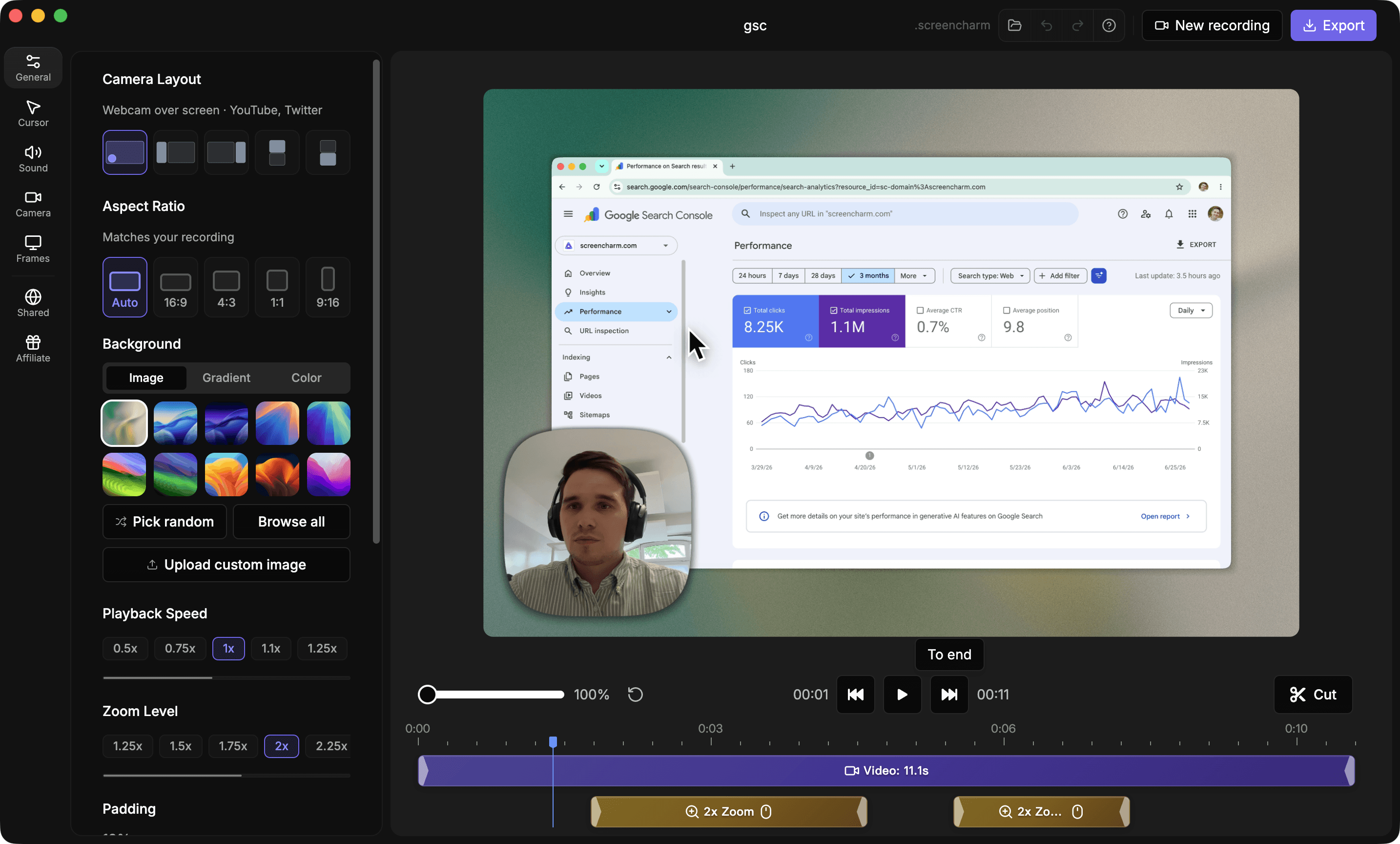
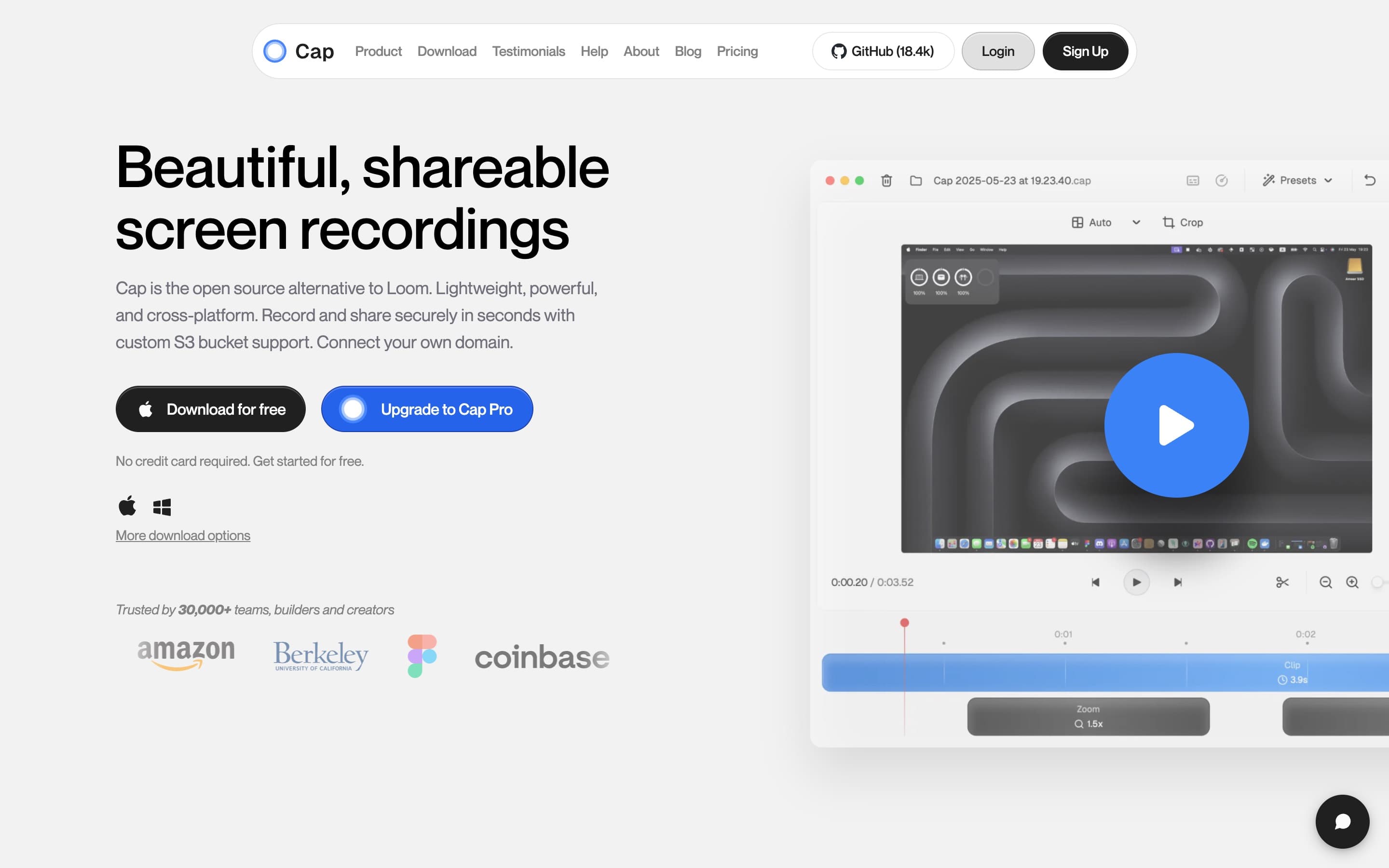
Use Screen Charm when
You want a focused Mac app for polished product demos with automatic zoom, local 4K export, and simple one-time pricing.
Use Cap when
You want an open-source Loom alternative with instant sharing, team workspaces, custom domains, S3 storage, self-hosting options, screenshots, and AI-generated video metadata.
Screen Charm vs Cap: feature comparison
A practical side-by-side for Mac creators comparing polish, pricing, recording workflow, export control, and sharing.
Pricing
Free plan
Screen Charm
Cap
One-time purchase
Screen Charm
Cap
Annual desktop license
Screen Charm
Cap
Per-user cloud plan
Screen Charm
Cap
Enterprise plan
Screen Charm
Cap
Recording Modes
Native Mac app
Screen Charm
Cap
Windows app
Screen Charm
Cap
Instant link recording
Screen Charm
Cap
Studio Mode editor
Screen Charm
Cap
Screenshot mode
Screen Charm
Cap
Screen, webcam, and mic recording
Screen Charm
Cap
Visual Polish
Automatic zoom on clicks
Screen Charm
Cap
Cursor effects
Screen Charm
Cap
Custom backgrounds
Screen Charm
Cap
Adjustable padding
Screen Charm
Cap
Rounded corners
Screen Charm
Cap
Motion blur
Screen Charm
Cap
Background music
Screen Charm
Cap
Screenshot annotation tools
Screen Charm
Cap
Export & Sharing
4K export
Screen Charm
Cap
60 FPS capture
Screen Charm
Cap
30 / 60 FPS export
Screen Charm
Cap
Export to MP4
Screen Charm
Cap
Export to GIF
Screen Charm
Cap
Unlimited local recordings
Screen Charm
Cap
Unlimited cloud storage
Screen Charm
Cap
Password protected shares
Screen Charm
Cap
Cloud, AI & Teams
Open source
Screen Charm
Cap
Custom S3 bucket support
Screen Charm
Cap
Self-hosting or managed self-hosting
Screen Charm
Cap
Custom domain
Screen Charm
Cap
AI titles, summaries, and chapters
Screen Charm
Cap
Transcriptions
Screen Charm
Cap
Viewer analytics and engagement
Screen Charm
Cap
Team workspaces
Screen Charm
Cap
Loom video importer
Screen Charm
Cap
| Feature |  |  |
|---|---|---|
| Pricing | ||
| Free plan | ||
| One-time purchase | $58 Desktop License | |
| Annual desktop license | $29/year | |
| Per-user cloud plan | $12/user/month | |
| Enterprise plan | ||
| Recording Modes | ||
| Native Mac app | ||
| Windows app | ||
| Instant link recording | ||
| Studio Mode editor | ||
| Screenshot mode | ||
| Screen, webcam, and mic recording | ||
| Visual Polish | ||
| Automatic zoom on clicks | ||
| Cursor effects | ||
| Custom backgrounds | ||
| Adjustable padding | ||
| Rounded corners | ||
| Motion blur | ||
| Background music | ||
| Screenshot annotation tools | ||
| Export & Sharing | ||
| 4K export | ||
| 60 FPS capture | 60 FPS | |
| 30 / 60 FPS export | 30 / 60 fps | |
| Export to MP4 | ||
| Export to GIF | ||
| Unlimited local recordings | Desktop License | |
| Unlimited cloud storage | Cap Pro | |
| Password protected shares | ||
| Cloud, AI & Teams | ||
| Open source | ||
| Custom S3 bucket support | ||
| Self-hosting or managed self-hosting | ||
| Custom domain | Cap Pro | |
| AI titles, summaries, and chapters | ||
| Transcriptions | ||
| Viewer analytics and engagement | ||
| Team workspaces | ||
| Loom video importer | Cap Pro | |
Cap
Free, $58 lifetime, $12/user/mo
Cap has a free plan, Desktop License at $58 lifetime or $29/year, and Cap Pro at $12/user/month or about $8.16/user/month billed annually.
Price takeaway
Cap is strong if you need open-source sharing, cloud features, or team workflows. Screen Charm is simpler if you want polished Mac demos for a one-time $99.
Key differences between Screen Charm and Cap
Product philosophy
Screen Charm: Focused Mac app for polished demos and tutorials with auto-zoom, motion blur, and background music.
Cap: Open-source Loom alternative with recording, sharing, cloud, AI, and team workflows.
Storage and control
Screen Charm: Local export and Screen Charm sharing for a simple creator workflow.
Cap: Custom S3 buckets, custom domains, self-hosting options, password protected shares, and enterprise controls.
Pricing shape
Screen Charm: One-time $99 for Mac creators.
Cap: Free plan, $58 lifetime Desktop License, $29/year desktop option, and Cap Pro subscriptions for cloud features.
Choose Screen Charm if
- You need professional-looking demos.
- You want auto-zoom, motion blur, background music, and cursor polish.
- You prefer a focused Mac-only app.
- You want one-time pricing.
- You do not need self-hosting, S3, or team workspaces.
Choose Cap if
- You prefer open-source tools.
- You need Mac and Windows support.
- You want custom S3 storage, custom domains, or self-hosting.
- You need AI titles, summaries, chapters, and transcripts.
- You need team workspaces, analytics, password protection, or Loom import.
Frequently asked questions
Is Screen Charm a good Cap alternative?
Yes, especially for Mac users who want a focused product demo recorder with automatic zoom, motion blur, background music, webcam overlay, system audio, local 4K export, and one-time pricing. Cap is better if you need open-source control, custom storage, team workspaces, or cloud collaboration.
Is Cap free?
Yes. Cap has a free plan. It also offers a Desktop License at $58 lifetime or $29/year, plus Cap Pro at $12/user/month or about $8.16/user/month billed annually.
Does Cap support custom S3 buckets?
Yes. Cap supports custom S3 bucket storage and custom domains on its cloud plans, which makes it useful for teams that want more control over where recordings are stored and shared.
Which is better for product demos, Screen Charm or Cap?
Screen Charm is better if you want the fastest Mac workflow for polished product demos with one-time pricing. Cap is better if you want an open-source Loom alternative with cross-platform apps, cloud sharing, AI metadata, screenshots, and team collaboration.
Compare Screen Charm with other tools
Create polished Mac recordings for a one-time price
Screen Charm gives you auto-zoom, captions, pause and resume, webcam overlay, system audio, cursor effects, and 4K export without a monthly subscription.