CleanShot alternative for videos
Screen Charm vs CleanShot X
CleanShot X is one of the best Mac tools for screenshots, annotations, scrolling capture, GIFs, OCR, quick sharing, and lightweight screen recordings. Screen Charm is better when the final output needs to be a polished product demo or tutorial video with auto-zoom, motion blur, background music, webcam overlay, system audio, cursor polish, and 4K export.

Screen Charm
Polished Mac recordings
- Fast polished Mac product demos
- Auto-zoom, motion blur, and cursor polish
- Captions, pause and resume, background music, and local 4K MP4 export
- One-time $99 purchase
Public reviews: 4.8 ⭐ (Product Hunt)
Users: 750+ Mac users
🏆 #4 Product Hunt Daily

CleanShot X
Product website- Fast screenshots
- Annotations and markup
- Scrolling captures
- OCR, pinned screenshots, and GIFs
- CleanShot Cloud sharing
Public reviews: 4.9 ⭐ (Product Hunt)
Similar to: Snagit (Mac-native alternative)
Typical users: Designers, developers sharing UI
TLDR: CleanShot X is the best Mac capture tool for screenshots. It handles scrolling captures, annotations, OCR, pinned references, GIFs, quick cloud links, and lightweight screen recording. It starts at $29 one-time for the App + Cloud Basic plan.
Screen Charm is a video-first recorder. It is built for product demos and tutorials with auto-zoom on every click, motion blur, background music, cursor polish, webcam overlay, system audio, and 4K export.
The two tools are complementary. Many Mac creators use CleanShot X for screenshots and quick visuals, and Screen Charm for recorded product videos and tutorials.
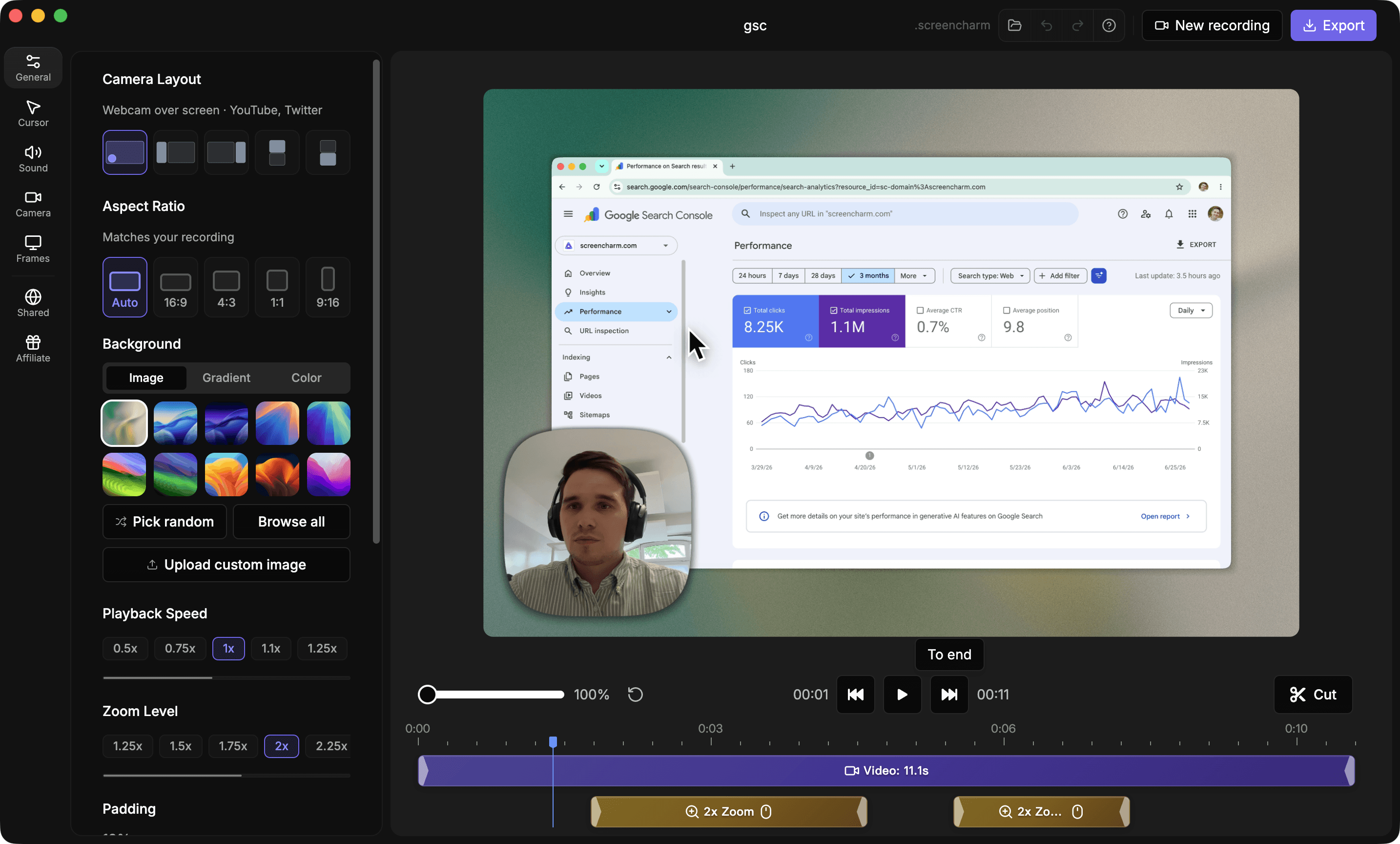
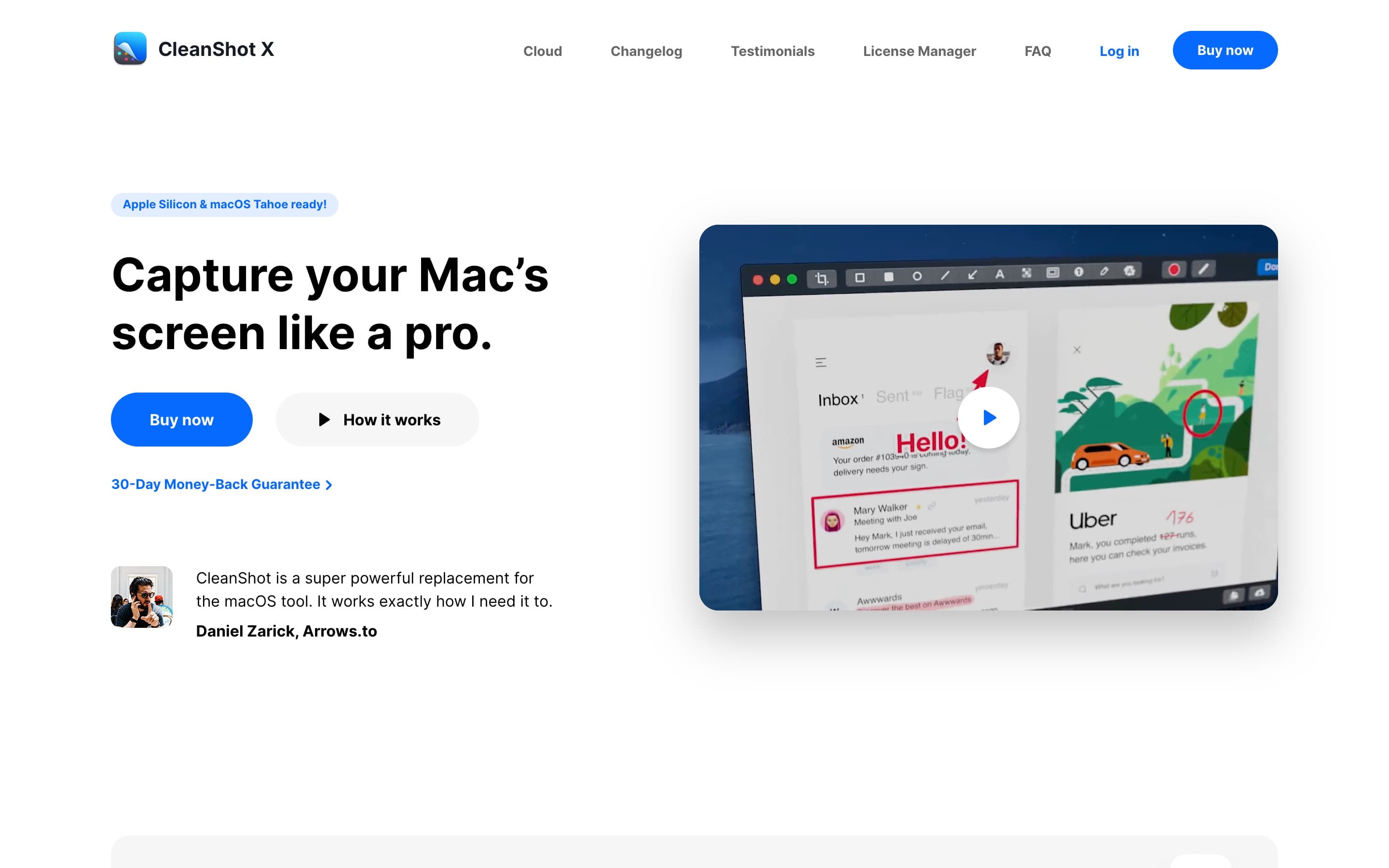
Landing page previews
See the products side by side
A quick visual look at the Screen Charm homepage and the CleanShot X landing page before you compare features, pricing, and workflow.
Use Screen Charm when
You are creating videos where auto-zoom, webcam overlay, system audio, and clean export quality matter.
Use CleanShot when
You mainly need screenshots, annotations, scrolling capture, OCR, pinned references, GIFs, quick cloud links, and lightweight recording snippets.
Screen Charm vs CleanShot X: feature comparison
A practical side-by-side for Mac creators comparing polish, pricing, recording workflow, export control, and sharing.
Pricing
One-time purchase
Screen Charm
CleanShot X
One year of updates included
Screen Charm
CleanShot X
Optional annual renewal
Screen Charm
CleanShot X
Team subscription
Screen Charm
CleanShot X
30-day money-back guarantee
Screen Charm
CleanShot X
Screen Recording
Native Mac app
Screen Charm
CleanShot X
Screen recording
Screen Charm
CleanShot X
Webcam in recordings
Screen Charm
CleanShot X
Record microphone and macOS audio
Screen Charm
CleanShot X
Highlight mouse clicks and keystrokes
Screen Charm
CleanShot X
Automatically hide notifications
Screen Charm
CleanShot X
Built-in trimming tool
Screen Charm
CleanShot X
Automatic zoom on clicks
Screen Charm
CleanShot X
Screenshots & Capture
Screenshot capture
Screen Charm
CleanShot X
Scrolling capture
Screen Charm
CleanShot X
Annotation tools
Screen Charm
CleanShot X
Quick Access overlay
Screen Charm
CleanShot X
Pin screenshots on screen
Screen Charm
CleanShot X
Hide desktop icons
Screen Charm
CleanShot X
Self-timer screenshots
Screen Charm
CleanShot X
OCR text recognition
Screen Charm
CleanShot X
Scale down Retina screenshots
Screen Charm
CleanShot X
Crosshair alignment mode
Screen Charm
CleanShot X
Visual Polish
Branded backgrounds
Screen Charm
CleanShot X
Custom wallpaper for captures
Screen Charm
CleanShot X
Background tool for screenshots
Screen Charm
CleanShot X
Device frames
Screen Charm
CleanShot X
Cursor effects
Screen Charm
CleanShot X
Motion blur
Screen Charm
CleanShot X
Background music
Screen Charm
CleanShot X
Video-first demo styling
Screen Charm
CleanShot X
Export & Sharing
4K export
Screen Charm
CleanShot X
Local MP4 export
Screen Charm
CleanShot X
Optimized GIF export
Screen Charm
CleanShot X
Upload and get a link
Screen Charm
CleanShot X
Cloud account required for local use
Screen Charm
CleanShot X
1 GB cloud storage
Screen Charm
CleanShot X
Unlimited cloud storage
Screen Charm
CleanShot X
Custom domain and branding
Screen Charm
CleanShot X
Team management and SSO
Screen Charm
CleanShot X
| Feature |  |  |
|---|---|---|
| Pricing | ||
| One-time purchase | $29 Basic | |
| One year of updates included | ||
| Optional annual renewal | $19/year | |
| Team subscription | $8/user/month annually | |
| 30-day money-back guarantee | ||
| Screen Recording | ||
| Native Mac app | ||
| Screen recording | ||
| Webcam in recordings | ||
| Record microphone and macOS audio | ||
| Highlight mouse clicks and keystrokes | ||
| Automatically hide notifications | ||
| Built-in trimming tool | ||
| Automatic zoom on clicks | ||
| Screenshots & Capture | ||
| Screenshot capture | ||
| Scrolling capture | ||
| Annotation tools | ||
| Quick Access overlay | ||
| Pin screenshots on screen | ||
| Hide desktop icons | ||
| Self-timer screenshots | ||
| OCR text recognition | ||
| Scale down Retina screenshots | ||
| Crosshair alignment mode | ||
| Visual Polish | ||
| Branded backgrounds | ||
| Custom wallpaper for captures | ||
| Background tool for screenshots | ||
| Device frames | ||
| Cursor effects | ||
| Motion blur | ||
| Background music | ||
| Video-first demo styling | ||
| Export & Sharing | ||
| 4K export | Recording focused, varies | |
| Local MP4 export | ||
| Optimized GIF export | ||
| Upload and get a link | ||
| Cloud account required for local use | ||
| 1 GB cloud storage | Basic | |
| Unlimited cloud storage | Pro | |
| Custom domain and branding | Pro | |
| Team management and SSO | Pro | |
CleanShot X
$29 one-time or $8/user/mo
CleanShot X App + Cloud Basic is $29 one-time with one year of updates and 1 GB cloud storage. App + Cloud Pro is $8/user/month billed annually or $10/user/month billed monthly.
Price takeaway
Screen Charm is the video-first choice. CleanShot X is the screenshot-first choice and has a strong Mac capture workflow.
Key differences between Screen Charm and CleanShot X
Video vs screenshots
Screen Charm: Focused on polished product demos and tutorial videos.
CleanShot: Focused on screenshots, annotations, scrolling capture, OCR, GIFs, and quick visual communication.
Editing workflow
Screen Charm: Auto-zoom, motion blur, background music, cursor polish, webcam overlay, system audio, and trimming for videos.
CleanShot: Markup, annotation, background styling, pinning, OCR, and fast screenshot workflows.
Cloud and teams
Screen Charm: Simple sharing for finished recordings.
CleanShot: CleanShot Cloud, custom domain, branding, password controls, team management, and SSO on Pro.
Choose Screen Charm if
- You want polished video demos.
- You need webcam overlay and system audio.
- You want auto-zoom, motion blur, and cursor-focused recordings.
- You want to add background music.
- You publish marketing or tutorial videos.
- You do not need advanced screenshot annotation tools.
Choose CleanShot X if
- You mostly take screenshots.
- You need fast annotations and markup.
- You want scrolling screenshots.
- You need OCR, pinned screenshots, hidden desktop icons, or self-timer captures.
- You share quick visual feedback, GIFs, and screenshot links more than polished videos.
Frequently asked questions
Is Screen Charm better than CleanShot X for videos?
Yes, if you are creating polished product demos or tutorials. Screen Charm is built around video recording with auto-zoom, motion blur, background music, webcam overlay, system audio, cursor polish, and 4K export. CleanShot X can record videos, but its biggest strength is screenshots and capture workflows.
Can CleanShot X record videos?
Yes. CleanShot X can record your screen, webcam, microphone, and macOS audio, highlight clicks and keystrokes, trim recordings, and export video or optimized GIF files.
How much does CleanShot X cost?
CleanShot X App + Cloud Basic costs $29 one-time with one year of updates, 1 GB of cloud storage, and optional renewal at $19/year. App + Cloud Pro costs $8/user/month billed annually or $10/user/month billed monthly.
Should I use both Screen Charm and CleanShot X?
Many Mac creators can use both: CleanShot X for screenshots, annotations, scrolling capture, OCR, GIFs, and quick visual feedback; Screen Charm for polished product demos and tutorial videos.
Compare Screen Charm with other tools
Create polished Mac recordings for a one-time price
Screen Charm gives you auto-zoom, captions, pause and resume, webcam overlay, system audio, cursor effects, and 4K export without a monthly subscription.