ScreenPal alternative for Mac
Screen Charm vs ScreenPal
ScreenPal is a broad video creation platform for recording, editing, hosting, captions, quizzes, AI tools, translation, education, and team knowledge sharing. Screen Charm is narrower and more focused: polished Mac demos with auto-zoom, motion blur, background music, webcam overlay, system audio, local 4K export, and a simple one-time price.

Screen Charm
Polished Mac recordings
- Fast polished Mac product demos
- Auto-zoom, motion blur, and cursor polish
- Captions, pause and resume, background music, and local 4K MP4 export
- One-time $99 purchase
Public reviews: 4.8 ⭐ (Product Hunt)
Users: 750+ Mac users
🏆 #4 Product Hunt Daily

ScreenPal
Product website- Education and training workflows
- AI captions, transcripts, summaries, and translation
- Interactive quizzes, polls, and CTAs
- Secure hosting, analytics, and team collaboration
Public reviews: 4.5 ⭐ (G2)
Similar to: Loom (free alternative)
Typical users: Teachers, small business owners
TLDR: ScreenPal is a broad cross-platform video tool aimed at education and business teams. It records on Mac, Windows, iOS, Android, and Chromebook and adds AI captions, translation, quizzes, polls, hosting, analytics, LMS integrations, and team sharing. Plans start free.
Screen Charm is a focused Mac recorder for product demos and tutorials. Auto-zoom follows your cursor on every click, motion blur smooths motion automatically, and you get background music and 4K export without learning a video editor.
ScreenPal is better if you need education workflows, AI features, or a broad team platform. Screen Charm is better if you need the cleanest polished Mac demo workflow for a one-time price.
Interface previews
See the products side by side
A quick visual look at the Screen Charm and ScreenPal interfaces before you compare features, pricing, and workflow.
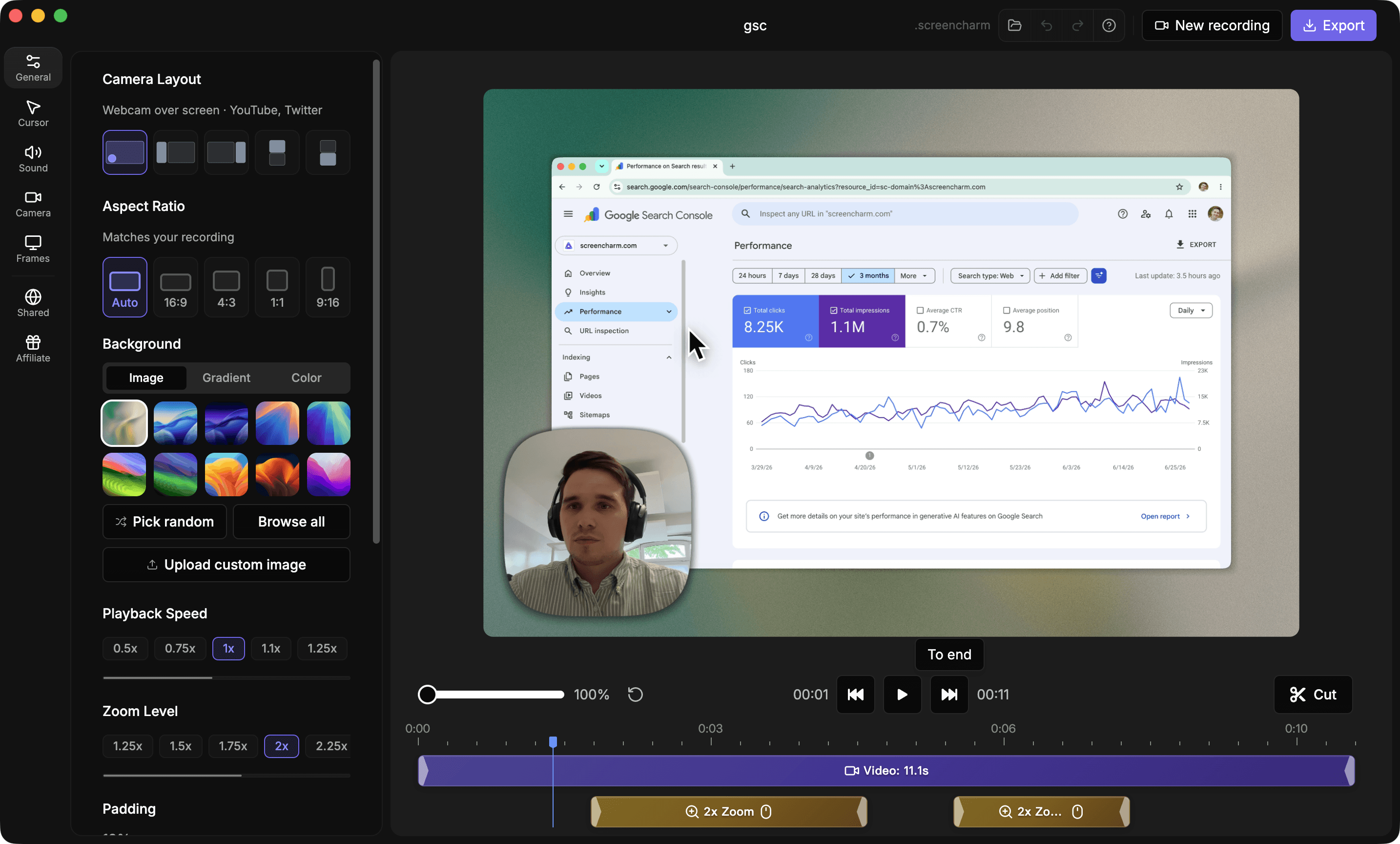
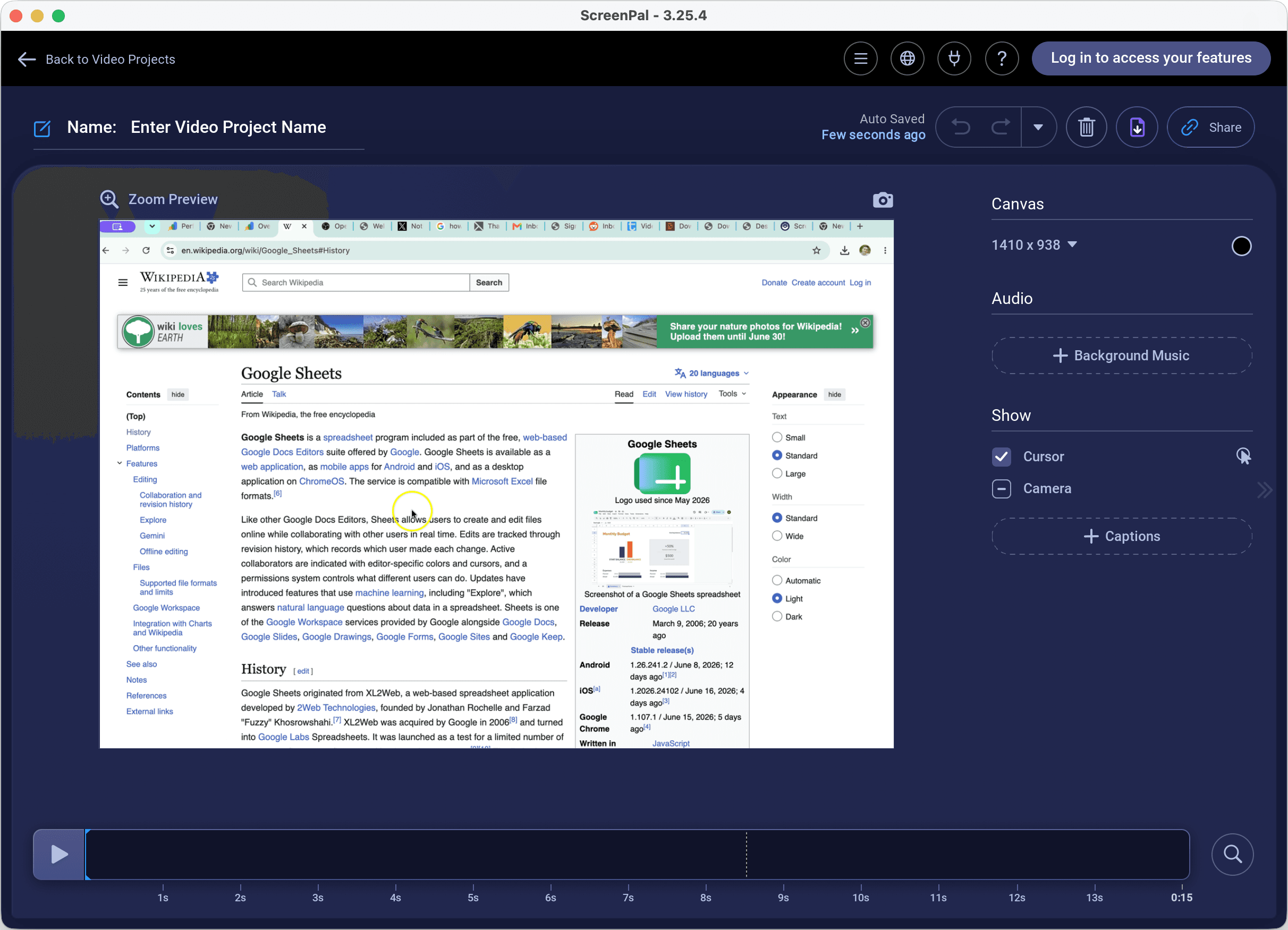
Use Screen Charm when
You want Mac recordings that look like edited product demos without dealing with a broader hosting platform.
Use ScreenPal when
You need cross-device recording, video hosting, translation, quizzes, polls, analytics, LMS workflows, or team knowledge sharing.
Screen Charm vs ScreenPal: feature comparison
A practical side-by-side for Mac creators comparing polish, pricing, recording workflow, export control, and sharing.
Pricing
One-time purchase
Screen Charm
ScreenPal
Free plan
Screen Charm
ScreenPal
Deluxe plan
Screen Charm
ScreenPal
Max plan
Screen Charm
ScreenPal
Team Business plan
Screen Charm
ScreenPal
Recording & Platforms
Mac recording
Screen Charm
ScreenPal
Windows support
Screen Charm
ScreenPal
iOS, Android, and Chromebook support
Screen Charm
ScreenPal
No account required to start recording
Screen Charm
ScreenPal
Screen and webcam recording
Screen Charm
ScreenPal
System audio recording
Screen Charm
ScreenPal
Draw and annotate while recording
Screen Charm
ScreenPal
Zoom in/out while recording
Screen Charm
ScreenPal
Camera content zoom
Screen Charm
ScreenPal
Built-in teleprompter
Screen Charm
ScreenPal
15-minute free recording limit
Screen Charm
ScreenPal
Editing & AI
Trim and cut
Screen Charm
ScreenPal
Add background music
Screen Charm
ScreenPal
Add text, shapes, images, and overlays
Screen Charm
ScreenPal
Motion blur
Screen Charm
ScreenPal
Blur video
Screen Charm
ScreenPal
Edit webcam and cursor
Screen Charm
ScreenPal
AI speech-to-text captions
Screen Charm
ScreenPal
AI titles and summaries
Screen Charm
ScreenPal
AI chapters
Screen Charm
ScreenPal
AI text-to-speech narration
Screen Charm
ScreenPal
AI video translation
Screen Charm
ScreenPal
Filler word removal
Screen Charm
ScreenPal
AI background removal
Screen Charm
ScreenPal
Text-based video editing
Screen Charm
ScreenPal
Screenshots & Images
Screenshot capture
Screen Charm
ScreenPal
Scrolling screenshots
Screen Charm
ScreenPal
Screenshot editing
Screen Charm
ScreenPal
Image blur
Screen Charm
ScreenPal
OCR text recognition
Screen Charm
ScreenPal
Remove image background
Screen Charm
ScreenPal
Hosting & Interactivity
Save to device
Screen Charm
ScreenPal
30 / 60 FPS export
Screen Charm
ScreenPal
Save as animated GIF
Screen Charm
ScreenPal
Host videos
Screen Charm
ScreenPal
Free hosted video limit
Screen Charm
ScreenPal
Embed videos anywhere
Screen Charm
ScreenPal
Custom thumbnails
Screen Charm
ScreenPal
Channels
Screen Charm
ScreenPal
Custom domain and branded pages
Screen Charm
ScreenPal
Advanced analytics and heatmaps
Screen Charm
ScreenPal
Quizzes, polls, and ratings
Screen Charm
ScreenPal
Unlimited quizzes and polls
Screen Charm
ScreenPal
LMS integrations
Screen Charm
ScreenPal
SAML SSO and team permissions
Screen Charm
ScreenPal
| Feature |  |  |
|---|---|---|
| Pricing | ||
| One-time purchase | ||
| Free plan | ||
| Deluxe plan | $4/month annually | |
| Max plan | $10/month annually | |
| Team Business plan | $8/user/month annually | |
| Recording & Platforms | ||
| Mac recording | ||
| Windows support | ||
| iOS, Android, and Chromebook support | ||
| No account required to start recording | ||
| Screen and webcam recording | ||
| System audio recording | Paid plans | |
| Draw and annotate while recording | ||
| Zoom in/out while recording | ||
| Camera content zoom | ||
| Built-in teleprompter | Max plan | |
| 15-minute free recording limit | Free plan | |
| Editing & AI | ||
| Trim and cut | ||
| Add background music | ||
| Add text, shapes, images, and overlays | ||
| Motion blur | ||
| Blur video | Paid plans | |
| Edit webcam and cursor | Paid plans | |
| AI speech-to-text captions | ||
| AI titles and summaries | Max | |
| AI chapters | ||
| AI text-to-speech narration | Max | |
| AI video translation | Max | |
| Filler word removal | Max | |
| AI background removal | Max | |
| Text-based video editing | Max | |
| Screenshots & Images | ||
| Screenshot capture | ||
| Scrolling screenshots | Paid plans | |
| Screenshot editing | ||
| Image blur | Paid plans | |
| OCR text recognition | Paid plans | |
| Remove image background | Max | |
| Hosting & Interactivity | ||
| Save to device | ||
| 30 / 60 FPS export | 30 / 60 fps | |
| Save as animated GIF | ||
| Host videos | ||
| Free hosted video limit | 10 videos | |
| Embed videos anywhere | ||
| Custom thumbnails | ||
| Channels | ||
| Custom domain and branded pages | Max | |
| Advanced analytics and heatmaps | Max | |
| Quizzes, polls, and ratings | ||
| Unlimited quizzes and polls | Max | |
| LMS integrations | Team Business | |
| SAML SSO and team permissions | Team Business | |
ScreenPal
Free, $4/mo, $10/mo, $8/user/mo
ScreenPal has a free plan, Deluxe at $4/month paid annually, Max at $10/month paid annually, and Team Business from $8/user/month paid annually.
Price takeaway
Screen Charm is simpler for Mac demo polish and one-time pricing. ScreenPal is broader if hosting, education, AI, interactivity, and team features matter.
Key differences between Screen Charm and ScreenPal
Audience
Screen Charm: Made for founders, makers, and Mac creators.
ScreenPal: Built for educators, students, businesses, teams, and organizations sharing knowledge through video.
Scope
Screen Charm: Focused Mac workflow for polished product demos with auto-zoom, motion blur, and background music.
ScreenPal: Broad platform for recording, editing, hosting, AI, translation, interactivity, analytics, and team management.
Pricing
Screen Charm: One-time $99.
ScreenPal: Free plan plus annual subscriptions for Deluxe, Max, and Team Business.
Choose Screen Charm if
- You want the cleanest Mac demo workflow.
- You prefer one-time pricing.
- You care about automatic zoom, motion blur, background music, and visual style.
- You create marketing demos or tutorials.
- You do not need quizzes, LMS, AI translation, or team analytics.
Choose ScreenPal if
- You need classroom or training features.
- You want free or low-cost subscriptions.
- You need video hosting, quizzes, polls, translation, or analytics.
- You want a broad cross-device tool for Windows, Mac, mobile, and Chromebook.
- You need LMS integrations, SSO, roles, permissions, or team collaboration.
Frequently asked questions
Is Screen Charm a good ScreenPal alternative?
Yes, for Mac users who want polished demos with auto-zoom, motion blur, background music, local 4K export, and a simpler one-time purchase. ScreenPal is broader and stronger for education, hosting, AI captions, translation, quizzes, analytics, and team workflows.
Does ScreenPal have auto-zoom like Screen Charm?
ScreenPal includes zoom in and out tools while recording. Screen Charm is more focused on automatic cursor-driven zoom for polished Mac product demos.
How much does ScreenPal cost?
ScreenPal has a free plan. Deluxe is $4/month paid annually, Max is $10/month paid annually, and Team Business starts at $8/user/month paid annually.
Which is better for tutorials, Screen Charm or ScreenPal?
Screen Charm is better for polished Mac product tutorials and launch videos. ScreenPal is better if you need cross-device recording, hosting, quizzes, polls, LMS integrations, AI translation, or team knowledge sharing.
Compare Screen Charm with other tools
Create polished Mac recordings for a one-time price
Screen Charm gives you auto-zoom, captions, pause and resume, webcam overlay, system audio, cursor effects, and 4K export without a monthly subscription.