ScreenFlow alternative for Mac
Screen Charm vs ScreenFlow
ScreenFlow is a powerful Mac-only screen recorder and video editor for tutorials, iOS app demos, training, marketing videos, captions, animations, and multi-track production. Screen Charm is for creators who want polished demos faster, with automatic zoom, motion blur, background music, webcam overlay, system audio, 4K export, and a simpler one-time price.

Screen Charm
Polished Mac recordings
- Fast polished Mac product demos
- Auto-zoom, motion blur, and cursor polish
- Captions, pause and resume, background music, and local 4K MP4 export
- One-time $99 purchase
Public reviews: 4.8 ⭐ (Product Hunt)
Users: 750+ Mac users
🏆 #4 Product Hunt Daily

ScreenFlow
Product website- Full multi-track timeline editing
- iPhone and iPad recording
- Training, courses, and software tutorials
- Animations, captions, GIFs, and publishing
Public reviews: 4.5 ⭐ (G2)
Similar to: Final Cut Pro (for screencasts)
Typical users: Mac course creators, YouTubers
TLDR: ScreenFlow is a mature Mac screen recorder and full timeline video editor. It supports iOS recording, multi-track editing, animations, captions, GIF export, ProRes, stock media, and detailed publishing controls. It starts at $199.
Screen Charm is built around a different idea: make your recording look polished automatically. Auto-zoom follows your clicks, motion blur happens in the background, and you export 4K in one click. No timeline to manage.
If you create courses, iOS app demos, or complex marketing videos, ScreenFlow gives you more control. If you want a polished product demo or tutorial without post-production, Screen Charm is faster.
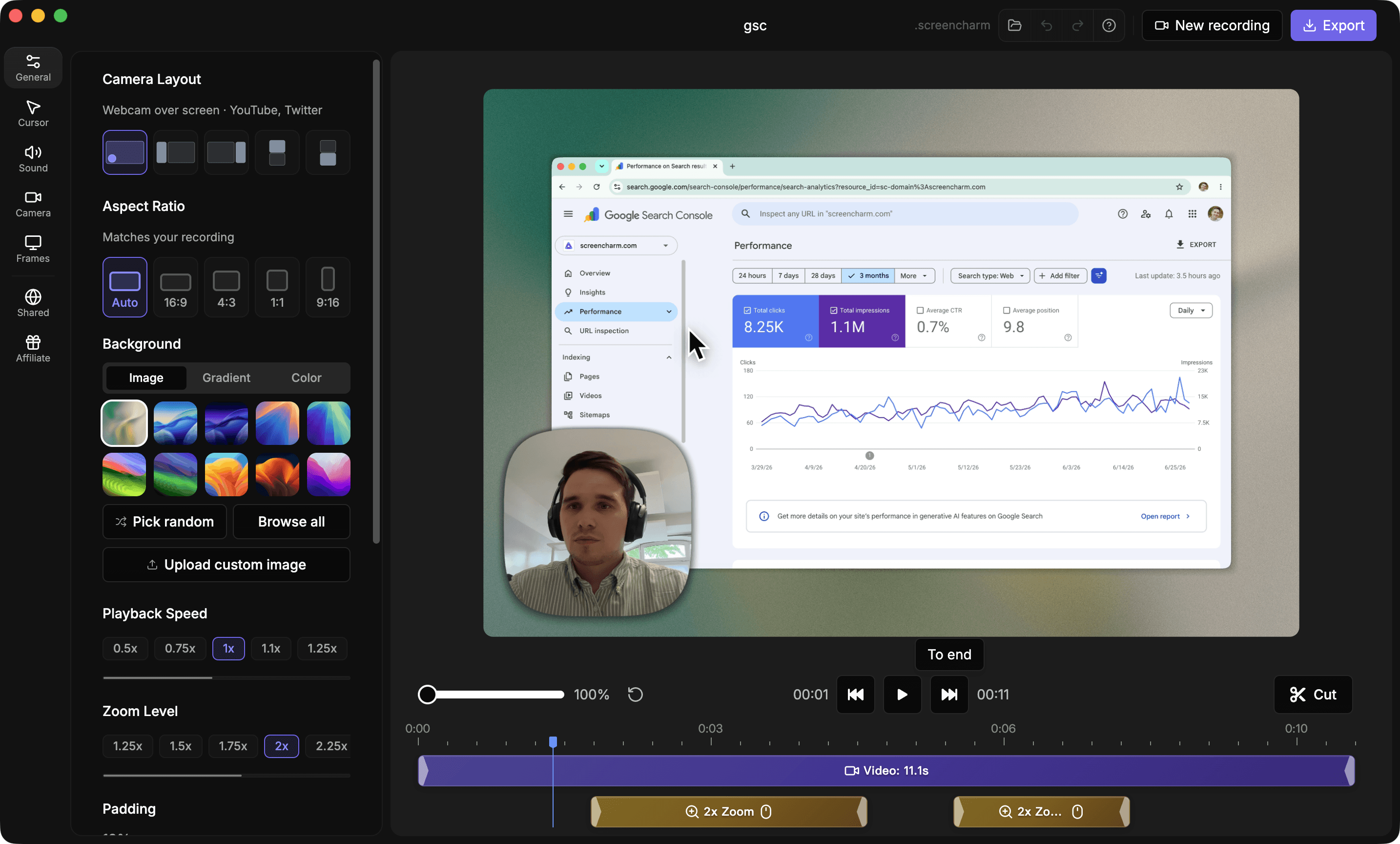
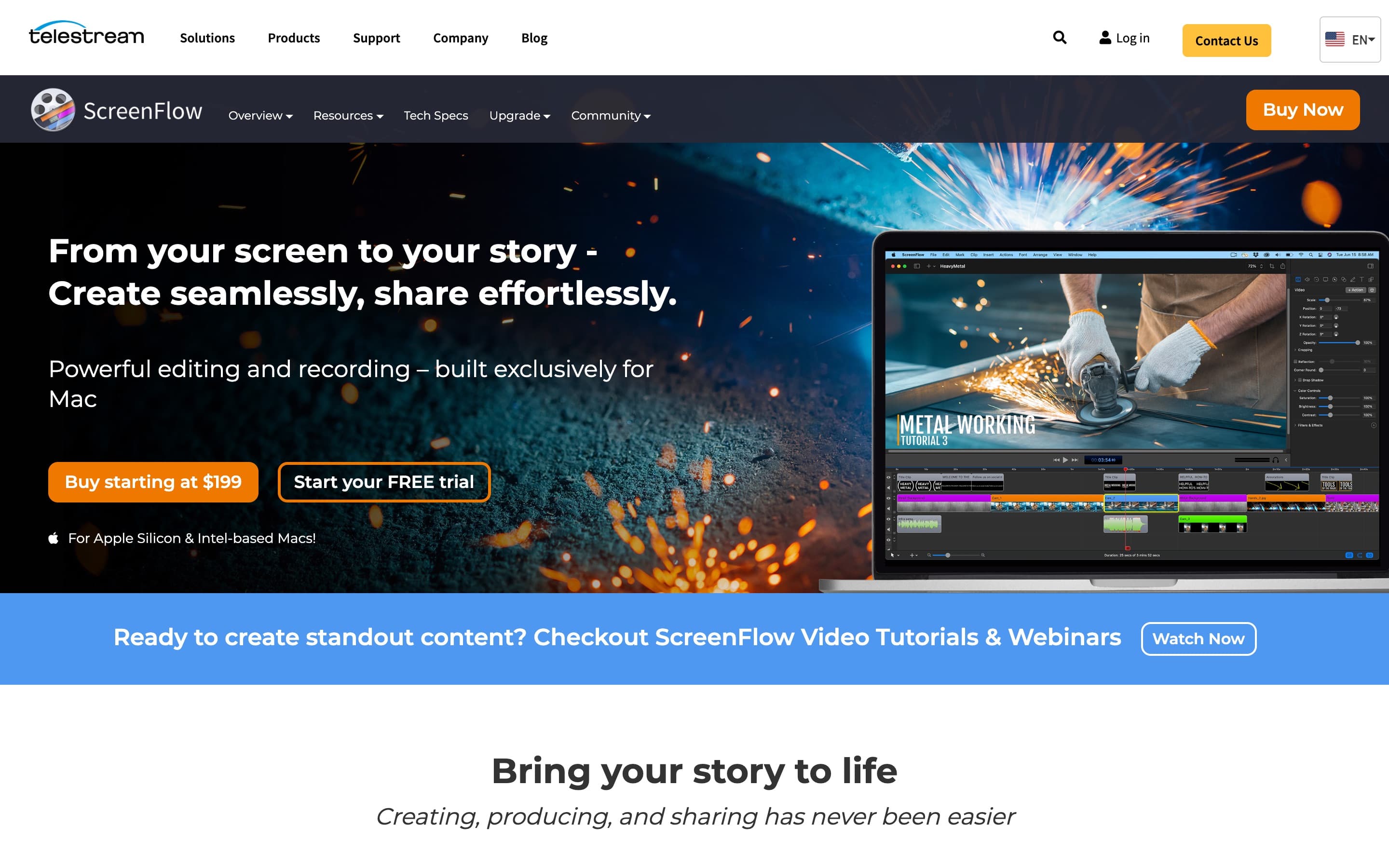
Landing page previews
See the products side by side
A quick visual look at the Screen Charm homepage and the ScreenFlow landing page before you compare features, pricing, and workflow.
Use Screen Charm when
You want polished product demos, tutorials, or launch videos without spending time in a traditional timeline editor.
Use ScreenFlow when
You need a full Mac video editor with multi-track editing, iOS recording, templates, titles, animations, captions, stock media, and detailed publishing controls.
Screen Charm vs ScreenFlow: feature comparison
A practical side-by-side for Mac creators comparing polish, pricing, recording workflow, export control, and sharing.
Pricing
One-time purchase
Screen Charm
ScreenFlow
Lower upfront price
Screen Charm
ScreenFlow
Free trial
Screen Charm
ScreenFlow
Stock media add-on
Screen Charm
ScreenFlow
Premium support add-on
Screen Charm
ScreenFlow
Volume discounts
Screen Charm
ScreenFlow
Recording
Mac app
Screen Charm
ScreenFlow
Apple Silicon and Intel Mac support
Screen Charm
ScreenFlow
Screen, camera, and microphone recording
Screen Charm
ScreenFlow
System audio capture
Screen Charm
ScreenFlow
Simultaneous multi-source recording
Screen Charm
ScreenFlow
Record iPhone or iPad screen
Screen Charm
ScreenFlow
Multi-app workflow recording
Screen Charm
ScreenFlow
Visual Polish
Automatic zoom on clicks
Screen Charm
ScreenFlow
Cursor effects
Screen Charm
ScreenFlow
Branded backgrounds
Screen Charm
ScreenFlow
Device frames
Screen Charm
ScreenFlow
Motion blur
Screen Charm
ScreenFlow
Cinematic video filters
Screen Charm
ScreenFlow
Customizable title library
Screen Charm
ScreenFlow
Professional animations and motion graphics
Screen Charm
ScreenFlow
Editing
Built-in trim editor
Screen Charm
ScreenFlow
Background music
Screen Charm
ScreenFlow
Full multitrack timeline
Screen Charm
ScreenFlow
Transitions and text animations
Screen Charm
ScreenFlow
Video animations
Screen Charm
ScreenFlow
Freehand annotations
Screen Charm
ScreenFlow
Multi-channel audio editing
Screen Charm
ScreenFlow
Styles and templates for tutorial series
Screen Charm
ScreenFlow
Nested clips, markers, and color labels
Screen Charm
ScreenFlow
Closed caption editor
Screen Charm
ScreenFlow
Fast no-edit workflow
Screen Charm
ScreenFlow
Export & Publishing
4K export
Screen Charm
ScreenFlow
Local MP4 export
Screen Charm
ScreenFlow
ProRes encoding
Screen Charm
ScreenFlow
Animated GIF export
Screen Charm
ScreenFlow
Animated PNG export
Screen Charm
ScreenFlow
Burn in captions
Screen Charm
ScreenFlow
Publishing presets and platform export options
Screen Charm
ScreenFlow
Built-in stock media library
Screen Charm
ScreenFlow
| Feature |  |  |
|---|---|---|
| Pricing | ||
| One-time purchase | $199 license | |
| Lower upfront price | ||
| Free trial | Watermarked exports | |
| Stock media add-on | $99/year | |
| Premium support add-on | $59/year | |
| Volume discounts | ||
| Recording | ||
| Mac app | ||
| Apple Silicon and Intel Mac support | ||
| Screen, camera, and microphone recording | ||
| System audio capture | ||
| Simultaneous multi-source recording | ||
| Record iPhone or iPad screen | ||
| Multi-app workflow recording | ||
| Visual Polish | ||
| Automatic zoom on clicks | Manual editing | |
| Cursor effects | ||
| Branded backgrounds | ||
| Device frames | ||
| Motion blur | Manual editing | |
| Cinematic video filters | ||
| Customizable title library | ||
| Professional animations and motion graphics | ||
| Editing | ||
| Built-in trim editor | ||
| Background music | ||
| Full multitrack timeline | ||
| Transitions and text animations | ||
| Video animations | ||
| Freehand annotations | ||
| Multi-channel audio editing | ||
| Styles and templates for tutorial series | ||
| Nested clips, markers, and color labels | ||
| Closed caption editor | ||
| Fast no-edit workflow | ||
| Export & Publishing | ||
| 4K export | ||
| Local MP4 export | ||
| ProRes encoding | ||
| Animated GIF export | ||
| Animated PNG export | ||
| Burn in captions | ||
| Publishing presets and platform export options | ||
| Built-in stock media library | Paid add-on | |
ScreenFlow
$199
ScreenFlow starts at $199. Bundles with Stock Media Library and Premium Support are available, and Stock Media Library is sold as a yearly add-on.
Price takeaway
Screen Charm is simpler and lower-cost if automatic zoom and fast product demo exports matter more than full timeline editing.
Key differences between Screen Charm and ScreenFlow
Speed vs control
Screen Charm: Automates zoom, motion blur, and visual polish for fast publishing.
ScreenFlow: Gives more timeline control but requires more editing time.
Demo polish
Screen Charm: Built around cursor-driven auto-zoom, automatic motion blur, branded backgrounds, background music, and quick product demo output.
ScreenFlow: Can create very polished videos manually with timeline editing, titles, filters, animations, and captions.
Best fit
Screen Charm: Product demos, launch videos, support videos, and tutorials that should look polished quickly.
ScreenFlow: Courses, corporate training, iOS demos, marketing videos, content creation, and complex software tutorials.
Choose Screen Charm if
- You want demos that look edited without manual keyframing.
- You want automatic motion blur and background music.
- You prefer a simple recorder over a full editing suite.
- You publish product demos, tutorials, or support videos often.
- You want one-time pricing and fast exports.
- You do not need iPhone recording or advanced timeline editing.
Choose ScreenFlow if
- You need a full timeline editor.
- You create courses, training videos, marketing videos, or complex tutorials.
- You need iPhone or iPad recording.
- You need a full closed-caption editor, GIF/APNG export, ProRes export, or publishing presets.
- You want titles, filters, annotations, templates, stock media, and motion graphics.
- You enjoy fine-tuning every part of the edit.
Frequently asked questions
Is Screen Charm a good ScreenFlow alternative?
Yes, if you want a faster Mac recorder for polished demos with automatic zoom, motion blur, background music, captions, and local 4K export. ScreenFlow is stronger for full timeline editing, iOS recording, animations, stock media, and advanced export options.
Does Screen Charm replace ScreenFlow?
It depends on your workflow. Screen Charm can replace ScreenFlow for product demos and tutorials that do not need a complex timeline, iPhone recording, or professional post-production tools.
How much does ScreenFlow cost?
ScreenFlow starts at $199. Bundle options include ScreenFlow with Stock Media Library and Premium Support, and the Stock Media Library is available as a yearly add-on.
Which is easier to use, Screen Charm or ScreenFlow?
Screen Charm is easier for quick polished recordings because auto-zoom and visual polish are built into the recording workflow. ScreenFlow has more editing power, but it has a larger learning curve.
Compare Screen Charm with other tools
Create polished Mac recordings for a one-time price
Screen Charm gives you auto-zoom, captions, pause and resume, webcam overlay, system audio, cursor effects, and 4K export without a monthly subscription.