Vidyard alternative for Mac
Screen Charm vs Vidyard
Vidyard is a video platform for sales and marketing teams, with CRM integrations and viewer tracking. Screen Charm is a native Mac screen recorder that makes demos look polished with auto-zoom and motion blur, for one $79 price instead of per-seat plans.

Screen Charm
Polished Mac recordings
- Polished Mac demos and async clips
- Automatic zoom, motion blur, and cursor effects
- Local 4K MP4 export with no cloud lock-in
- One-time $79 price instead of per-seat plans
Public reviews: 4.8 ⭐ (Product Hunt)
Users: 750+ Mac users
🏆 #4 Product Hunt Daily
Vidyard
Product website- Sales teams that track viewer engagement
- CRM integrations such as Salesforce and HubSpot
- Calls to action and forms inside the video player
- Team libraries and hosted video hubs
Similar to: Loom, Wistia
Typical users: Sales and marketing teams
TLDR: Vidyard is built for outbound sales and marketing. Its value is in hosted video, CRM integrations such as Salesforce and HubSpot, viewer tracking, and calls to action inside the player. The recorder is a Chrome extension or desktop helper.
Paid plans are per user: Pro starts at $19 per user per month and Plus around $59 per user per month on annual billing. The free plan is limited to 25 videos and one hour of total content.
Screen Charm is a recorder, not a sales platform. It zooms on clicks, adds motion blur and backgrounds, and exports 4K MP4 or a share link for $79 once. Choose Vidyard if you need CRM tracking and in-player calls to action. Choose Screen Charm if you mainly need great-looking recordings.
Landing page previews
See the products side by side
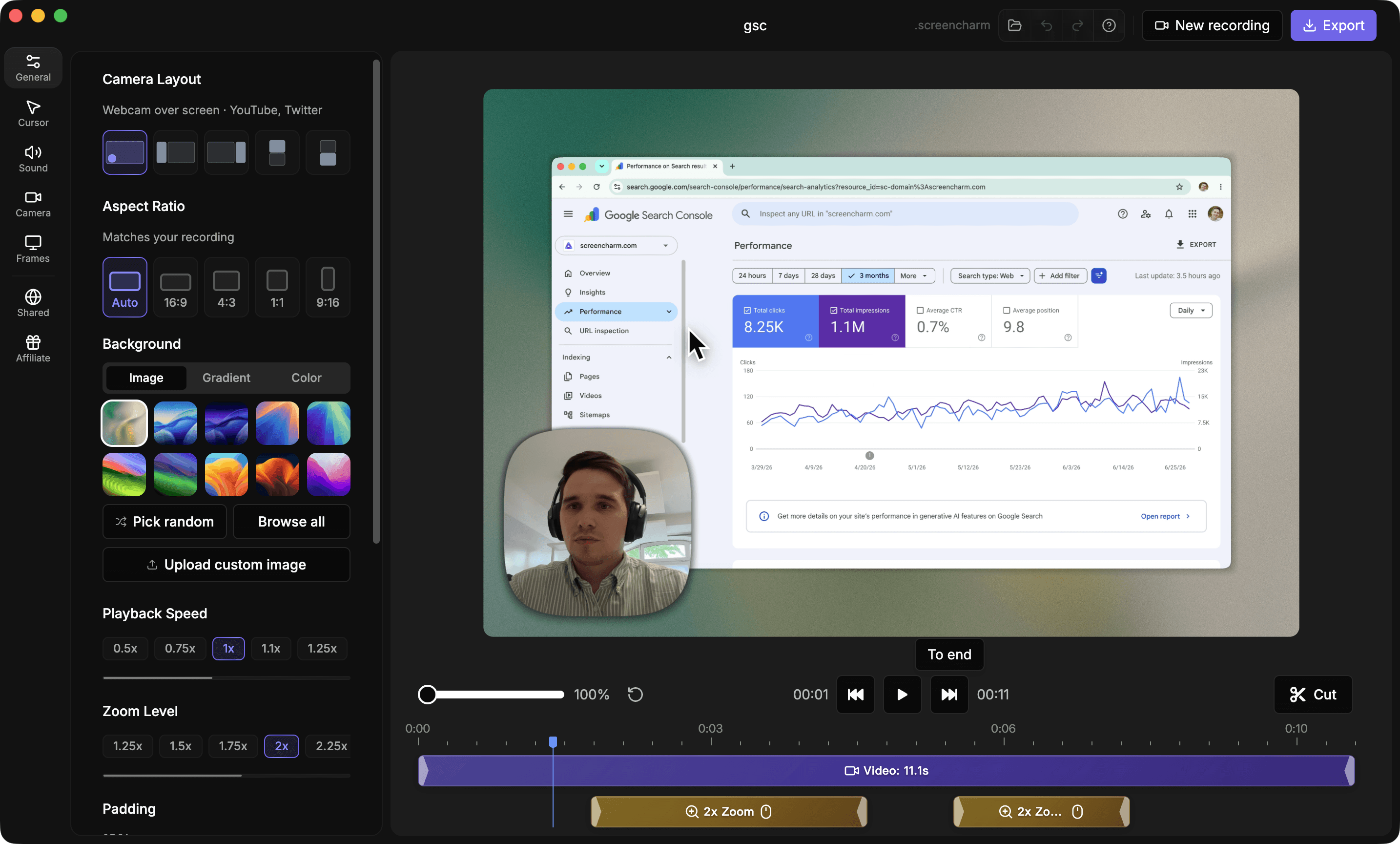
A quick visual look at the Screen Charm homepage and the Vidyard landing page before you compare features, pricing, and workflow.
Use Screen Charm when
You record product demos and clips on a Mac and want them to look polished, without paying per seat for sales features you will not use.
Use Vidyard when
You run an outbound sales or marketing motion and need CRM integrations, viewer tracking, and in-player calls to action.
Screen Charm vs Vidyard: feature comparison
A practical side-by-side for Mac creators comparing polish, pricing, recording workflow, export control, and sharing.
Pricing
One-time purchase
Screen Charm
Vidyard
Per-user subscription
Screen Charm
Vidyard
Free plan
Screen Charm
Vidyard
Recording
Automatic zoom on clicks
Screen Charm
Vidyard
Automatic motion blur
Screen Charm
Vidyard
Webcam overlay
Screen Charm
Vidyard
Native Mac app
Screen Charm
Vidyard
Sales & Sharing
Share links
Screen Charm
Vidyard
CRM integrations
Screen Charm
Vidyard
Viewer engagement tracking
Screen Charm
Vidyard
Calls to action in the player
Screen Charm
Vidyard
Export
Works without a cloud account
Screen Charm
Vidyard
| Feature |  | V Vidyard |
|---|---|---|
| Pricing | ||
| One-time purchase | ||
| Per-user subscription | ||
| Free plan | Free trial | 25 videos, 1 hour |
| Recording | ||
| Automatic zoom on clicks | ||
| Automatic motion blur | ||
| Webcam overlay | ||
| Native Mac app | Chrome extension or desktop helper | |
| Sales & Sharing | ||
| Share links | ||
| CRM integrations | ||
| Viewer engagement tracking | ||
| Calls to action in the player | ||
| Export | ||
| Works without a cloud account | ||
Vidyard
Free plan; Pro from $19/user/mo; Plus ~$59/user/mo
Vidyard's free plan is limited to 25 videos and one hour of total content. Pro starts at $19 per user per month and Plus around $59 per user per month on annual billing, with enterprise pricing on request.
Price takeaway
One Screen Charm license costs less than five months of Vidyard Pro for a single user and never renews.
Key differences between Screen Charm and Vidyard
Recorder vs platform
Screen Charm: A recorder that makes each clip look polished.
Vidyard: A hosted video platform with sales analytics.
Pricing model
Screen Charm: $79 once.
Vidyard: Per-user subscription, with the useful integrations on higher tiers.
Polish
Screen Charm: Automatic zoom, motion blur, backgrounds, and music.
Vidyard: Standard screen, webcam, and microphone recording.
Choose Screen Charm if
- You mostly need great-looking recordings.
- You are on a Mac and want a native app.
- You do not want per-seat pricing.
- You can use standard MP4 files or share links in your own tools.
Choose Vidyard if
- You need CRM integrations and viewer tracking.
- Your sales team lives in Salesforce or HubSpot.
- You want calls to action inside the player.
Frequently asked questions
What is the best Vidyard alternative for Mac?
For polished recordings, Screen Charm. It is a native Mac app with automatic zoom, motion blur, background music, and 4K export for a one-time $79 price. If you need CRM tracking, stay with Vidyard.
Does Vidyard have automatic zoom?
No. Vidyard's recorder does not zoom on clicks. Screen Charm does, and also adds motion blur.
Can Screen Charm replace Vidyard for sales teams?
Partly. It replaces the recorder with better polish at a lower price, but it has no CRM integrations, prospect tracking, or in-player calls to action.
How much does Vidyard cost?
Vidyard has a free plan limited to 25 videos and one hour of content. Pro starts at $19 per user per month and Plus around $59 per user per month on annual billing.
Compare Screen Charm with other tools
Create polished Mac recordings for a one-time price
Screen Charm gives you auto-zoom, captions, pause and resume, webcam overlay, system audio, cursor effects, and 4K export without a monthly subscription.