OBS alternative for Mac demos
Screen Charm vs OBS Studio
OBS Studio is free, open-source, cross-platform software for video recording and live streaming with scenes, sources, transitions, audio mixing, hotkeys, plugins, Studio Mode, and Multiview. Screen Charm is for Mac creators who want polished product demos with auto-zoom, motion blur, background music, and no scene setup, plugins, virtual audio routing, or manual editing.

Screen Charm
Polished Mac recordings
- Fast polished Mac product demos
- Auto-zoom, motion blur, and cursor polish
- Captions, pause and resume, background music, and local 4K MP4 export
- One-time $99 purchase
Public reviews: 4.8 ⭐ (Product Hunt)
Users: 750+ Mac users
🏆 #4 Product Hunt Daily

OBS Studio
Product website- Free open-source recording
- Live streaming
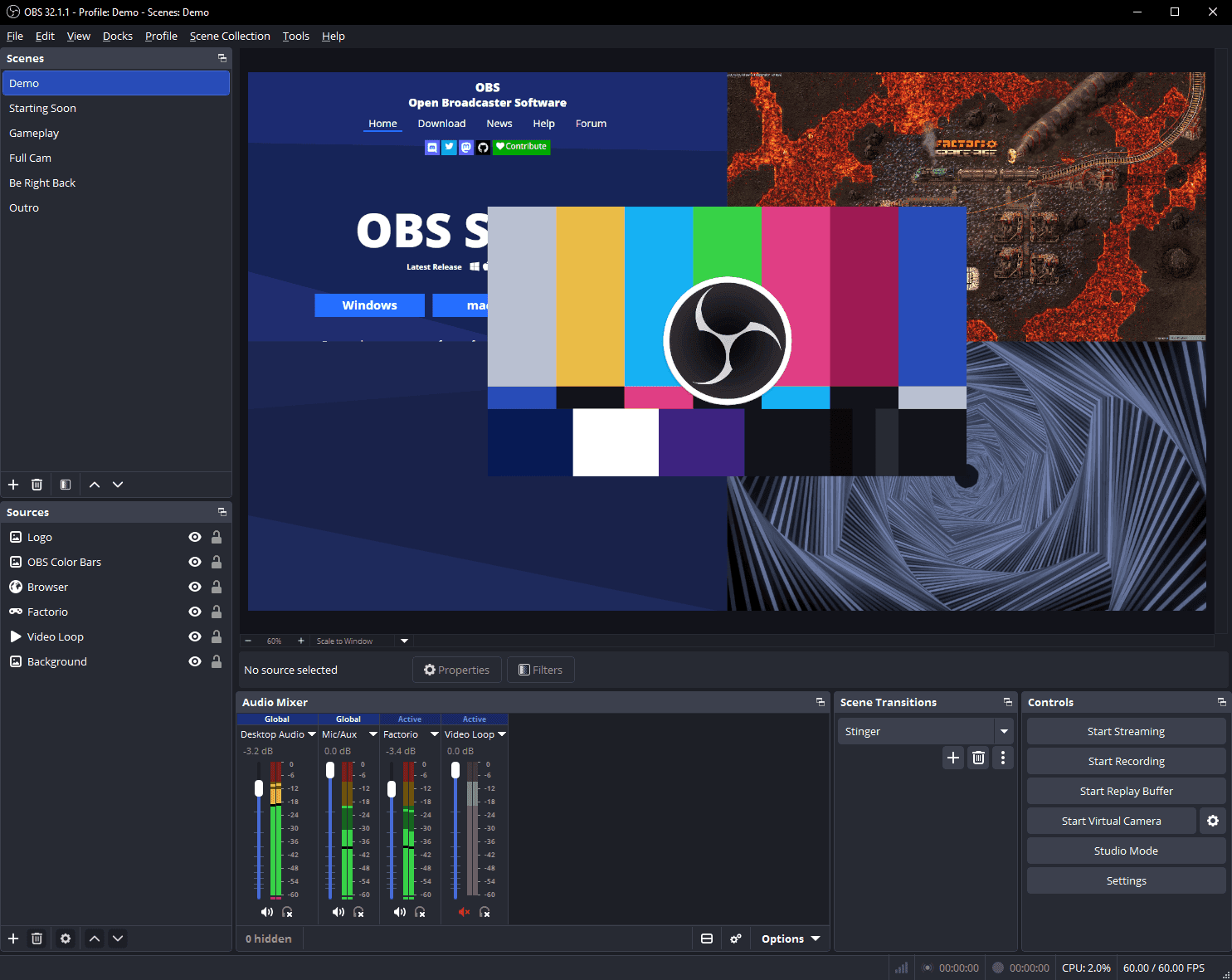
- Scenes, sources, and transitions
- Audio filters, plugins, and production control
Public reviews: 4.6 ⭐ (G2)
Similar to: Streamlabs, XSplit
Typical users: Streamers, podcasters, developers
TLDR: OBS Studio is free, open-source, and runs on Mac, Windows, and Linux. It is the standard tool for live streaming and gives you full control over scenes, sources, audio mixing, hotkeys, plugins, and Studio Mode. If you stream live, OBS is the obvious choice.
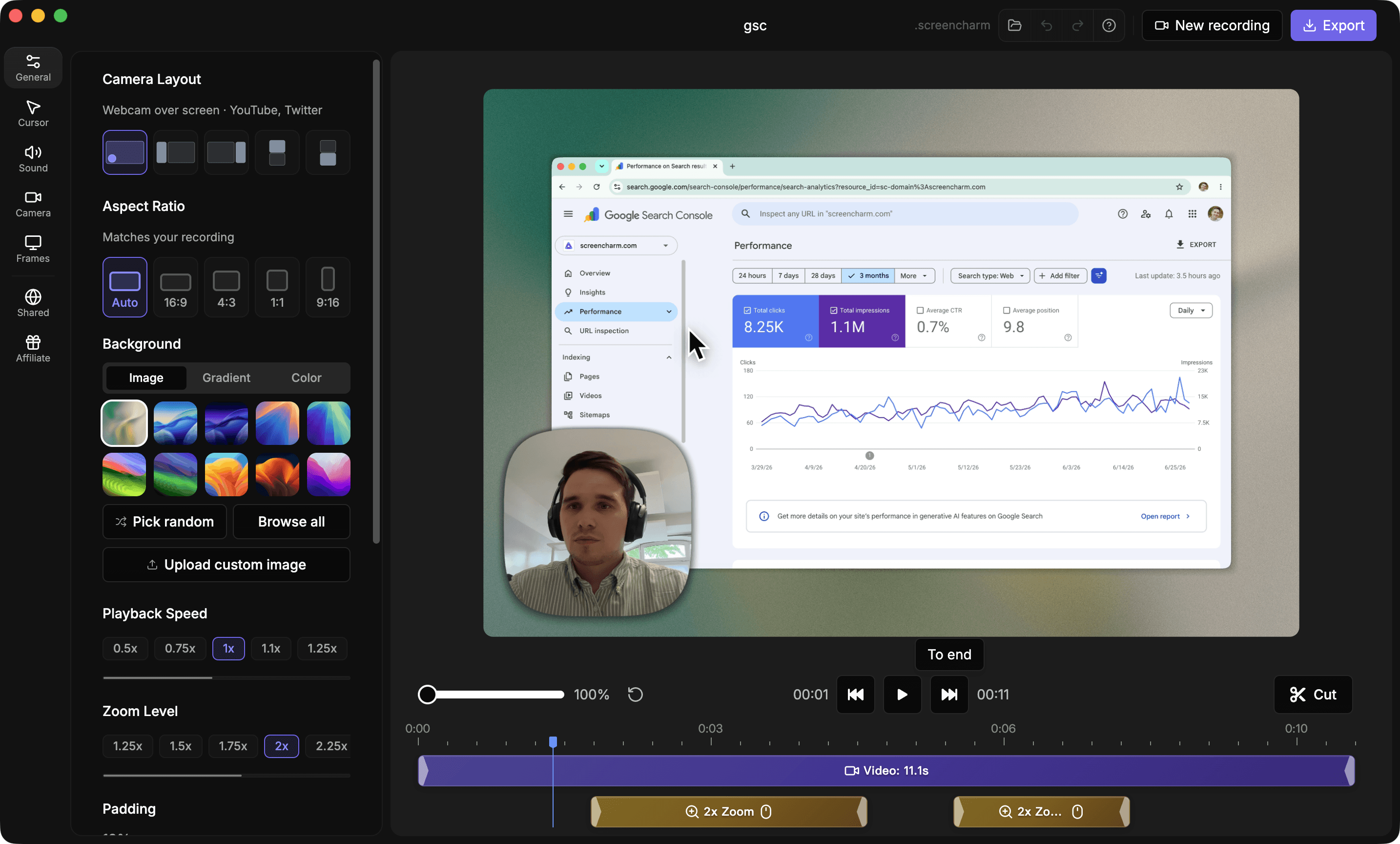
Screen Charm is for recorded product demos and tutorials on Mac. There is no scene setup, no audio routing, and no manual editing required. Auto-zoom follows your cursor, motion blur happens automatically, and you export 4K in one click.
If you want free and powerful, use OBS. If you want polished demos fast without configuration, use Screen Charm.
Interface previews
See the products side by side
A quick visual look at the Screen Charm and OBS Studio interfaces before you compare features, pricing, and workflow.
Use Screen Charm when
You want a polished recording quickly, especially for product demos, tutorials, and public-facing videos.
Use OBS when
You want free, flexible recording or live streaming and you are comfortable configuring scenes, sources, audio filters, hotkeys, plugins, and production settings.
Screen Charm vs OBS Studio: feature comparison
A practical side-by-side for Mac creators comparing polish, pricing, recording workflow, export control, and sharing.
Pricing
Free forever
Screen Charm
OBS Studio
One-time purchase
Screen Charm
OBS Studio
Open source
Screen Charm
OBS Studio
Community plugins and scripts
Screen Charm
OBS Studio
Platforms & Recording
Mac support
Screen Charm
OBS Studio
Windows support
Screen Charm
OBS Studio
Linux support
Screen Charm
OBS Studio
High-performance video/audio capture
Screen Charm
OBS Studio
Screen and webcam recording
Screen Charm
OBS Studio
Live streaming
Screen Charm
OBS Studio
No setup required for polished demos
Screen Charm
OBS Studio
Scenes & Production
Unlimited scenes
Screen Charm
OBS Studio
Multiple sources per scene
Screen Charm
OBS Studio
Window, image, text, browser, webcam, and capture card sources
Screen Charm
OBS Studio
Custom transitions and stinger transitions
Screen Charm
OBS Studio
Studio Mode scene preview
Screen Charm
OBS Studio
Multiview monitoring
Screen Charm
OBS Studio
Custom hotkeys
Screen Charm
OBS Studio
Modular dock UI
Screen Charm
OBS Studio
Audio & Customization
System audio and microphone capture
Screen Charm
OBS Studio
Audio mixer
Screen Charm
OBS Studio
Per-source audio filters
Screen Charm
OBS Studio
Noise gate, noise suppression, and gain filters
Screen Charm
OBS Studio
VST plugin support
Screen Charm
OBS Studio
Lua and Python scripting
Screen Charm
OBS Studio
Powerful settings panel
Screen Charm
OBS Studio
Demo Polish & Export
Automatic zoom on clicks
Screen Charm
OBS Studio
Cursor effects for demos
Screen Charm
OBS Studio
Branded backgrounds
Screen Charm
OBS Studio
Device frames
Screen Charm
OBS Studio
Motion blur
Screen Charm
OBS Studio
Background music
Screen Charm
OBS Studio
Built-in trim editor
Screen Charm
OBS Studio
4K export
Screen Charm
OBS Studio
Built-in video hosting
Screen Charm
OBS Studio
| Feature |  |  |
|---|---|---|
| Pricing | ||
| Free forever | ||
| One-time purchase | ||
| Open source | ||
| Community plugins and scripts | ||
| Platforms & Recording | ||
| Mac support | ||
| Windows support | ||
| Linux support | ||
| High-performance video/audio capture | ||
| Screen and webcam recording | ||
| Live streaming | ||
| No setup required for polished demos | ||
| Scenes & Production | ||
| Unlimited scenes | ||
| Multiple sources per scene | ||
| Window, image, text, browser, webcam, and capture card sources | ||
| Custom transitions and stinger transitions | ||
| Studio Mode scene preview | ||
| Multiview monitoring | ||
| Custom hotkeys | ||
| Modular dock UI | ||
| Audio & Customization | ||
| System audio and microphone capture | ||
| Audio mixer | ||
| Per-source audio filters | ||
| Noise gate, noise suppression, and gain filters | ||
| VST plugin support | ||
| Lua and Python scripting | ||
| Powerful settings panel | ||
| Demo Polish & Export | ||
| Automatic zoom on clicks | ||
| Cursor effects for demos | Manual/plugins | |
| Branded backgrounds | Manual setup | |
| Device frames | ||
| Motion blur | Manual/plugins | |
| Background music | Manual setup | |
| Built-in trim editor | ||
| 4K export | ||
| Built-in video hosting | ||
OBS Studio
Free
OBS Studio is free and open-source.
Price takeaway
OBS wins on price and control. Screen Charm wins on speed, polish, and ease of use.
Key differences between Screen Charm and OBS Studio
Setup
Screen Charm: Works out of the box for Mac demos.
OBS: Requires configuring scenes, sources, audio, settings, and sometimes plugins.
Polish
Screen Charm: Auto-zoom, motion blur, background music, and cursor effects are built in.
OBS: Can be customized heavily, but polished product demo styling usually requires manual setup or plugins.
Best fit
Screen Charm: Product demos, tutorials, launch videos, and support videos.
OBS: Live streams, technical recordings, multi-source productions, and users who want full control.
Choose Screen Charm if
- You want demos to look polished immediately.
- You do not want to configure OBS scenes.
- You need auto-zoom, motion blur, and cursor tracking.
- You want background music without extra production setup.
- You record product demos more than streams.
- You want built-in trimming, hosting, and a simpler Mac workflow.
Choose OBS Studio if
- You need a free recorder.
- You stream live video.
- You want complete control over scenes and sources.
- You are comfortable with technical setup.
- You need audio filters, VST plugins, hotkeys, Studio Mode, or Multiview.
- You use Windows, Linux, capture cards, or complex production layouts.
Frequently asked questions
Is Screen Charm easier than OBS?
Yes. Screen Charm is much easier for polished Mac screen recordings. OBS is more powerful and free, but it takes more setup.
Is OBS better than Screen Charm?
OBS is better for streaming, free recording, advanced scene control, audio mixing, plugins, hotkeys, Studio Mode, and Multiview. Screen Charm is better for fast polished Mac demos and tutorials with auto-zoom, motion blur, background music, and simpler editing.
Does Screen Charm stream like OBS?
No. Screen Charm is focused on recording, editing, and exporting polished videos. OBS is the better tool for live streaming.
Is OBS free?
Yes. OBS Studio is free and open-source software for video recording and live streaming on Windows, macOS, and Linux.
Compare Screen Charm with other tools
Create polished Mac recordings for a one-time price
Screen Charm gives you auto-zoom, captions, pause and resume, webcam overlay, system audio, cursor effects, and 4K export without a monthly subscription.