Cursorful alternative for Mac
Screen Charm vs Cursorful
Cursorful adds automatic cursor-following zoom to screen recordings, as a free Chrome extension or a paid Pro desktop app. Screen Charm is a native Mac app that records any app with auto-zoom, motion blur, background music, captions, and 4K export for one $79 price.

Screen Charm
Polished Mac recordings
- Native Mac app that records any app, not just the browser
- One-time $79 purchase with no free-versus-Pro split
- Automatic zoom, motion blur, and cursor polish
- Captions, background music, and a built-in teleprompter
- Local 4K MP4 export
Public reviews: 4.8 ⭐ (Product Hunt)
Users: 750+ Mac users
🏆 #4 Product Hunt Daily
Cursorful
Product website- Trying auto-zoom for free on browser demos
- Recording on Windows or Linux
- Quick browser tutorials and technical walkthroughs
- Cross-platform teams that already work in Chrome
Similar to: Screen Studio, FocuSee (browser-first)
Typical users: Developers and creators recording browser tutorials
TLDR: Both tools zoom in on your clicks automatically so a recording looks edited without keyframes. Cursorful triggers an auto-zoom when two or more clicks land within three seconds, and you can adjust the zooms in its editor afterward.
Cursorful comes in two forms. The free Chrome extension records the browser only (Chrome, Edge, and Brave on Mac, Windows, and Linux) with unlimited 1080p exports for non-commercial use. Cursorful Pro adds commercial use, microphone and camera, 4K exports, and the Pro Desktop app for macOS and Windows that records any app. The Pro license is a one-time payment, listed at $79 against a regular $119 when we checked.
Screen Charm is a native Mac app at $79 once. It records any app, includes webcam, 4K export, and no free-versus-Pro split, and adds motion blur, background music, captions, and a teleprompter. Choose Cursorful's free extension to try auto-zoom on browser demos at no cost, or if you need Windows or Linux. Choose Screen Charm if you record on a Mac and want one native app for everything.
Landing page previews
See the products side by side
A quick visual look at the Screen Charm homepage and the Cursorful landing page before you compare features, pricing, and workflow.
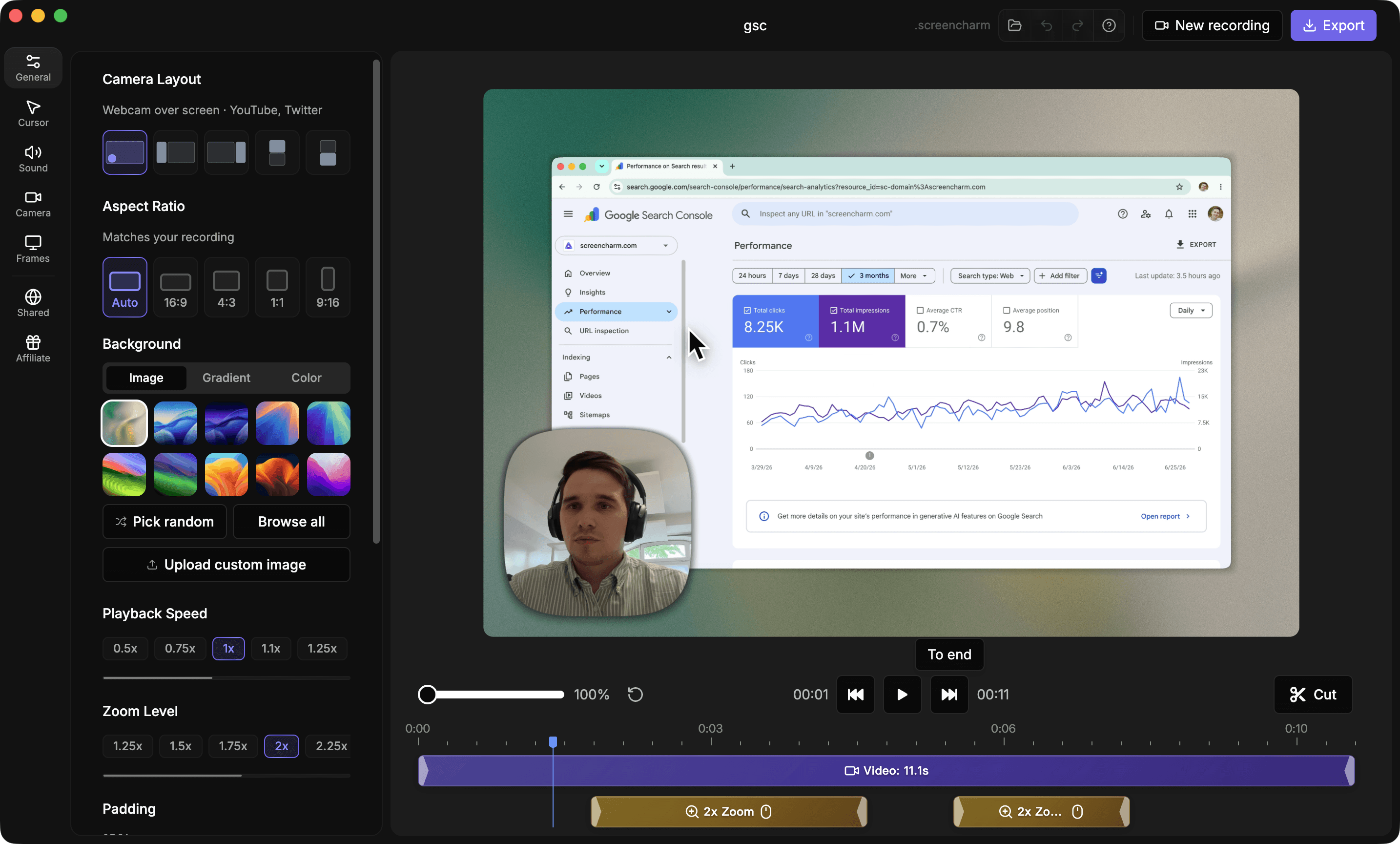
Use Screen Charm when
You record on a Mac, want one native app for every kind of demo, and prefer a single $79 license with 4K export and webcam included.
Use Cursorful when
You mostly record browser demos, want to start free, or need the same workflow on Windows or Linux.
Screen Charm vs Cursorful: feature comparison
A practical side-by-side for Mac creators comparing polish, pricing, recording workflow, export control, and sharing.
Pricing
One-time purchase
Screen Charm
Cursorful
Subscription required
Screen Charm
Cursorful
Free option
Screen Charm
Cursorful
Recording
Automatic zoom on clicks
Screen Charm
Cursorful
Records any app on the Mac
Screen Charm
Cursorful
Webcam overlay
Screen Charm
Cursorful
Smooth custom cursor
Screen Charm
Cursorful
Visual Style
Branded backgrounds
Screen Charm
Cursorful
Platform & Export
Native Mac app
Screen Charm
Cursorful
Windows version
Screen Charm
Cursorful
Linux (browser extension)
Screen Charm
Cursorful
4K export
Screen Charm
Cursorful
| Feature |  | C Cursorful |
|---|---|---|
| Pricing | ||
| One-time purchase | Pro license | |
| Subscription required | ||
| Free option | Free trial | Free extension (non-commercial) |
| Recording | ||
| Automatic zoom on clicks | ||
| Records any app on the Mac | Pro Desktop only | |
| Webcam overlay | Pro | |
| Smooth custom cursor | Pro Desktop only | |
| Visual Style | ||
| Branded backgrounds | ||
| Platform & Export | ||
| Native Mac app | Pro Desktop only | |
| Windows version | ||
| Linux (browser extension) | ||
| 4K export | Pro | |
Cursorful
Free extension; Pro ~$79 one-time (regularly $119)
The Cursorful Chrome extension is free with unlimited 1080p exports for non-commercial use. Cursorful Pro is a lifetime license that adds commercial use for one user, microphone and camera, 4K exports, the Pro Desktop app for macOS and Windows on two devices, and 10 GB of cloud storage. Its site listed $79 against a regular $119 at the time of writing, so check the current price.
Price takeaway
Screen Charm costs $79 once, the same as Cursorful Pro's promotional price, and gives you a native app for every Mac window from the start.
Key differences between Screen Charm and Cursorful
Browser extension vs native app
Screen Charm: A native Mac app that records any window, app, or full screen.
Cursorful: The free extension records the browser only. Recording other apps needs the paid Pro Desktop app.
Free vs paid
Screen Charm: $79 once, with 4K export and webcam included.
Cursorful: Free for non-commercial 1080p. Commercial use, microphone and camera, and 4K need the Pro license.
Platforms
Screen Charm: Mac only.
Cursorful: Extension on Mac, Windows, and Linux. Pro Desktop on Mac and Windows.
Choose Screen Charm if
- You record on a Mac and want one native app for every kind of demo.
- You need to record apps outside the browser.
- You want motion blur, background music, captions, and a teleprompter.
- You do not want to split features between a free and a Pro tier.
Choose Cursorful if
- You want to try auto-zoom for free first.
- You only record browser-based demos.
- You or your team also use Windows or Linux.
Frequently asked questions
Is Cursorful free?
The Cursorful Chrome extension is free, needs no sign-up, adds no watermark, and allows unlimited 1080p exports for non-commercial use. Commercial use, microphone and camera, 4K exports, and the desktop app need the Cursorful Pro license.
Does Cursorful work on Mac?
Yes. The extension runs in Chrome, Edge, and Brave on macOS, and Cursorful Pro Desktop is available for macOS and Windows. The extension only records the browser.
How does Cursorful's automatic zoom work?
It zooms in when two or more clicks happen within a three-second window and keeps following the cursor while clicks continue. You can add, remove, and adjust zooms in the editor after recording.
Is Screen Charm a good Cursorful alternative for Mac?
Yes, if you want a native Mac app that records any app with auto-zoom, motion blur, background music, captions, and 4K export for a one-time $79 price. Cursorful is the better pick if you want a free browser extension or need Windows or Linux.
Compare Screen Charm with other tools
Create polished Mac recordings for a one-time price
Screen Charm gives you auto-zoom, captions, pause and resume, webcam overlay, system audio, cursor effects, and 4K export without a monthly subscription.