Screen Studio alternative for Mac
Screen Charm vs Screen Studio
Both apps create polished Mac screen recordings with automatic zoom, motion blur, and background music. Screen Charm is simpler and lower-cost with a one-time $99 price, while Screen Studio has iOS recording, GIF export, and more style presets.

Screen Charm
Polished Mac recordings
- Simpler workflow for polished Mac demos
- One-time $99 purchase instead of a subscription
- MacBook device frames for product videos
- Fast local 4K MP4 export
- Built-in teleprompter
- Custom background image upload
- Best for founders, makers, and tutorial creators
Public reviews: 4.8 ⭐ (Product Hunt)
Users: 750+ Mac users
🏆 #4 Product Hunt Daily

Screen Studio
Product website- More advanced visual styling controls
- More detailed style presets
- iPhone and iPad recording
- GIF export
- Best for creators who want deeper fine-tuning
Public reviews: 4.9 ⭐ (Product Hunt)
Similar to: Final Cut Pro (for screen recordings)
Typical users: Mac indie developers, designers
TLDR: Screen Charm and Screen Studio are both polished Mac screen recorders built around automatic zoom, motion blur, background music, and webcam overlay. If you want that style of demo and need a one-time price, Screen Charm at $99 is the cheaper pick.
Screen Studio adds iOS and iPad recording, animated GIF export, more cursor skins, and a wider set of visual style presets. It is the better choice if those specific features matter to your workflow.
If you just need fast, clean Mac screen recordings without a subscription and without recording iPhone screens, Screen Charm does everything you need.
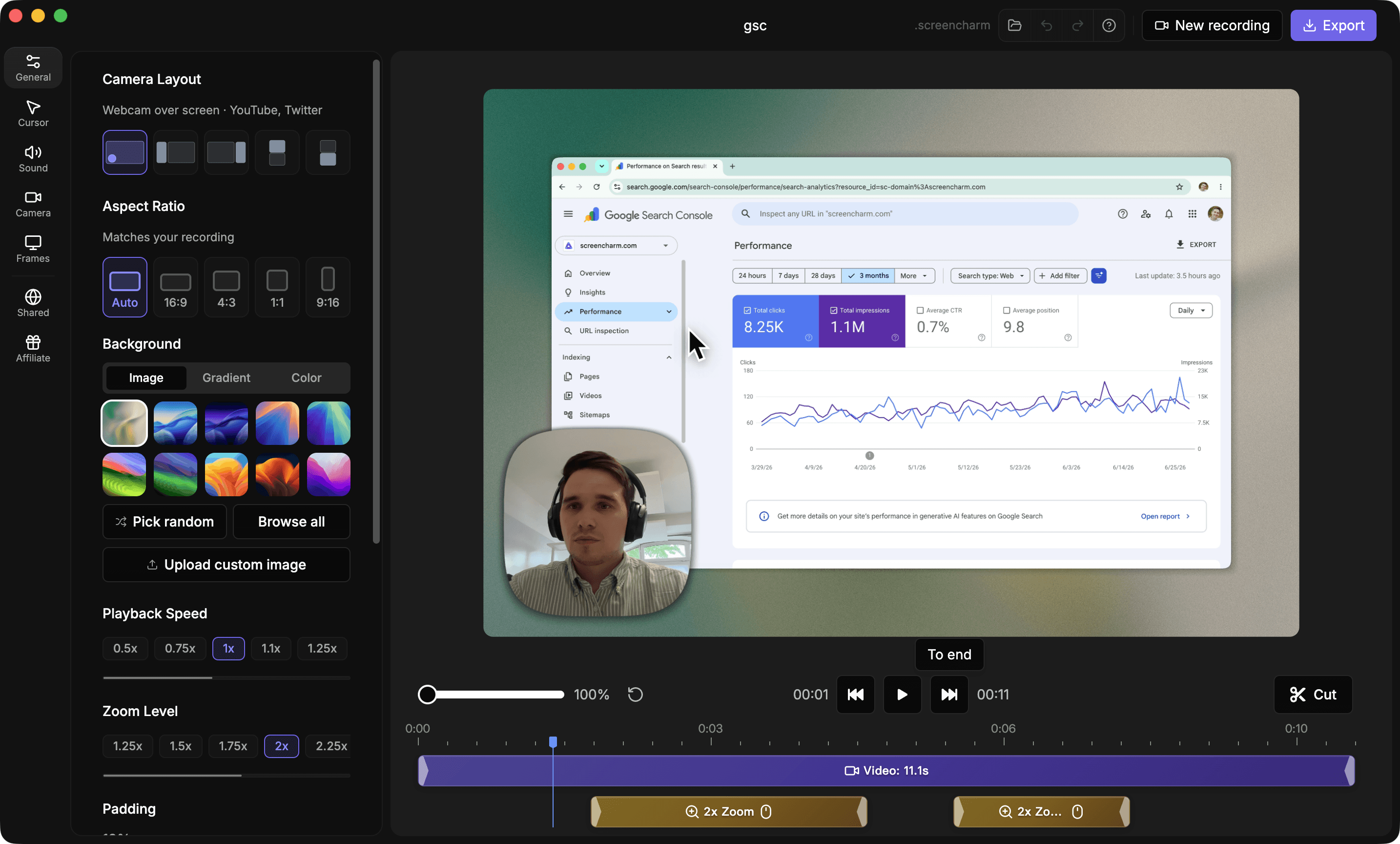
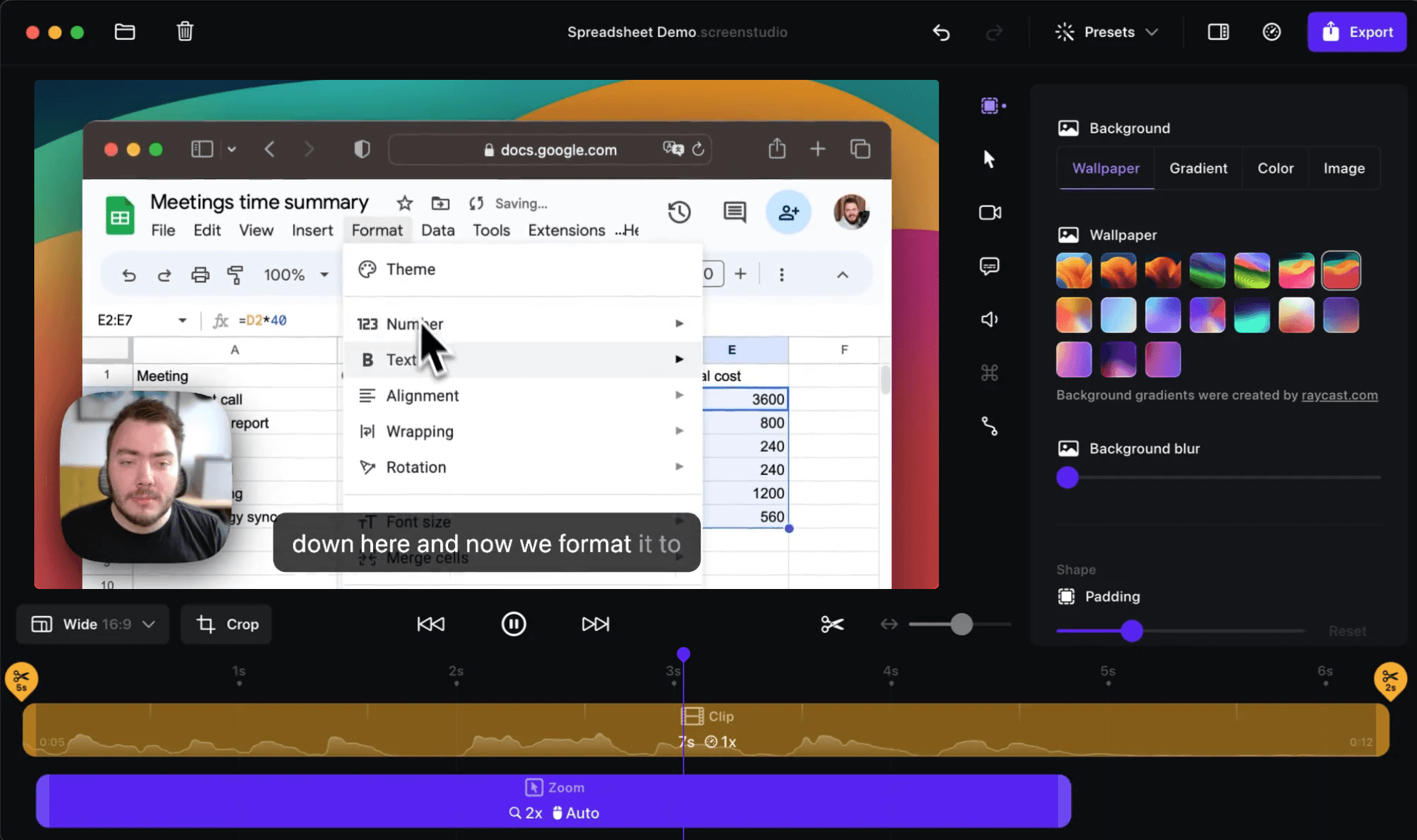
Interface previews
See the products side by side
A quick visual look at the Screen Charm and Screen Studio interfaces before you compare features, pricing, and workflow.
Use Screen Charm when
You want the Screen Studio-style polished demo workflow for a lower one-time price, with auto-zoom, automatic motion blur, background music, webcam overlay, camera content zoom, 30 or 60 FPS export, system audio, device frames, 4K export, a built-in teleprompter, and custom background images.
Use Screen Studio when
You need iOS recording, GIF export, custom cursor skins, and more style templates.
SaaS product demos
Comparing tools for SaaS walkthroughs?
Screen Charm is built for Mac founders and product teams who need polished SaaS demos with automatic zoom, captions, pause and resume, cursor effects, webcam, audio, 4K export, and shareable links.
See SaaS demo recording workflowScreen Charm vs Screen Studio: feature comparison
A practical side-by-side for Mac creators comparing polish, pricing, recording workflow, export control, and sharing.
Pricing
One-time purchase
Screen Charm
Screen Studio
Lifetime updates included
Screen Charm
Screen Studio
Subscription plan
Screen Charm
Screen Studio
Recording
Automatic zoom on clicks
Screen Charm
Screen Studio
Webcam overlay
Screen Charm
Screen Studio
Camera content zoom
Screen Charm
Screen Studio
Built-in teleprompter
Screen Charm
Screen Studio
Pause and resume recording
Screen Charm
Screen Studio
Record iPhone or iPad
Screen Charm
Screen Studio
Visual Style
Branded backgrounds
Screen Charm
Screen Studio
MacBook device frames
Screen Charm
Screen Studio
Cursor customization
Screen Charm
Screen Studio
Motion blur
Screen Charm
Screen Studio
Background music
Screen Charm
Screen Studio
Style presets
Screen Charm
Screen Studio
Editing & Export
Built-in editor
Screen Charm
Screen Studio
Trim and cut
Screen Charm
Screen Studio
Speed control
Screen Charm
Screen Studio
Export as GIF
Screen Charm
Screen Studio
4K export
Screen Charm
Screen Studio
30 / 60 FPS export
Screen Charm
Screen Studio
Cloud sharing
Screen Charm
Screen Studio
Generate captions
Screen Charm
Screen Studio
Vertical camera + screen layout
Screen Charm
Screen Studio
Blur sensitive areas
Screen Charm
Screen Studio
| Feature |  |  |
|---|---|---|
| Pricing | ||
| One-time purchase | ||
| Lifetime updates included | ||
| Subscription plan | ||
| Recording | ||
| Automatic zoom on clicks | ||
| Webcam overlay | ||
| Camera content zoom | ||
| Built-in teleprompter | ||
| Pause and resume recording | ||
| Record iPhone or iPad | ||
| Visual Style | ||
| Branded backgrounds | ||
| MacBook device frames | ||
| Cursor customization | ||
| Motion blur | ||
| Background music | ||
| Style presets | ||
| Editing & Export | ||
| Built-in editor | ||
| Trim and cut | ||
| Speed control | ||
| Export as GIF | ||
| 4K export | ||
| 30 / 60 FPS export | 30 / 60 fps | |
| Cloud sharing | ||
| Generate captions | ||
| Vertical camera + screen layout | ||
| Blur sensitive areas | ||
Screen Studio
$29/mo or $108/yr
Screen Studio is subscription-based.
Price takeaway
Screen Charm costs less than one year of Screen Studio and stays a one-time purchase.
Key differences between Screen Charm and Screen Studio
Price
Screen Charm: One-time $99 purchase.
Screen Studio: Monthly or yearly subscription.
Visual extras
Screen Charm: Focuses on auto-zoom, captions, pause and resume, motion blur, background music, camera content zoom, device frames, cursor effects, built-in teleprompter, custom background images, and 30 or 60 FPS export.
Screen Studio: Adds iOS recording, GIF export, and more visual style presets.
Workflow
Screen Charm: Simpler path to polished demos.
Screen Studio: More controls for creators who want to fine-tune style.
Choose Screen Charm if
- You want a lower one-time price.
- You need auto-zoom and polished demos fast.
- You want captions, pause and resume, motion blur, and background music.
- You want a split vertical layout for Shorts, Reels, and TikTok.
- You want MacBook device frames.
- You want a built-in teleprompter for scripted recordings.
- You want to use custom background images.
- You do not need iPhone recording or GIF export.
Choose Screen Studio if
- You record iPhone or iPad screens.
- You export GIFs regularly.
- You want more style presets and advanced visual controls.
Frequently asked questions
Is Screen Charm cheaper than Screen Studio?
Yes. Screen Charm is a one-time $99 purchase. Screen Studio costs $29/month or $108/year.
Does Screen Charm have auto-zoom like Screen Studio?
Yes. Both apps support automatic zoom that follows clicks and cursor movement during screen recordings.
Does Screen Charm have a teleprompter?
Yes. Screen Charm includes a built-in teleprompter for reading a script while recording to camera. Screen Studio also has a teleprompter.
What is a good Screen Studio alternative for Mac?
Screen Charm is a strong Screen Studio alternative for Mac users who want auto-zoom, captions, pause and resume, polished demos, camera content zoom, 30 or 60 FPS export, 4K export, and one-time pricing.
Compare Screen Charm with other tools
Create polished Mac recordings for a one-time price
Screen Charm gives you auto-zoom, captions, pause and resume, webcam overlay, system audio, cursor effects, and 4K export without a monthly subscription.