Camtasia alternative for Mac
Screen Charm vs Camtasia
Camtasia is a full video editing suite for courses and training. Screen Charm is a focused Mac recorder for fast polished product demos, with auto-zoom, motion blur, background music, webcam overlay, system audio, and one-time pricing.

Screen Charm
Polished Mac recordings
- Fast polished Mac product demos
- Auto-zoom, motion blur, and cursor polish
- Captions, pause and resume, background music, and local 4K MP4 export
- One-time $99 purchase
Public reviews: 4.8 ⭐ (Product Hunt)
Users: 750+ Mac users
🏆 #4 Product Hunt Daily

Camtasia
Product website- Full timeline editing
- Course and training videos
- Annotations and callouts
- Quizzes and templates
Public reviews: 4.6 ⭐ (G2)
Similar to: Adobe Premiere (for e-learning)
Typical users: Corporate trainers, e-learning creators
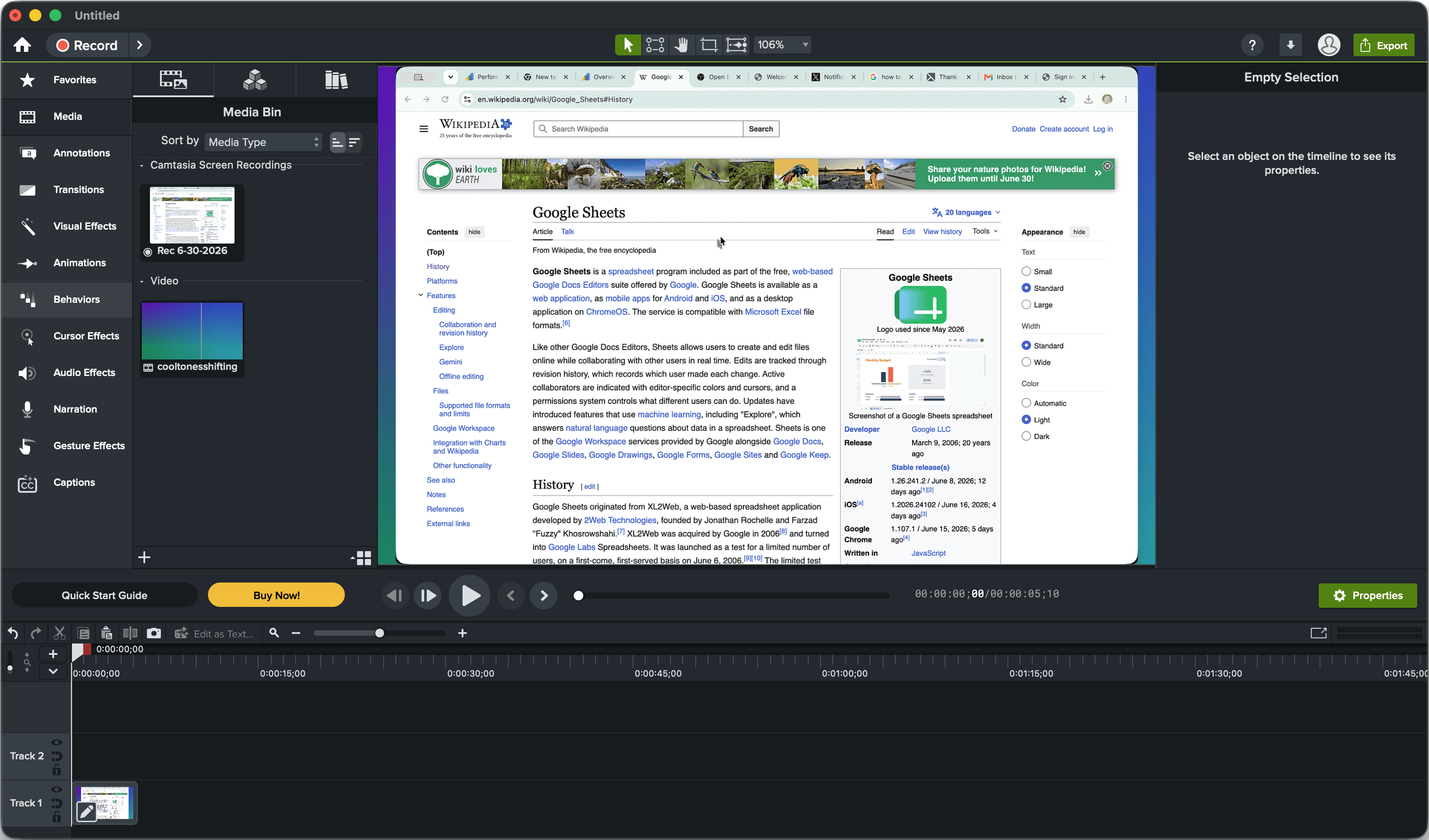
TLDR: Camtasia is a full production suite for training videos, e-learning courses, annotations, callouts, quizzes, captions, and multi-track editing. It runs on Mac and Windows and has a steep learning curve.
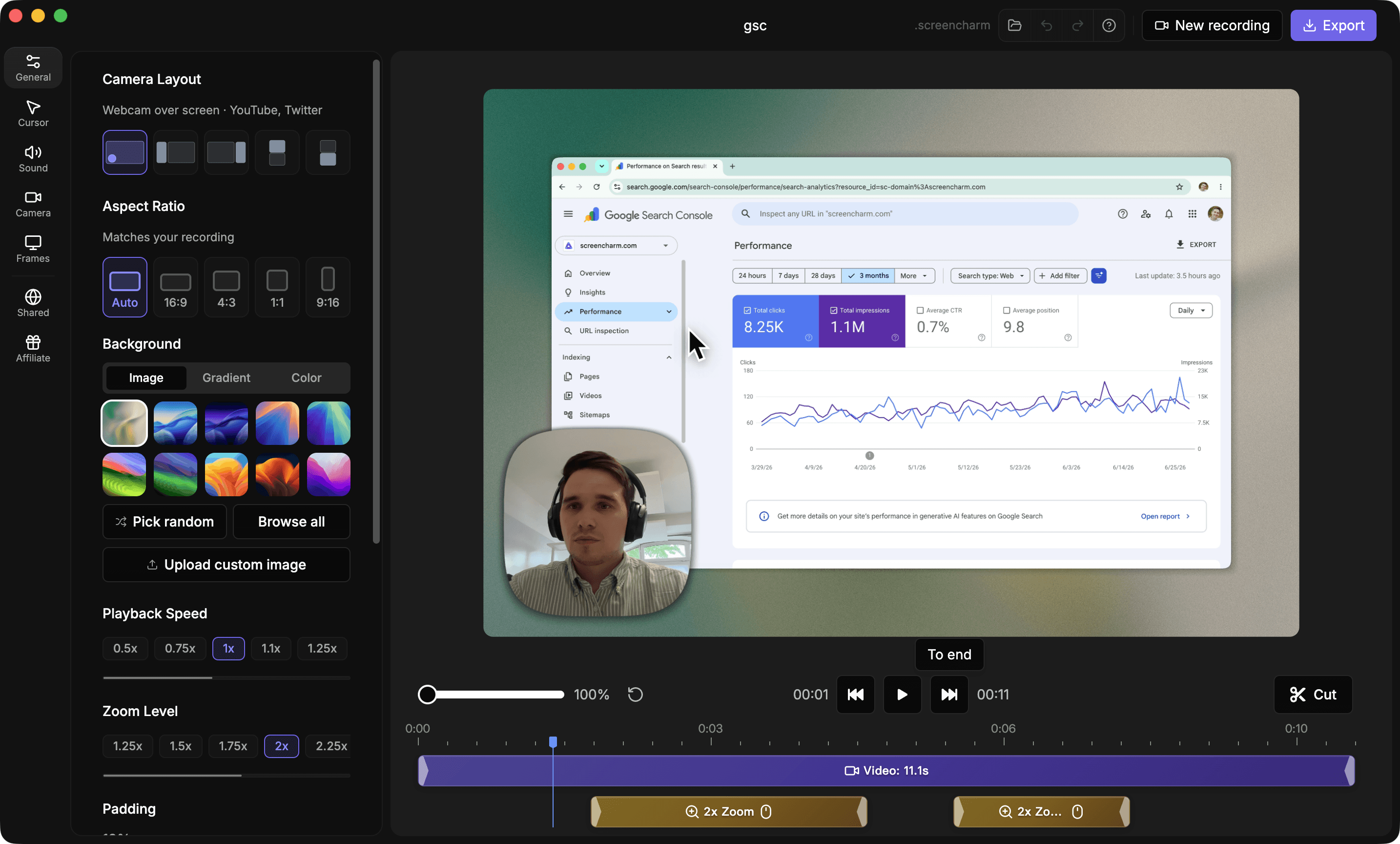
Screen Charm is a focused Mac recorder that handles polish automatically: auto-zoom follows your cursor, motion blur smooths movement, and you get background music and 4K export without touching a timeline editor.
If you need courses, LMS integrations, or detailed annotations, Camtasia is the stronger pick. If you need polished demos or tutorials fast, Screen Charm is simpler and cheaper.
Interface previews
See the products side by side
A quick visual look at the Screen Charm and Camtasia interfaces before you compare features, pricing, and workflow.
Use Screen Charm when
You want a fast Mac workflow for polished product demos and tutorials without learning a full editor.
Use Camtasia when
You need a full production suite for training, e-learning, annotations, quizzes, captions, and complex edits.
Screen Charm vs Camtasia: feature comparison
A practical side-by-side for Mac creators comparing polish, pricing, recording workflow, export control, and sharing.
Pricing
One-time purchase
Screen Charm
Camtasia
Subscription required
Screen Charm
Camtasia
Free tier available
Screen Charm
Camtasia
Recording Polish
Automatic zoom on clicks
Screen Charm
Camtasia
Cursor effects
Screen Charm
Camtasia
Branded backgrounds
Screen Charm
Camtasia
Device frames
Screen Charm
Camtasia
Automatic motion blur
Screen Charm
Camtasia
Background music
Screen Charm
Camtasia
Custom background image upload
Screen Charm
Camtasia
Built-in teleprompter
Screen Charm
Camtasia
Pause and resume
Screen Charm
Camtasia
Generate captions
Screen Charm
Camtasia
Mac Workflow
Native Mac app
Screen Charm
Camtasia
System audio capture
Screen Charm
Camtasia
Webcam overlay
Screen Charm
Camtasia
Works offline
Screen Charm
Camtasia
Editing
Built-in editor
Screen Charm
Camtasia
Full multitrack timeline
Screen Charm
Camtasia
Annotations and callouts
Screen Charm
Camtasia
Quizzes and interactive elements
Screen Charm
Camtasia
Templates and asset library
Screen Charm
Camtasia
Fast no-edit workflow
Screen Charm
Camtasia
Audio & Export
Mic noise reduction
Screen Charm
Camtasia
System audio capture
Screen Charm
Camtasia
Background music
Screen Charm
Camtasia
4K export
Screen Charm
Camtasia
Captions
Screen Charm
Camtasia
Translation
Screen Charm
Camtasia
Snagit included
Screen Charm
Camtasia
| Feature |  |  |
|---|---|---|
| Pricing | ||
| One-time purchase | Annual subscription | |
| Subscription required | Yes | |
| Free tier available | Varies | |
| Recording Polish | ||
| Automatic zoom on clicks | ||
| Cursor effects | Limited | |
| Branded backgrounds | Limited | |
| Device frames | ||
| Automatic motion blur | Limited | |
| Background music | Limited | |
| Custom background image upload | ||
| Built-in teleprompter | ||
| Pause and resume | Varies | |
| Generate captions | Varies | |
| Mac Workflow | ||
| Native Mac app | Mac + Windows | |
| System audio capture | Varies | |
| Webcam overlay | ||
| Works offline | Varies | |
| Editing | ||
| Built-in editor | ||
| Full multitrack timeline | ||
| Annotations and callouts | ||
| Quizzes and interactive elements | ||
| Templates and asset library | ||
| Fast no-edit workflow | ||
| Audio & Export | ||
| Mic noise reduction | ||
| System audio capture | ||
| Background music | ||
| 4K export | ||
| Captions | ||
| Translation | ||
| Snagit included | Paid plans | |
Camtasia
$180+/yr
Camtasia plans start around $180/year.
Price takeaway
Screen Charm is much cheaper if your goal is polished screen recordings rather than full course production.
Key differences between Screen Charm and Camtasia
Complexity
Screen Charm: Simple recording with automatic zoom, motion blur, music, and polish.
Camtasia: Full editing suite with more tools and a steeper learning curve.
Best use
Screen Charm: Product demos and tutorials.
Camtasia: Training, courses, and detailed instructional content.
Pricing
Screen Charm: One-time $99.
Camtasia: Annual subscription tiers.
Choose Screen Charm if
- You want polished recordings quickly.
- You want automatic motion blur and background music.
- You do not need a full timeline editor.
- You prefer one-time pricing.
- You make product demos, support videos, or tutorials.
Choose Camtasia if
- You create courses or corporate training.
- You need annotations, callouts, and quizzes.
- You want a full video editing suite.
- You need cross-platform Mac and Windows workflows.
Frequently asked questions
Is Screen Charm cheaper than Camtasia?
Yes. Screen Charm is a one-time $99 purchase. Camtasia plans start around $180/year and can cost more on higher tiers.
Does Screen Charm replace Camtasia?
Screen Charm can replace Camtasia for simple polished screen recordings and product demos with automatic zoom, motion blur, background music, and 4K export. Camtasia is better for full training video production.
Which is easier, Screen Charm or Camtasia?
Screen Charm is easier for beginners because auto-zoom and polish happen automatically. Camtasia has more power but a larger learning curve.
Compare Screen Charm with other tools
Create polished Mac recordings for a one-time price
Screen Charm gives you auto-zoom, captions, pause and resume, webcam overlay, system audio, cursor effects, and 4K export without a monthly subscription.