FocuSee alternative for Mac
Screen Charm vs FocuSee
Both apps turn raw screen recordings into polished videos with automatic zoom and smooth cursor movement. Screen Charm is a focused native Mac app with one $79 price and lifetime updates. FocuSee runs on Mac and Windows, adds AI features that use credits, and sells yearly plans or a $199.99 lifetime license for its current major version.

Screen Charm
Polished Mac recordings
- Native Mac app built only for macOS
- One-time $79 purchase with lifetime updates
- No AI credits or usage caps
- Captions, pause and resume, motion blur, and background music
- Fast record-to-export workflow on macOS
Public reviews: 4.8 ⭐ (Product Hunt)
Users: 750+ Mac users
🏆 #4 Product Hunt Daily
FocuSee
Product website- Teams that record on both Mac and Windows
- AI avatars, filler-word removal, and AI audio cleanup
- Subtitles in 55+ languages
- Licensing across up to 5 computers on the lifetime plan
Similar to: Screen Studio (cross-platform)
Typical users: Tutorial creators on Mac and Windows
TLDR: Screen Charm and FocuSee solve the same problem: they follow your cursor, zoom in on clicks, and make a screen recording look edited without a timeline. Both export in 4K.
FocuSee is the better pick if you need Windows support or AI extras like AI avatars, filler-word removal, and subtitles in 55+ languages. Those AI features run on credits, and the $199.99 lifetime plan covers version 2.x only, so the next major version is a paid upgrade.
Screen Charm is the better pick if you record on a Mac and want one simple price. It is $79 once with lifetime updates, no AI credits to track, and includes captions, pause and resume, motion blur, background music, and 4K export.
Landing page previews
See the products side by side
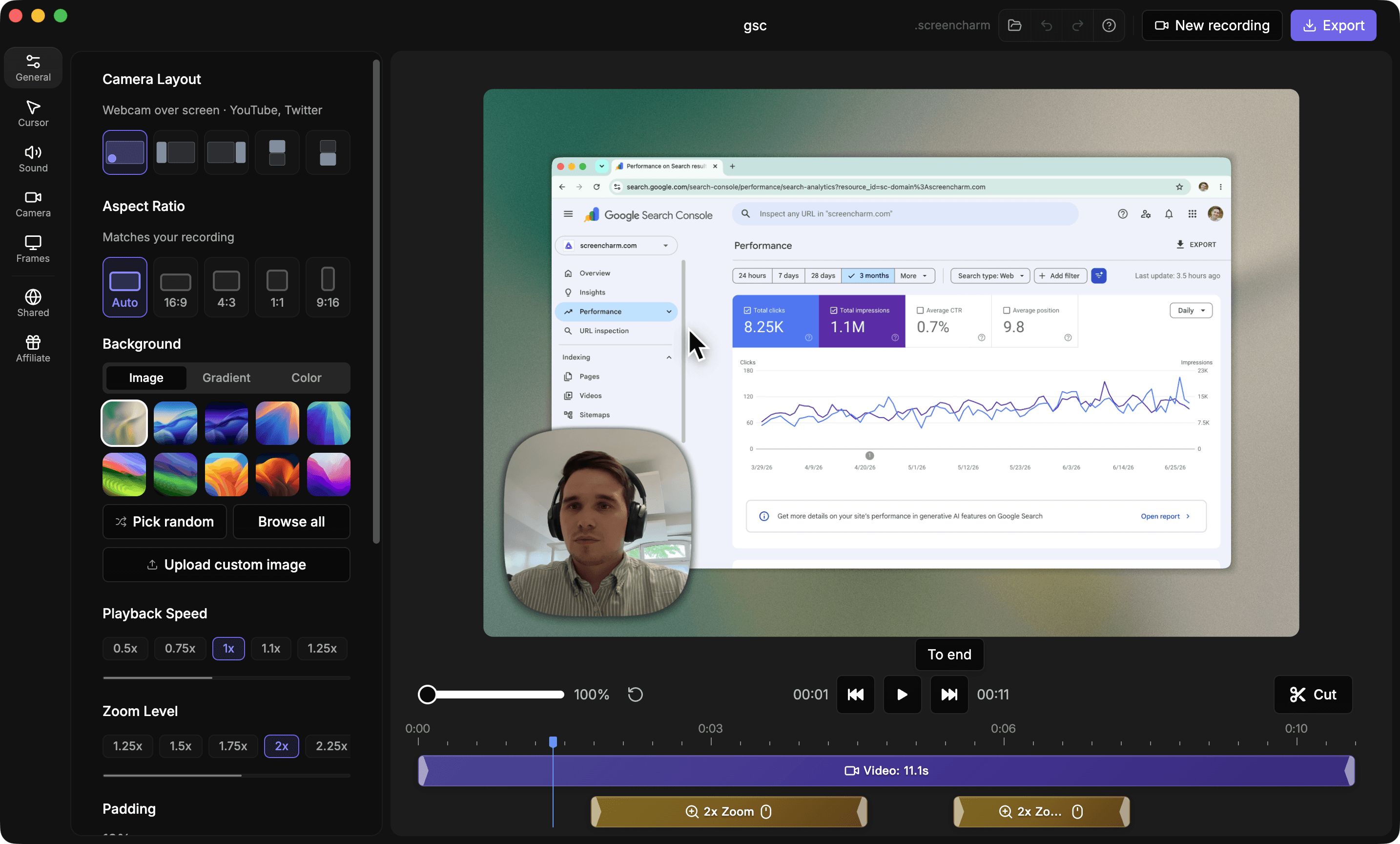
A quick visual look at the Screen Charm homepage and the FocuSee landing page before you compare features, pricing, and workflow.
Use Screen Charm when
You record on a Mac and want polished auto-zoom demos for one $79 price, with lifetime updates, captions, pause and resume, motion blur, background music, and no AI credits to manage.
Use FocuSee when
You need the same auto-zoom workflow on Windows, or you want AI avatars, filler-word removal, and multilingual subtitles and are fine with credits and yearly plans.
Screen Charm vs FocuSee: feature comparison
A practical side-by-side for Mac creators comparing polish, pricing, recording workflow, export control, and sharing.
Pricing
One-time purchase
Screen Charm
FocuSee
Future major versions included
Screen Charm
FocuSee
Yearly subscription plans
Screen Charm
FocuSee
AI credits required for AI features
Screen Charm
FocuSee
Recording
Automatic zoom on clicks
Screen Charm
FocuSee
Smooth cursor movement
Screen Charm
FocuSee
Webcam overlay
Screen Charm
FocuSee
System audio capture
Screen Charm
FocuSee
Pause and resume recording
Screen Charm
FocuSee
Visual Style
Branded backgrounds
Screen Charm
FocuSee
Automatic motion blur
Screen Charm
FocuSee
Background music
Screen Charm
FocuSee
AI & Editing
Built-in editor
Screen Charm
FocuSee
Generate captions
Screen Charm
FocuSee
Filler-word removal
Screen Charm
FocuSee
AI avatars
Screen Charm
FocuSee
Platform & Export
Native Mac app
Screen Charm
FocuSee
Windows version
Screen Charm
FocuSee
4K export
Screen Charm
FocuSee
60 FPS export
Screen Charm
FocuSee
Cloud sharing
Screen Charm
FocuSee
| Feature |  | F FocuSee |
|---|---|---|
| Pricing | ||
| One-time purchase | $199.99 lifetime | |
| Future major versions included | ||
| Yearly subscription plans | ||
| AI credits required for AI features | ||
| Recording | ||
| Automatic zoom on clicks | ||
| Smooth cursor movement | ||
| Webcam overlay | ||
| System audio capture | ||
| Pause and resume recording | Varies | |
| Visual Style | ||
| Branded backgrounds | ||
| Automatic motion blur | Varies | |
| Background music | Varies | |
| AI & Editing | ||
| Built-in editor | ||
| Generate captions | Advanced plans | |
| Filler-word removal | Advanced plans | |
| AI avatars | Uses credits | |
| Platform & Export | ||
| Native Mac app | ||
| Windows version | ||
| 4K export | ||
| 60 FPS export | ||
| Cloud sharing | 5 GB storage | |
FocuSee
$49.99/yr, $79.99/yr, or $199.99 lifetime (v2.x)
FocuSee Standard is $49.99/year for 1 computer, Advanced is $79.99/year for 3 computers with 3,600 AI credits, and the lifetime plan is $199.99 for 5 computers with 1,000 AI credits valid for one year. The lifetime plan covers version 2.x; the next major version costs extra.
Price takeaway
Screen Charm costs $79 once, less than two years of FocuSee Standard and well under half the FocuSee lifetime price, and includes all future updates.
Key differences between Screen Charm and FocuSee
Price and upgrades
Screen Charm: $79 once, lifetime updates included.
FocuSee: $49.99 to $79.99 per year, or $199.99 lifetime for version 2.x with paid major upgrades.
Platform
Screen Charm: Mac only, built natively for macOS.
FocuSee: Mac and Windows from one license.
AI features
Screen Charm: Captions and automatic polish with no credits to track.
FocuSee: AI avatars, filler-word removal, audio cleanup, and multilingual subtitles, metered by AI credits.
Choose Screen Charm if
- You record on a Mac and do not need Windows.
- You want one $79 price with every future update included.
- You do not want to track AI credits.
- You want captions, pause and resume, motion blur, and background music.
- You prefer a focused Mac-only app over a cross-platform suite.
Choose FocuSee if
- You or your team also record on Windows.
- You want AI avatars or one-click filler-word removal.
- You need subtitles in many languages.
- You want one license across up to 5 computers.
Frequently asked questions
Is Screen Charm cheaper than FocuSee?
Yes. Screen Charm is a one-time $79 purchase with lifetime updates. FocuSee costs $49.99 to $79.99 per year, or $199.99 for a lifetime license that covers version 2.x only.
Do Screen Charm and FocuSee both have auto-zoom?
Yes. Both follow your cursor and zoom in on clicks automatically, so recordings look edited without keyframes.
Does FocuSee work on Windows?
Yes. FocuSee runs on both Mac and Windows. Screen Charm is Mac only.
Does the FocuSee lifetime license include future versions?
No. The FocuSee lifetime plan includes lifetime access to version 2.x. Upgrading to the next major version costs extra, with a discount for existing users. Screen Charm includes all future updates in its $79 price.
What is the best FocuSee alternative for Mac?
Screen Charm is a strong FocuSee alternative for Mac users who want the same auto-zoom workflow in a native macOS app with one-time $79 pricing, captions, motion blur, background music, and 4K export.
Compare Screen Charm with other tools
Create polished Mac recordings for a one-time price
Screen Charm gives you auto-zoom, captions, pause and resume, webcam overlay, system audio, cursor effects, and 4K export without a monthly subscription.