OpenScreen alternative for Mac
Screen Charm vs OpenScreen
OpenScreen is a free, open-source desktop app for recording your screen and turning it into polished demos, with auto-zoom, motion blur, and on-device captions. Screen Charm is a paid native Mac app with the same core workflow plus background music, device frames, a teleprompter, and share links.

Screen Charm
Polished Mac recordings
- Native Mac app with a ready-to-use workflow
- Background music, device frames, and a built-in teleprompter
- Cloud share links
- Local 4K MP4 export
- One-time $79 purchase
Public reviews: 4.8 ⭐ (Product Hunt)
Users: 750+ Mac users
🏆 #4 Product Hunt Daily
OpenScreen
Product website- Free recording with auto-zoom and motion blur
- Open-source code you can inspect and modify
- Mac, Windows, and Linux from one project
- Offline captions and annotations
Similar to: Screen Studio, Recordly (open source)
Typical users: Developers who want a free, open-source recorder
TLDR: OpenScreen is free for personal and commercial use, with no watermark and no subscription. It records a window or the whole screen with microphone and system audio, adds a webcam overlay, auto or manual zooms, cursor effects, motion blur, backgrounds, trim and speed control, annotations, and offline captions, and exports MP4 or GIF on macOS, Windows, and Linux.
That covers most of what Screen Charm does, so the real question is polish and support. Screen Charm is a native Mac app with background music, device frames, a built-in teleprompter, and cloud share links for a one-time $79. OpenScreen's original repository is archived and development continues in a community-maintained project, so check that it is actively updated before you rely on it.
If free and open source is the priority, or you need Windows or Linux, try OpenScreen first. If you record on a Mac and want a finished native app that is ready to use, Screen Charm is the simpler choice.
Landing page previews
See the products side by side
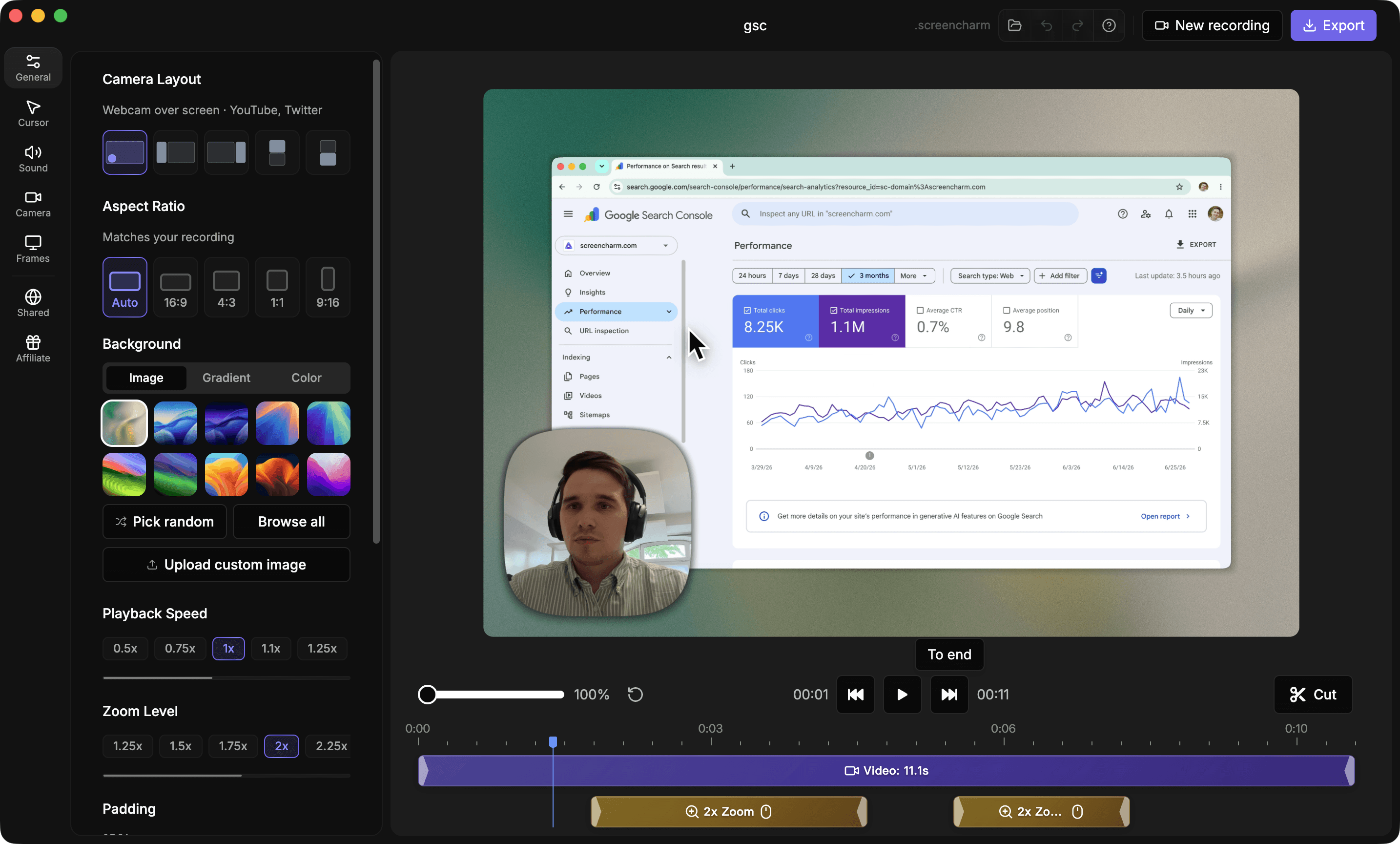
A quick visual look at the Screen Charm homepage and the OpenScreen landing page before you compare features, pricing, and workflow.
Use Screen Charm when
You record on a Mac and want a finished, native app with background music, device frames, a teleprompter, and share links, for one $79 license.
Use OpenScreen when
You want free, open-source software with a similar auto-zoom workflow, or you need Windows or Linux.
Screen Charm vs OpenScreen: feature comparison
A practical side-by-side for Mac creators comparing polish, pricing, recording workflow, export control, and sharing.
Pricing
Free to use
Screen Charm
OpenScreen
Open source
Screen Charm
OpenScreen
One-time purchase
Screen Charm
OpenScreen
Recording
Automatic zoom on clicks
Screen Charm
OpenScreen
Cursor smoothing and click effects
Screen Charm
OpenScreen
Webcam overlay
Screen Charm
OpenScreen
System audio capture
Screen Charm
OpenScreen
Visual Style & Editing
Branded backgrounds
Screen Charm
OpenScreen
Automatic motion blur
Screen Charm
OpenScreen
Generate captions
Screen Charm
OpenScreen
Platform & Export
macOS
Screen Charm
OpenScreen
Windows and Linux
Screen Charm
OpenScreen
MP4 export
Screen Charm
OpenScreen
| Feature |  | O OpenScreen |
|---|---|---|
| Pricing | ||
| Free to use | Free trial | |
| Open source | ||
| One-time purchase | Free | |
| Recording | ||
| Automatic zoom on clicks | ||
| Cursor smoothing and click effects | ||
| Webcam overlay | ||
| System audio capture | ||
| Visual Style & Editing | ||
| Branded backgrounds | ||
| Automatic motion blur | ||
| Generate captions | On-device | |
| Platform & Export | ||
| macOS | ||
| Windows and Linux | ||
| MP4 export | ||
OpenScreen
Free (open source)
OpenScreen is free for personal and commercial use with no watermark, subscription, or paywall. Its original repository is archived and a community-maintained continuation is where development now happens.
Price takeaway
OpenScreen costs nothing. Screen Charm costs $79 once for a native Mac app with extra polish features and share links included.
Key differences between Screen Charm and OpenScreen
Free vs paid
Screen Charm: $79 once.
OpenScreen: Free, with no watermark or paywall.
Finish and extras
Screen Charm: Background music, device frames, a teleprompter, and share links are built in.
OpenScreen: Focused on the core record, zoom, and export workflow, with optional AI editing using your own API key.
Project status
Screen Charm: A commercial product sold as a one-time license.
OpenScreen: An open-source project whose original repository is archived and now continues as a community fork.
Choose Screen Charm if
- You record on a Mac and want a finished native app.
- You want background music, device frames, and a teleprompter.
- You want cloud share links without extra setup.
- You prefer a commercial product to a community project.
Choose OpenScreen if
- You want free software and are comfortable with open source.
- You also record on Windows or Linux.
- You want on-device captions and annotations at no cost.
Frequently asked questions
Is OpenScreen free?
Yes. OpenScreen is free for personal and commercial use, with no watermark, subscription, or paywall.
Is OpenScreen a Screen Studio alternative?
Yes. It describes itself as a free, open-source alternative to Screen Studio, covering recording, auto-zoom, cursor effects, backgrounds, motion blur, captions, and export.
Does OpenScreen work on Mac?
Yes. It supports macOS, Windows, and Linux.
Is OpenScreen still maintained?
The original repository is archived. A community-maintained continuation is where development now happens, so check its recent activity before you depend on it.
Compare Screen Charm with other tools
Create polished Mac recordings for a one-time price
Screen Charm gives you auto-zoom, captions, pause and resume, webcam overlay, system audio, cursor effects, and 4K export without a monthly subscription.