Descript alternative for Mac
Screen Charm vs Descript
Descript is a transcript-based audio and video editor with AI tools like Studio Sound, filler-word removal, and AI voices. Screen Charm is a native Mac screen recorder that makes demos look polished automatically with auto-zoom, motion blur, and background music, for one $79 price.

Screen Charm
Polished Mac recordings
- Polished Mac product demos and tutorials
- Automatic zoom, motion blur, and cursor effects
- One-time $79 purchase, no media-hour limits
- Local 4K MP4 export
- Fast record-to-export workflow without a timeline
Public reviews: 4.8 ⭐ (Product Hunt)
Users: 750+ Mac users
🏆 #4 Product Hunt Daily
Descript
Product website- Editing video by editing the transcript
- Podcasts and talking-head videos
- Studio Sound audio cleanup and filler-word removal
- AI voices and AI co-editing
- Mac, Windows, and browser teams
Similar to: Riverside, Camtasia (text-based editing)
Typical users: Podcasters, YouTubers, course creators
TLDR: Descript and Screen Charm are built for different jobs. Descript is an editor first: you edit video by editing the transcript, remove filler words in one click, and clean audio with Studio Sound. Its screen recorder has no automatic zoom.
Screen Charm is a recorder first. It follows your cursor, zooms in on clicks, adds motion blur and background music, and exports 4K MP4 locally, so a product demo looks finished without a timeline or transcript.
Choose Descript for podcasts, talking-head videos, and narration-heavy content where editing words matters most. Choose Screen Charm for Mac product demos and tutorials where the screen is the star, at $79 once instead of $24 to $65 per person per month.
Interface previews
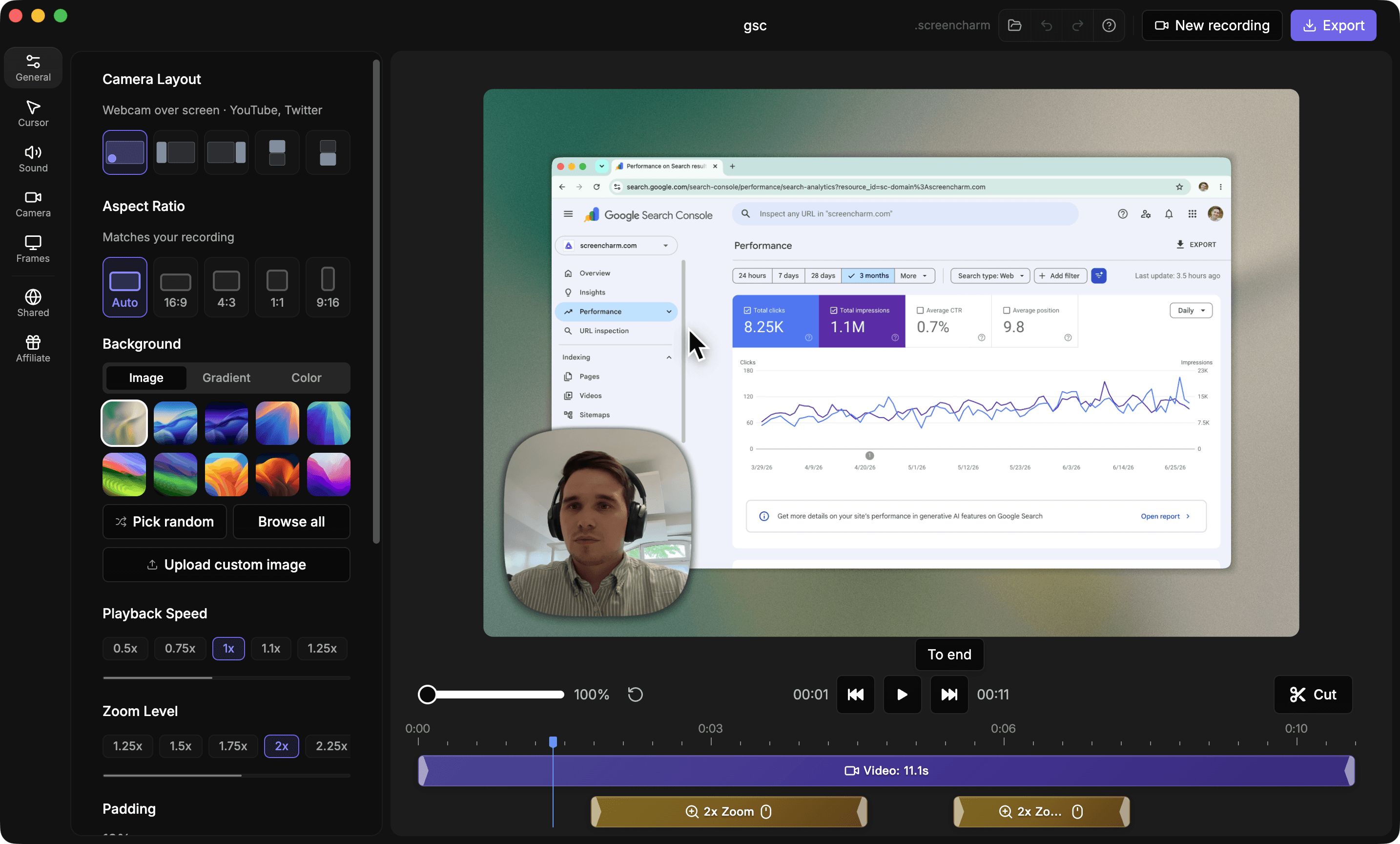
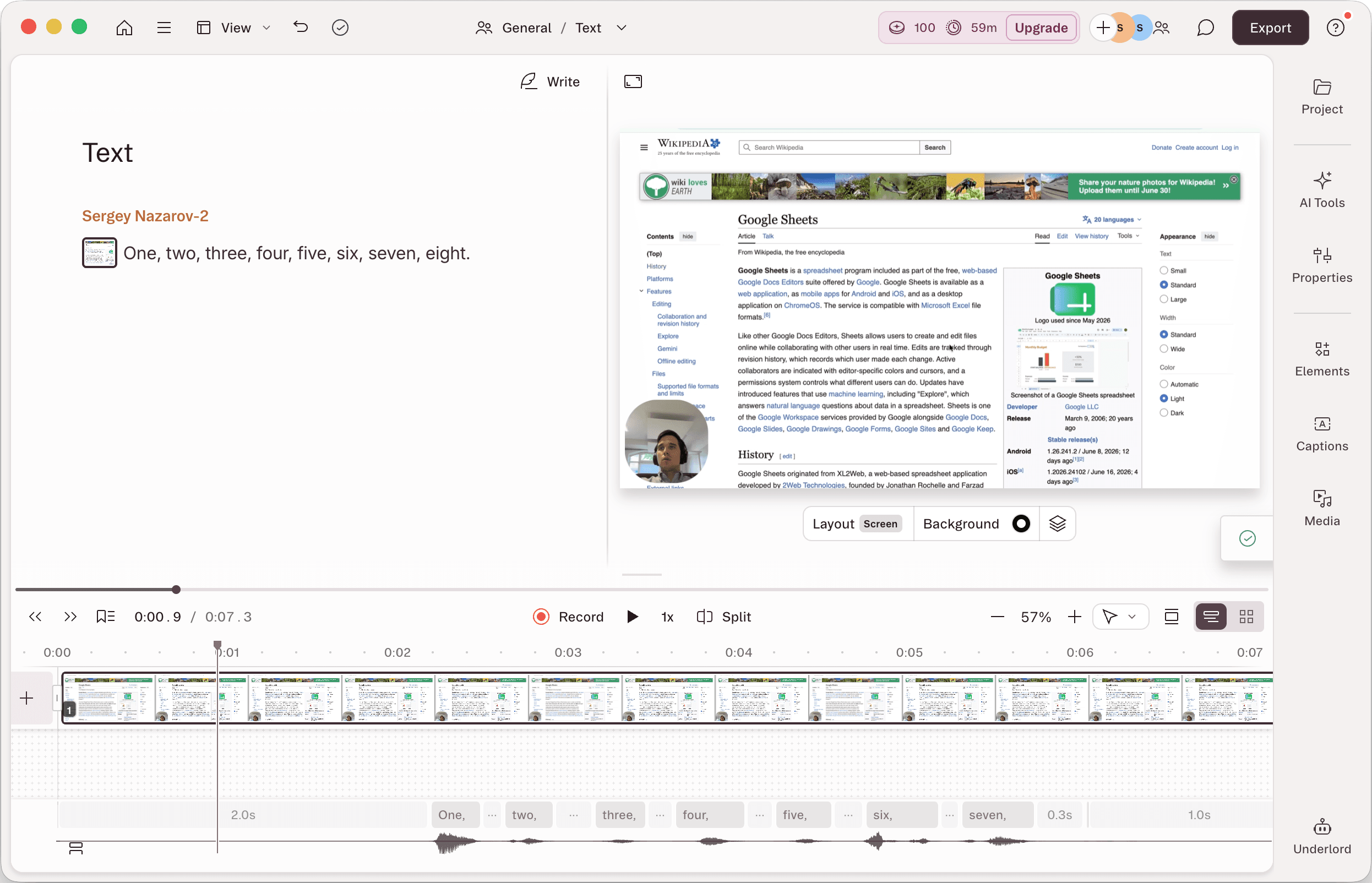
See the products side by side
A quick visual look at the Screen Charm and Descript interfaces before you compare features, pricing, and workflow.
Use Screen Charm when
You record Mac product demos, tutorials, or launch videos and want them to look polished automatically, with auto-zoom, motion blur, background music, captions, and 4K export for one $79 price.
Use Descript when
You edit narration-heavy content like podcasts, interviews, or courses and want transcript-based editing, filler-word removal, Studio Sound, and AI voices.
Screen Charm vs Descript: feature comparison
A practical side-by-side for Mac creators comparing polish, pricing, recording workflow, export control, and sharing.
Pricing
One-time purchase
Screen Charm
Descript
Free plan
Screen Charm
Descript
Monthly media-hour limits
Screen Charm
Descript
Monthly AI credit limits
Screen Charm
Descript
Per-seat subscription
Screen Charm
Descript
Top-ups for extra hours and credits
Screen Charm
Descript
Recording
Screen recording
Screen Charm
Descript
Automatic zoom on clicks
Screen Charm
Descript
Cursor effects
Screen Charm
Descript
Webcam overlay
Screen Charm
Descript
System audio capture
Screen Charm
Descript
Editing & AI
Transcript-based editing
Screen Charm
Descript
Filler-word removal
Screen Charm
Descript
Studio Sound audio cleanup
Screen Charm
Descript
AI speech and voice clones
Screen Charm
Descript
AI co-editor (Underlord)
Screen Charm
Descript
Translate and dub in 24+ languages
Screen Charm
Descript
AI avatars
Screen Charm
Descript
Royalty-free stock media library
Screen Charm
Descript
Generate captions
Screen Charm
Descript
Multi-track timeline
Screen Charm
Descript
Visual Polish
Automatic motion blur
Screen Charm
Descript
Background music
Screen Charm
Descript
Branded backgrounds
Screen Charm
Descript
Platform & Export
Native Mac app
Screen Charm
Descript
Windows and browser
Screen Charm
Descript
1080p watermark-free export
Screen Charm
Descript
4K export
Screen Charm
Descript
SSO, SCIM, and SOC 2 Type II
Screen Charm
Descript
Works offline
Screen Charm
Descript
Cloud sharing
Screen Charm
Descript
| Feature |  | D Descript |
|---|---|---|
| Pricing | ||
| One-time purchase | ||
| Free plan | Limited, watermarked export | |
| Monthly media-hour limits | 10 to 40 hours | |
| Monthly AI credit limits | 400 to 1,500 credits | |
| Per-seat subscription | ||
| Top-ups for extra hours and credits | Creator and up | |
| Recording | ||
| Screen recording | ||
| Automatic zoom on clicks | ||
| Cursor effects | ||
| Webcam overlay | ||
| System audio capture | ||
| Editing & AI | ||
| Transcript-based editing | ||
| Filler-word removal | ||
| Studio Sound audio cleanup | ||
| AI speech and voice clones | Hobbyist and up | |
| AI co-editor (Underlord) | Full access on Creator and up | |
| Translate and dub in 24+ languages | Business and up | |
| AI avatars | Business and up | |
| Royalty-free stock media library | Creator and up | |
| Generate captions | ||
| Multi-track timeline | ||
| Visual Polish | ||
| Automatic motion blur | ||
| Background music | ||
| Branded backgrounds | ||
| Platform & Export | ||
| Native Mac app | ||
| Windows and browser | ||
| 1080p watermark-free export | Hobbyist and up | |
| 4K export | Creator and up | |
| SSO, SCIM, and SOC 2 Type II | Enterprise | |
| Works offline | Limited | |
| Cloud sharing | ||
Descript
$24 to $65/person/mo (monthly billing)
Descript has a Free plan, then Hobbyist at $24/month (individuals only), Creator at $35/person/month (up to 3 people), and Business at $65/person/month (up to 5 people) on monthly billing. Annual billing saves up to 30%. Enterprise is custom. Every paid plan caps media hours and AI credits: 10 hours and 400 credits on Hobbyist, 30 hours and 800 credits on Creator, 40 hours and 1,500 credits on Business.
Price takeaway
Screen Charm costs $79 once, less than four months of Descript Hobbyist at $24/month, with no media-hour or AI credit caps.
Key differences between Screen Charm and Descript
Recorder vs editor
Screen Charm: A screen recorder that makes the capture look polished automatically.
Descript: A transcript-based editor where the recorder is one input among many.
Visual polish
Screen Charm: Auto-zoom on clicks, cursor effects, motion blur, and device frames.
Descript: No automatic cursor zoom. Visual changes are made by hand in the editor.
Usage limits
Screen Charm: Record and export as much as you want. No media hours, no credits.
Descript: Media hours and AI credits reset monthly: 10 hours and 400 credits on Hobbyist, 30 and 800 on Creator, 40 and 1,500 on Business.
Team seats
Screen Charm: One license, no per-seat fees.
Descript: Hobbyist is for one person. Creator covers up to 3 people and Business up to 5, billed per person.
Pricing
Screen Charm: $79 once with no usage limits.
Descript: Per-seat subscription from $24/month (Hobbyist) to $65/person/month (Business), with monthly media-hour and AI credit caps.
Choose Screen Charm if
- Your videos are Mac product demos, tutorials, or launch clips.
- You want auto-zoom and motion blur without editing.
- You want one $79 price with no media-hour caps.
- You want local 4K MP4 export and offline recording.
- You do not need transcript editing or AI voices.
Choose Descript if
- You edit podcasts, interviews, or talking-head videos.
- You want to cut video by deleting words in a transcript.
- You need Studio Sound, filler-word removal, or AI voices.
- Your team works across Mac, Windows, and the browser.
Frequently asked questions
Is Screen Charm cheaper than Descript?
Yes. Screen Charm is a one-time $79 purchase. Descript costs $24/month for Hobbyist, $35 per person per month for Creator (up to 3 people), and $65 per person per month for Business (up to 5 people) on monthly billing. Annual billing saves up to 30%, but it is still a recurring subscription.
How much does Descript cost?
Descript has a Free plan and three self-serve paid plans on monthly billing: Hobbyist at $24/month for individuals, Creator at $35 per person per month for up to 3 people, and Business at $65 per person per month for up to 5 people. Annual billing saves up to 30%. Enterprise pricing is custom.
What is included in each Descript plan?
Hobbyist includes 10 media hours and 400 AI credits per month, 1080p watermark-free export, Studio Sound, filler-word removal, and AI speech with voice clones. Creator adds 30 media hours, 800 AI credits, 4K export, full Underlord access, a stock media library, and advanced export options. Business adds 40 media hours, 1,500 AI credits, Brand Studio, custom avatars, translation and dubbing in 24+ languages, and priority support.
Does Descript limit how much you can record?
Yes. Every paid plan has monthly media-hour and AI credit allowances (10 to 40 hours and 400 to 1,500 credits). Creator and Business can buy top-ups for more. Screen Charm has no such limits because everything runs locally on your Mac.
Does Descript have auto-zoom for screen recordings?
No. Descript does not automatically zoom in on clicks or follow the cursor. Screen Charm adds automatic zoom, cursor effects, and motion blur to every screen recording.
Can I use Screen Charm and Descript together?
Yes. Some creators record a polished demo in Screen Charm, export the MP4, and import it into Descript for transcript-based narration edits.
What is the best Descript alternative for screen recording on Mac?
Screen Charm is a strong Descript alternative for Mac users who mainly record product demos and tutorials and want automatic visual polish, 4K export, and one-time $79 pricing instead of a subscription.
Compare Screen Charm with other tools
Create polished Mac recordings for a one-time price
Screen Charm gives you auto-zoom, captions, pause and resume, webcam overlay, system audio, cursor effects, and 4K export without a monthly subscription.