Tella alternative for Mac
Screen Charm vs Tella
Tella is an all-in-one video platform for team updates, product demos, long-form videos, editing, hosting, analytics, and collaboration. Screen Charm is a focused Mac recorder for creators who want polished product demos with automatic zoom, motion blur, background music, system audio, webcam overlay, local 4K export, and one-time pricing.

Screen Charm
Polished Mac recordings
- Fast polished Mac product demos
- Auto-zoom, motion blur, and cursor polish
- Captions, pause and resume, background music, and local 4K MP4 export
- One-time $99 purchase
Public reviews: 4.8 ⭐ (Product Hunt)
Users: 750+ Mac users
🏆 #4 Product Hunt Daily

Tella
Product website- Team video updates
- Text-based editing and AI cleanup
- Blurring sensitive data in recordings
- Embeds, analytics, and playlists
- Web app, Chrome extension, and macOS recording
Public reviews: 4.8 ⭐ (Product Hunt)
Similar to: Loom, Arcade
Typical users: Solopreneurs, content creators
TLDR: Tella is an all-in-one video workspace with a Mac app, web app, and Chrome extension. It records, edits with text-based tools, removes silences and filler words, blurs sensitive data, hosts videos, tracks analytics, and supports team collaboration.
Screen Charm is a native Mac recorder focused on visual demo polish. Auto-zoom follows every click, motion blur smooths cursor movement, background music plays behind the recording, and you export locally in 4K. No browser or subscription required.
Tella is the better choice if you need team video workflows, AI editing, hosting, analytics, or embeds. Screen Charm is the better choice if you want a fast Mac-native workflow for polished product demos at a one-time price.
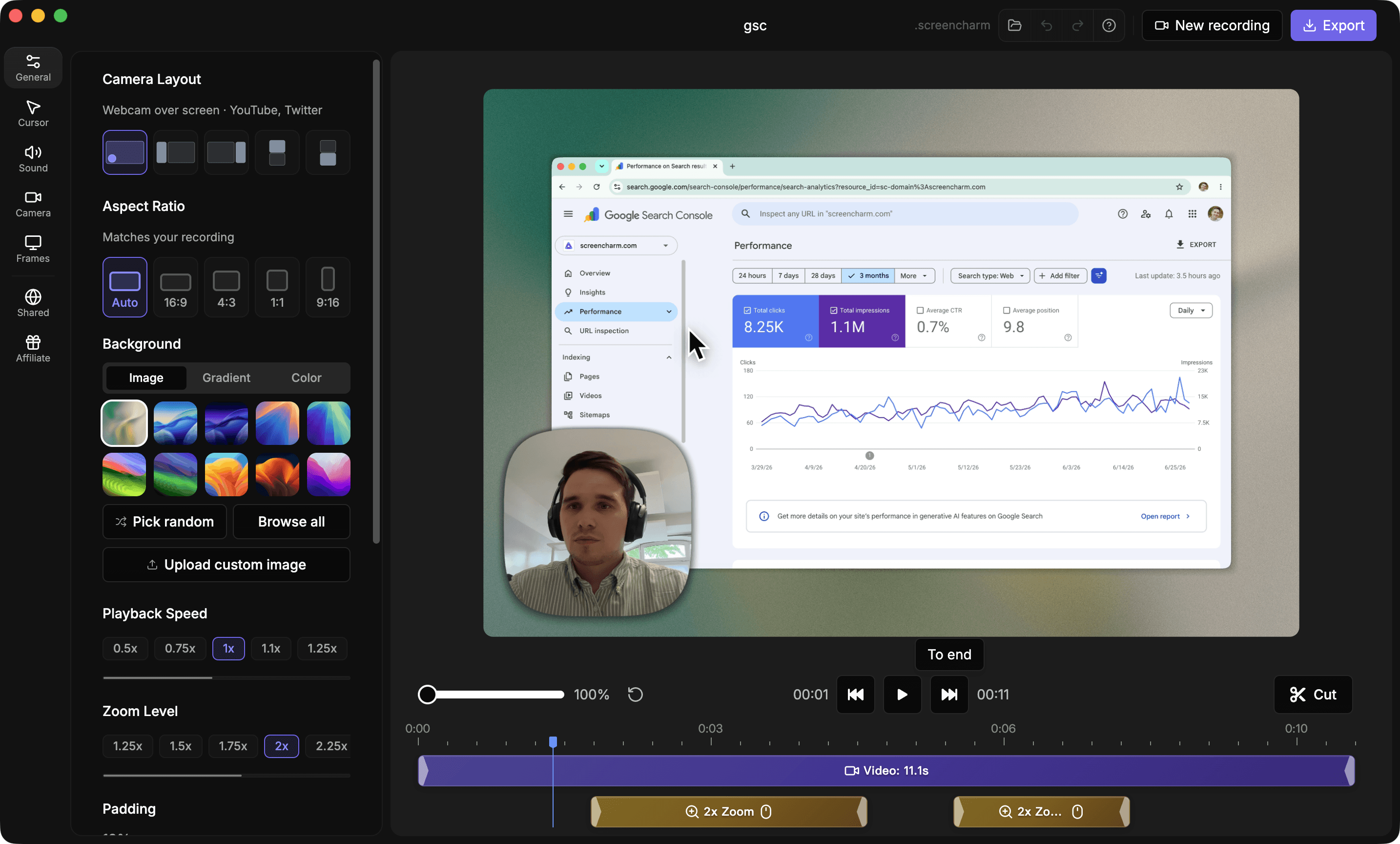
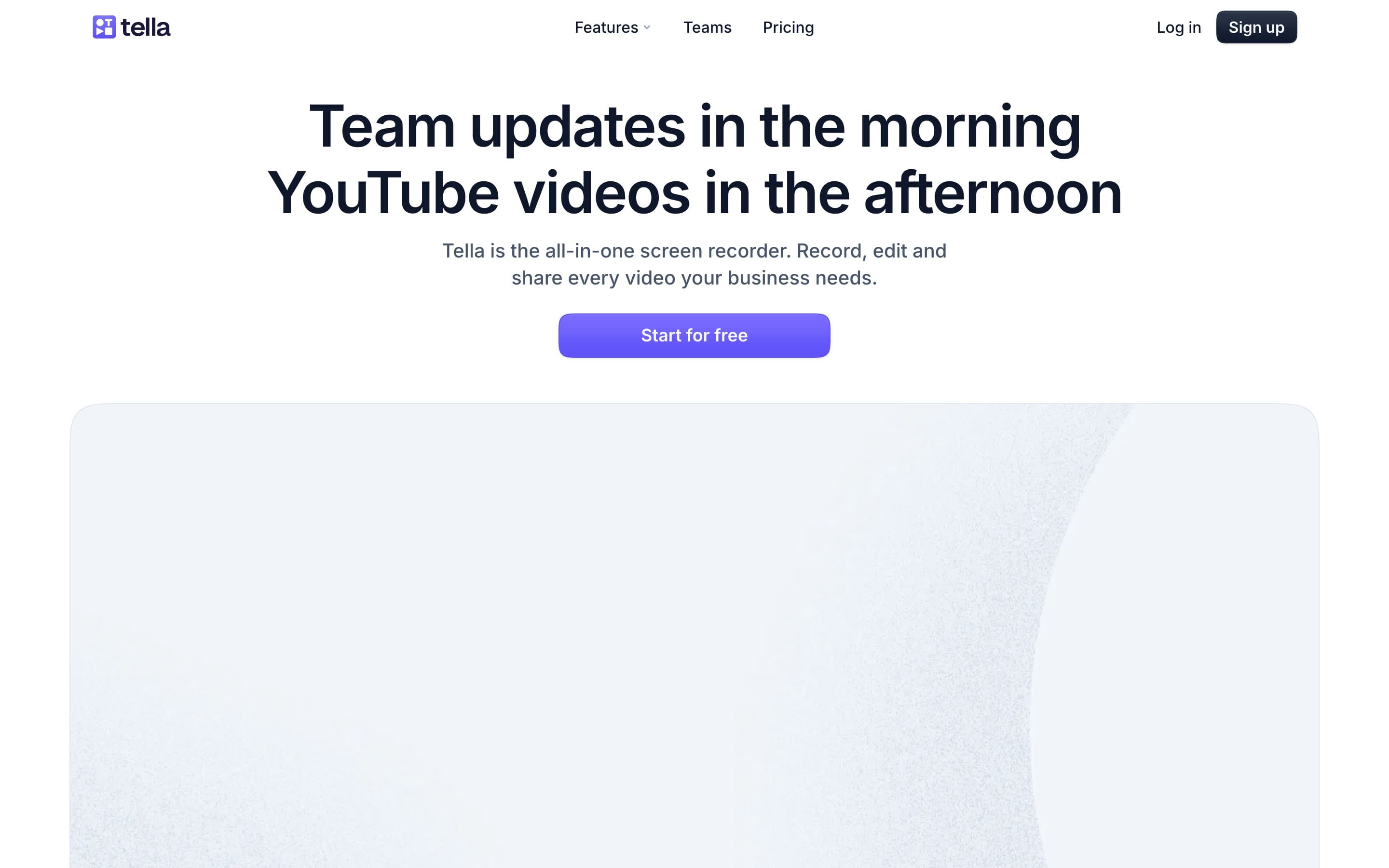
Landing page previews
See the products side by side
A quick visual look at the Screen Charm homepage and the Tella landing page before you compare features, pricing, and workflow.
Use Screen Charm when
You want a simple Mac-native app that records polished product demos quickly, exports locally, and does not require a monthly subscription.
Use Tella when
You want an all-in-one business video workspace with browser recording, team collaboration, AI editing, embeds, analytics, playlists, and cloud hosting.
Screen Charm vs Tella: feature comparison
A practical side-by-side for Mac creators comparing polish, pricing, recording workflow, export control, and sharing.
Pricing
One-time purchase
Screen Charm
Tella
Free tier available
Screen Charm
Tella
Per-user subscription plans
Screen Charm
Tella
Enterprise plan
Screen Charm
Tella
Recording
Native Mac app
Screen Charm
Tella
Web app recording
Screen Charm
Tella
Chrome extension
Screen Charm
Tella
Screen, camera, and mic recording
Screen Charm
Tella
Automatic zoom effects
Screen Charm
Tella
Camera content zoom
Screen Charm
Tella
Built-in teleprompter
Screen Charm
Tella
Pause and resume
Screen Charm
Tella
Editing
Built-in trim editor
Screen Charm
Tella
Generate captions
Screen Charm
Tella
Motion blur
Screen Charm
Tella
Background music
Screen Charm
Tella
Text-based editing
Screen Charm
Tella
Remove mistakes
Screen Charm
Tella
Remove silences
Screen Charm
Tella
Remove filler words
Screen Charm
Tella
Audio enhancement
Screen Charm
Tella
Blur sensitive data in recordings
Screen Charm
Tella
Dynamic layouts
Screen Charm
Tella
Export & Sharing
4K export
Screen Charm
Tella
30 / 60 FPS export
Screen Charm
Tella
Local MP4 export
Screen Charm
Tella
Instant link sharing
Screen Charm
Tella
Embeddable player
Screen Charm
Tella
Video playlists
Screen Charm
Tella
Team & Analytics
Invite editors and viewers
Screen Charm
Tella
View analytics
Screen Charm
Tella
Engagement analytics
Screen Charm
Tella
Custom domain
Screen Charm
Tella
SSO and SCIM
Screen Charm
Tella
Workflow integrations
Screen Charm
Tella
| Feature |  |  |
|---|---|---|
| Pricing | ||
| One-time purchase | ||
| Free tier available | ||
| Per-user subscription plans | ||
| Enterprise plan | ||
| Recording | ||
| Native Mac app | ||
| Web app recording | ||
| Chrome extension | ||
| Screen, camera, and mic recording | ||
| Automatic zoom effects | ||
| Camera content zoom | ||
| Built-in teleprompter | ||
| Pause and resume | ||
| Editing | ||
| Built-in trim editor | ||
| Generate captions | ||
| Motion blur | ||
| Background music | ||
| Text-based editing | ||
| Remove mistakes | ||
| Remove silences | ||
| Remove filler words | ||
| Audio enhancement | ||
| Blur sensitive data in recordings | ||
| Dynamic layouts | ||
| Export & Sharing | ||
| 4K export | ||
| 30 / 60 FPS export | 30 / 60 fps | Premium |
| Local MP4 export | ||
| Instant link sharing | ||
| Embeddable player | ||
| Video playlists | ||
| Team & Analytics | ||
| Invite editors and viewers | ||
| View analytics | ||
| Engagement analytics | ||
| Custom domain | Premium | |
| SSO and SCIM | Enterprise | |
| Workflow integrations | ||
Tella
Free, Pro, Premium, Enterprise
Tella has a free tier plus paid per-user subscription plans.
Price takeaway
Screen Charm avoids recurring payments. Tella makes sense if you need a hosted team video platform, analytics, collaboration, and advanced sharing controls.
Key differences between Screen Charm and Tella
Focused app vs video workspace
Screen Charm: Mac recording, automatic zoom, motion blur, camera content zoom, background music, built-in teleprompter, custom background images, 30 or 60 FPS export, and local exports.
Tella: Recording, editing, hosting, analytics, collaboration, teleprompter, and team organization.
Editing depth
Screen Charm: Simple editing for product demos and tutorials.
Tella: Text-based editing, dynamic layouts, filler word removal, silence removal, sensitive data blur, and AI cleanup.
Pricing
Screen Charm: One-time purchase for individual Mac creators.
Tella: Free tier plus Pro, Premium, and Enterprise subscription plans for individuals and teams.
Choose Screen Charm if
- You want a native Mac screen recorder.
- You need local 4K MP4 export.
- You prefer one-time pricing.
- You want automatic zoom, motion blur, and background music for product demos.
- You do not need team analytics or video hosting.
Choose Tella if
- You need browser or Chrome extension recording.
- You want text-based editing and AI cleanup.
- You need embeds, playlists, analytics, and team collaboration.
- You create team updates, YouTube videos, product demos, and long-form videos in one workspace.
Frequently asked questions
Is Screen Charm a good Tella alternative?
Yes, if you want a native Mac recorder with auto-zoom, motion blur, background music, local 4K export, and one-time pricing. Tella is better if you need browser recording, team collaboration, hosting, analytics, playlists, and text-based editing.
Does Tella have auto-zoom?
Yes. Tella says it can automatically add smooth zoom effects to screen recordings to highlight clicks. Screen Charm is also built around automatic zoom for polished Mac product demos.
Does Tella record in 4K?
Yes. Tella supports recording and export up to 4K, and 60 FPS export is listed for Premium. Screen Charm supports 4K export and lets you choose 30 or 60 FPS when rendering.
Which is better for Mac product demos, Screen Charm or Tella?
Screen Charm is better if you want a focused native Mac app with one-time pricing and fast local exports. Tella is better if the demo is part of a larger team video workflow with hosting, embeds, analytics, collaboration, and advanced editing.
Compare Screen Charm with other tools
Create polished Mac recordings for a one-time price
Screen Charm gives you auto-zoom, captions, pause and resume, webcam overlay, system audio, cursor effects, and 4K export without a monthly subscription.