Recordly alternative for Mac
Screen Charm vs Recordly
Recordly is a free, open-source screen recorder and editor with automatic zoom suggestions, smooth cursor movement, and styled backgrounds. Screen Charm is a paid native Mac app with auto-zoom, motion blur, background music, captions, and a one-time $79 price.

Screen Charm
Polished Mac recordings
- Native Mac app focused on polished demos
- Automatic motion blur, background music, and device frames
- Captions and a built-in teleprompter
- Cloud share links and local 4K export
- One-time $79 purchase
Public reviews: 4.8 ⭐ (Product Hunt)
Users: 750+ Mac users
🏆 #4 Product Hunt Daily
Recordly
Product website- Zero-cost recording with auto-zoom
- Open-source code you can read and modify
- Mac, Windows, and Linux from one project
- Timeline editing with trim, speed regions, and annotations
Similar to: Screen Studio, OpenScreen (open source)
Typical users: Developers who want a free, open-source recorder
TLDR: Recordly is free and open source (AGPL-3.0). It records on macOS 14+, Windows 10, and Linux, suggests zooms from your cursor activity, smooths the cursor, and places recordings in styled frames with wallpapers, gradients, blur, and shadows. It also has a timeline with trimming, speed regions, annotations, and MP4 or GIF export.
Screen Charm is a paid native Mac app. It adds automatic motion blur, background music, captions, device frames, a built-in teleprompter, and cloud share links, with a single $79 license and local 4K export.
If budget is zero, or you want open source and need Windows or Linux, Recordly is a strong free choice. If you record on a Mac and want a polished, ready-to-use native app with a few extras built in, Screen Charm is worth the one-time $79.
Landing page previews
See the products side by side
A quick visual look at the Screen Charm homepage and the Recordly landing page before you compare features, pricing, and workflow.
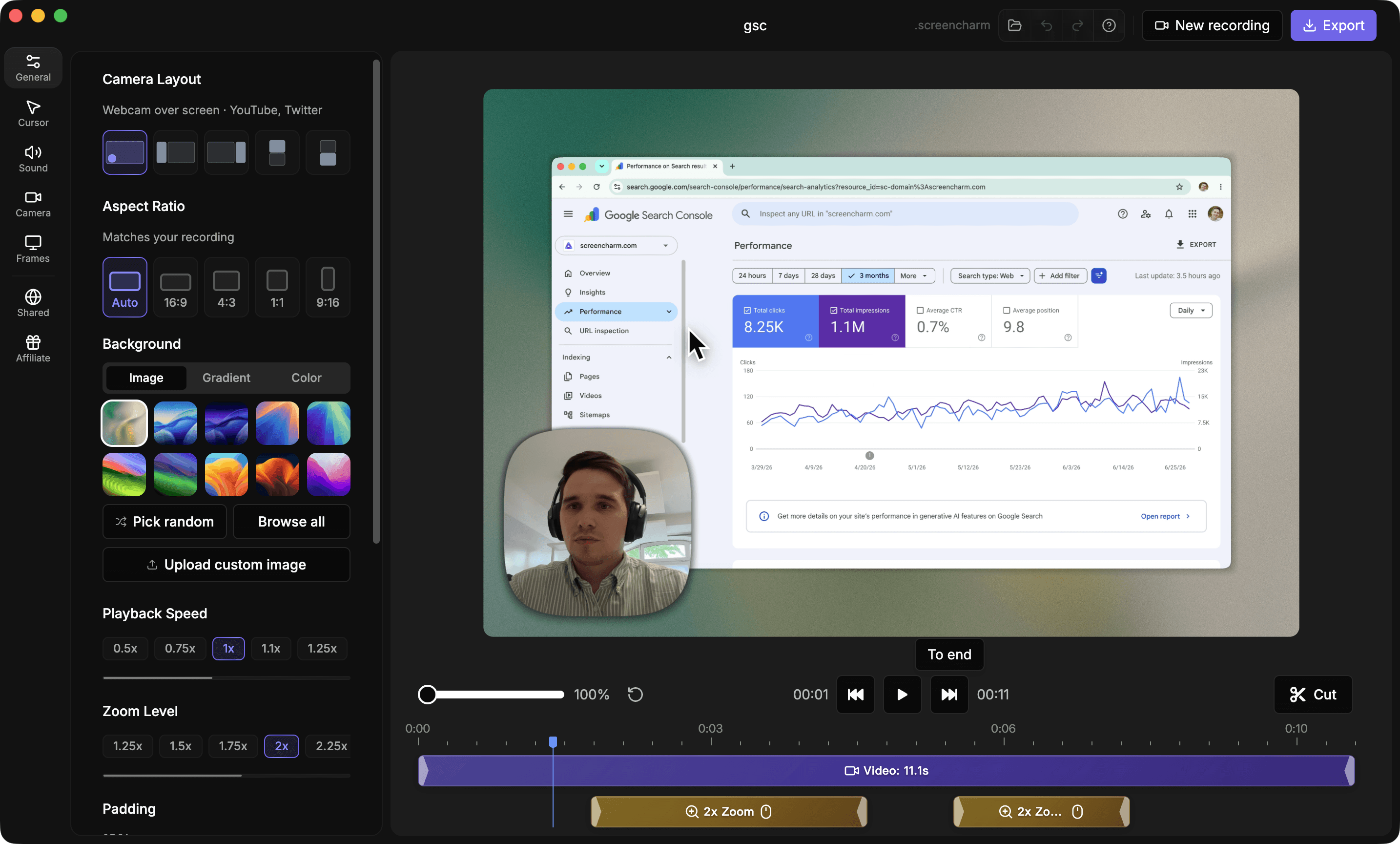
Use Screen Charm when
You record on a Mac and want a polished native app with motion blur, background music, captions, and a teleprompter built in, and you are happy to pay $79 once.
Use Recordly when
You want a free, open-source recorder, or you need the same workflow on Windows or Linux, and you do not mind a community-maintained project.
Screen Charm vs Recordly: feature comparison
A practical side-by-side for Mac creators comparing polish, pricing, recording workflow, export control, and sharing.
Pricing
Free to use
Screen Charm
Recordly
Open source
Screen Charm
Recordly
One-time purchase
Screen Charm
Recordly
Recording
Automatic zoom
Screen Charm
Recordly
Smooth cursor movement
Screen Charm
Recordly
Webcam overlay
Screen Charm
Recordly
System audio capture
Screen Charm
Recordly
Visual Style & Editing
Branded backgrounds
Screen Charm
Recordly
Automatic motion blur
Screen Charm
Recordly
Background music
Screen Charm
Recordly
Platform & Export
macOS
Screen Charm
Recordly
Windows and Linux
Screen Charm
Recordly
MP4 export
Screen Charm
Recordly
| Feature |  | R Recordly |
|---|---|---|
| Pricing | ||
| Free to use | Free trial | |
| Open source | AGPL-3.0 | |
| One-time purchase | Free | |
| Recording | ||
| Automatic zoom | Zoom suggestions | |
| Smooth cursor movement | ||
| Webcam overlay | ||
| System audio capture | ||
| Visual Style & Editing | ||
| Branded backgrounds | ||
| Automatic motion blur | Motion effects | |
| Background music | Add audio on timeline | |
| Platform & Export | ||
| macOS | macOS 14+ | |
| Windows and Linux | ||
| MP4 export | ||
Recordly
Free (AGPL-3.0 open source)
Recordly has no paid tier. The AGPL-3.0 license lets you read, modify, and share the code, and requires modified versions offered to others to stay open source.
Price takeaway
Recordly costs nothing. Screen Charm costs $79 once for a native Mac app with extra polish features included, which only matters if you value those extras.
Key differences between Screen Charm and Recordly
Free vs paid
Screen Charm: $79 once, with polish features built in.
Recordly: Free and open source with no paid tier.
Platforms
Screen Charm: A native Mac app.
Recordly: Mac, Windows, and Linux from one codebase.
Editing
Screen Charm: Polish is applied automatically as you record.
Recordly: A timeline with speed regions, annotations, cropping, and extra audio regions you adjust by hand.
Choose Screen Charm if
- You record on a Mac and want a polished app out of the box.
- You want motion blur, background music, captions, and a teleprompter.
- You want cloud share links without setting anything up.
- You prefer a one-time license over an open-source project.
Choose Recordly if
- You want free software and open source matters to you.
- You also record on Windows or Linux.
- You want a fuller editing timeline.
Frequently asked questions
Is Recordly really free?
Yes. Recordly is free and open source under the AGPL-3.0 license, with no paid tier or hosted service.
Does Recordly work on Mac?
Yes. It supports macOS 14.0 and later, plus Windows 10 (build 19041 and later) and Linux.
Does Recordly have automatic zoom?
Yes. It suggests zooms based on cursor activity, and you can add or adjust zoom regions manually on its timeline.
Why pay for Screen Charm when Recordly is free?
Screen Charm is a native Mac app with automatic motion blur, background music, captions, a built-in teleprompter, device frames, and cloud share links already set up. If you do not need those, Recordly is a good free alternative.
Compare Screen Charm with other tools
Create polished Mac recordings for a one-time price
Screen Charm gives you auto-zoom, captions, pause and resume, webcam overlay, system audio, cursor effects, and 4K export without a monthly subscription.