Short answer: Choose Screen Studio if you record on a Mac and want polished product demos fast, with automatic zoom and smooth cursor movement and almost no editing. Choose Camtasia if you need a full timeline editor, annotations, quizzes, and Windows support for training and course content.
Both tools record your screen, but they are built around opposite ideas. Screen Studio automates the polish. Camtasia gives you the controls to build it yourself.
Screen Studio vs Camtasia at a Glance
| Screen Studio | Camtasia | |
|---|---|---|
| Pricing | $29/month or $108/year | Essentials $179.88/year, Create $249/year, Pro $599/year |
| One-time license | No | No |
| Platform | macOS only | macOS and Windows |
| Automatic zoom | Yes, follows clicks automatically | Manual zoom-and-pan on the timeline |
| Editing | Focused editor for zooms, trims, and styling | Multi-track timeline with annotations and callouts |
| Transcript editing | No | Yes (Create and Pro) |
| Quizzes and interactivity | No | Yes |
| iPhone and iPad recording | Yes | No |
| GIF export | Yes | Yes |
| Best for | Product demos, launch videos, social clips | Training, tutorials, courses, corporate video |
Where Screen Studio Wins: Speed and Polish
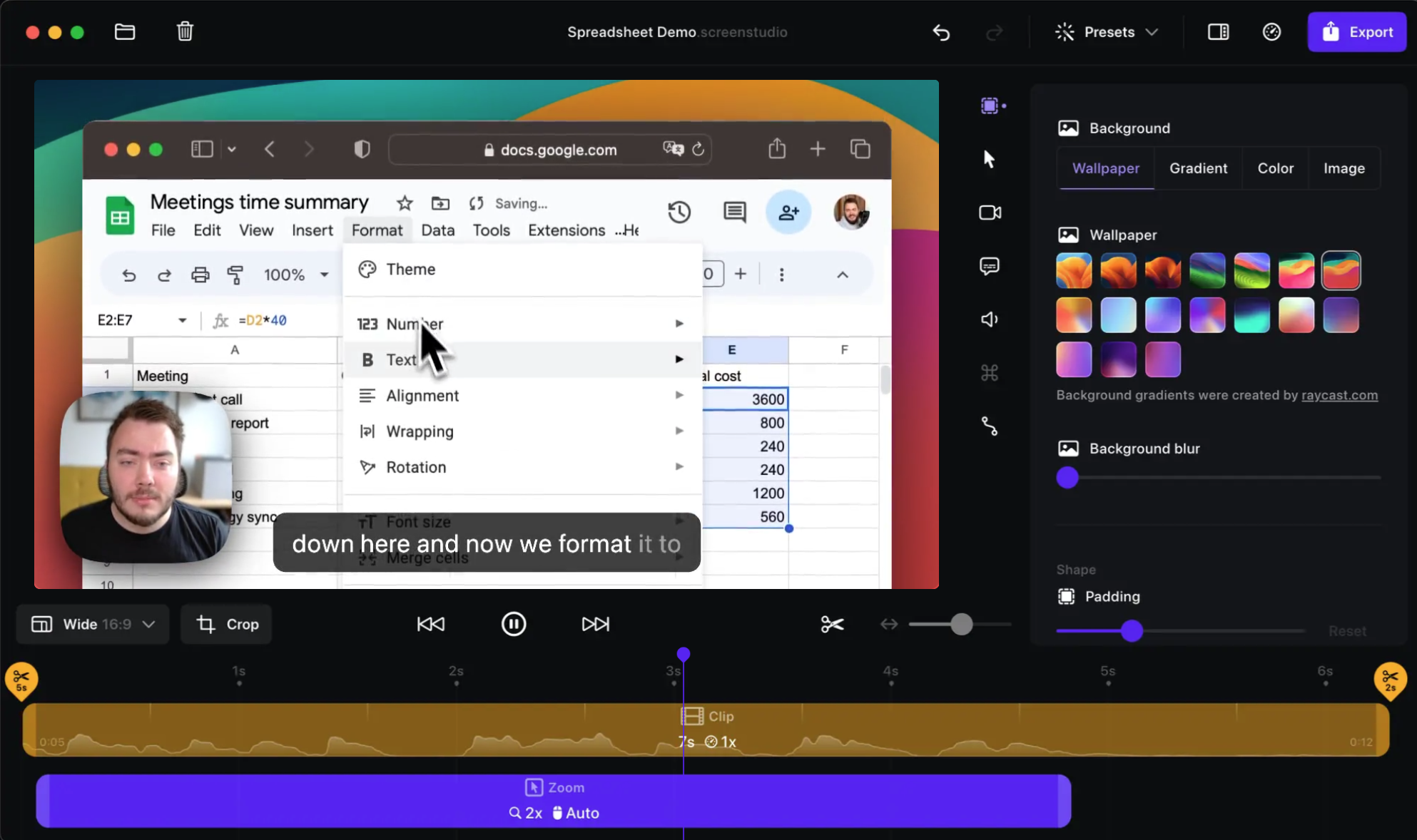
Screen Studio's main idea is that a raw recording should already look edited. It tracks your cursor, zooms in on clicks, smooths out shaky mouse paths, and adds motion blur, so a two-minute product walkthrough looks finished the moment you stop recording.
That makes it a strong fit for:
- SaaS founders recording landing page and launch videos
- Designers and developers showing a feature on social media
- Anyone who wants the "startup demo" look without learning an editor
The trade-off is control. The editor is built around adjusting the automatic effects, not building a video from scratch. There is no multi-track timeline for layering extra clips, no callout library, and no transcript-based editing.
Sponsored by the makers
Tired of boring screen recordings?
Try Screen Charm.
Auto-zoom, captions, motion blur, camera overlay and a vertical layout for Shorts. Record once, export a polished video.
Screen Charm is a native macOS app.
Where Camtasia Wins: Editing Depth and Training Content
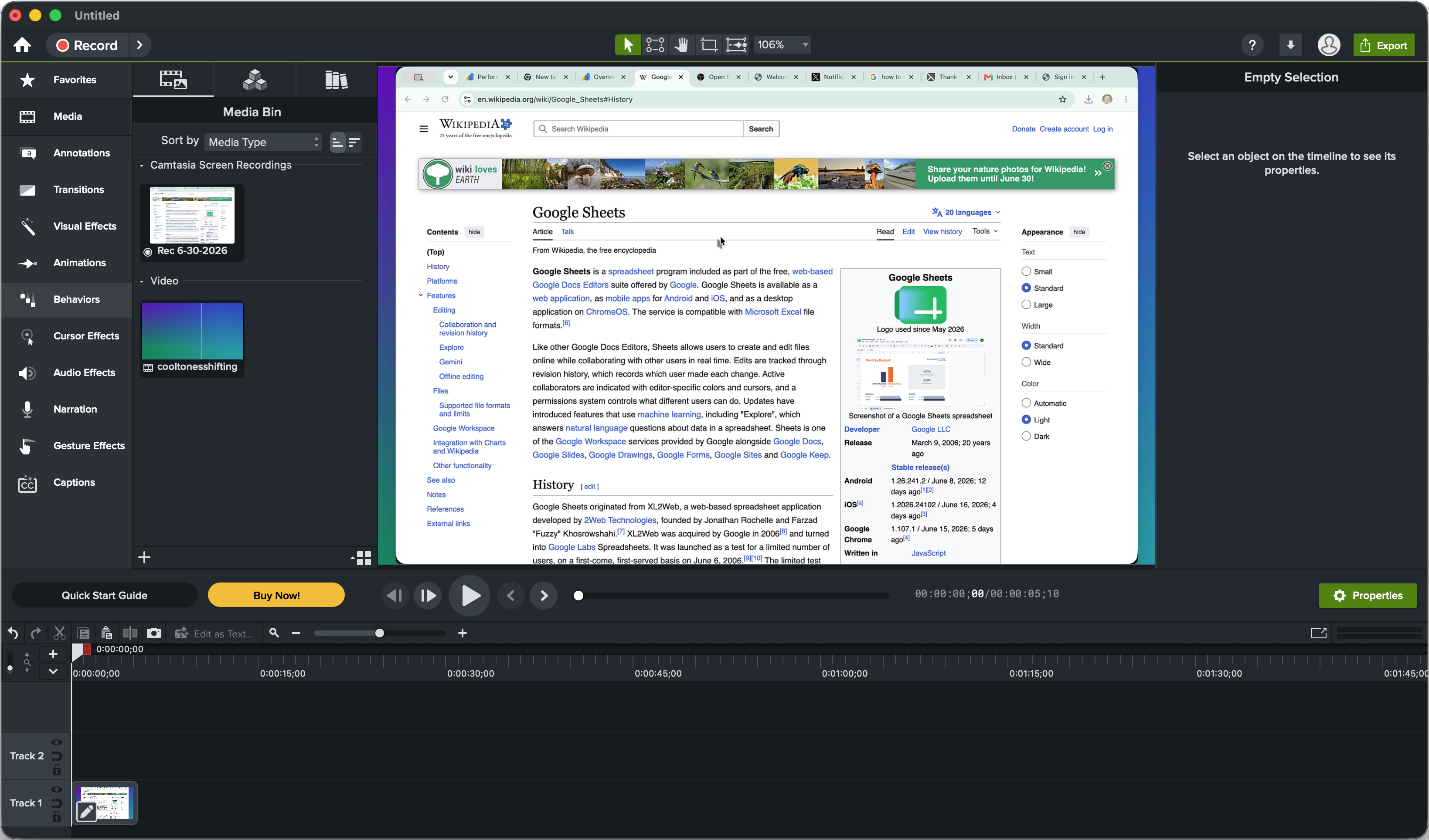
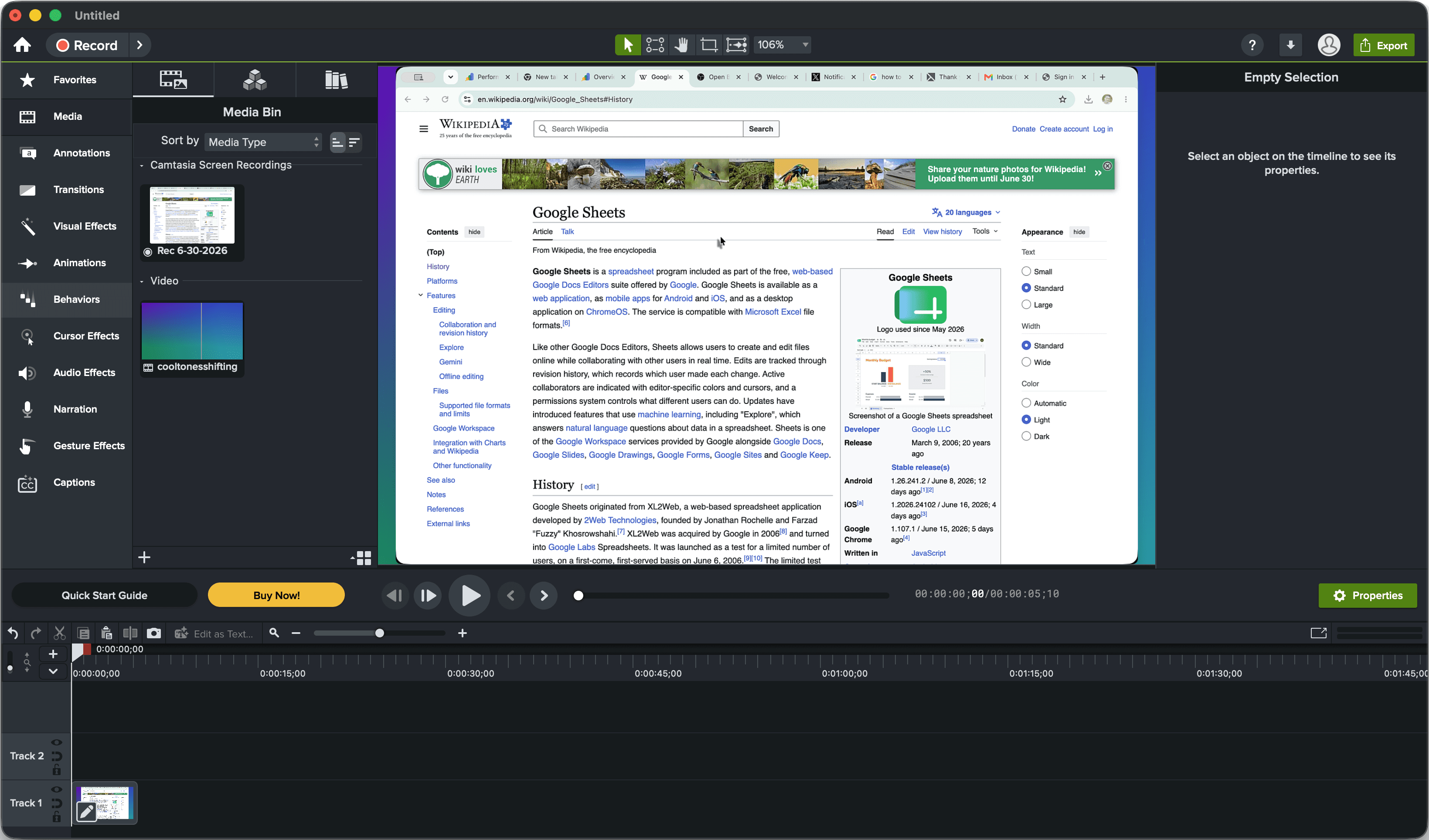
Camtasia is a full video editor that happens to include a very capable screen recorder. You get a multi-track timeline, annotations, arrows, callouts, cursor effects, transitions, templates, and interactive quizzes with SCORM export for learning management systems.
Camtasia also records mouse paths, clicks, and keystrokes as separate data, so you can change cursor size, add click effects, or hide the cursor after recording. Zoom-and-pan exists, but you place it yourself on the timeline.
The higher plans add AI tools. Create adds text-based editing, AI scripts, AI voices, and one-click audio cleanup. Pro adds avatars, translation, dubbing, a large stock library, and Screencast hosting for review and sharing.
That depth is why Camtasia is common in corporate training, education, and customer onboarding teams, where videos go through several rounds of revisions and need consistent branding.
Pricing: Both Are Subscriptions Now
Neither tool sells a one-time license to new buyers.
- Screen Studio: $29/month or $108/year.
- Camtasia: $179.88/year for Essentials, $249/year for Create, $599/year for Pro. The $39/year Starter plan adds a watermark to exports from the editor.
Over three years, Screen Studio costs about $324 on annual billing and Camtasia Essentials about $540. Camtasia costs more, but it includes a lot more editing software for the money.
Which One Should You Choose?
Choose Screen Studio if:
- You only record on a Mac
- You mostly make short product demos, launch videos, or social clips
- You want automatic zoom and cursor smoothing with little manual work
- You record iPhone or iPad apps
Choose Camtasia if:
- You or your team work on Windows as well as Mac
- You build tutorials, courses, or training with callouts, annotations, and quizzes
- You want a multi-track timeline and full control after recording
- You want transcript-based editing and AI voices
A Third Option: Automatic Polish Without a Subscription
If you like Screen Studio's automatic approach but don't want another subscription, Screen Charm is a Mac screen recorder with the same core workflow: automatic zoom on clicks, cursor effects, motion blur, background music, captions, webcam overlay, system audio, and 4K export. It costs $79 once with lifetime updates.
It doesn't replace Camtasia's timeline, quizzes, or Windows support. See the detailed breakdowns in Screen Charm vs Screen Studio and Screen Charm vs Camtasia, or the full list of best screen recording software for Mac.
Frequently Asked Questions
Is Screen Studio better than Camtasia?
It depends on the job. Screen Studio is better for fast, polished Mac product demos with automatic zoom and cursor smoothing. Camtasia is better for training and tutorial videos that need a timeline, annotations, quizzes, and Windows support.
Is Camtasia better than Screen Studio for tutorials?
For structured tutorials, usually yes. Camtasia's multi-track timeline, callouts, cursor editing, and quizzes give you more control after recording. Screen Studio is faster, but it is limited for heavier post-production.
Which is cheaper, Screen Studio or Camtasia?
Screen Studio. It costs $108 per year on annual billing, while Camtasia Essentials costs $179.88 per year and the Create plan costs $249 per year.
Does Camtasia have automatic zoom like Screen Studio?
Not in the same way. Camtasia has zoom-and-pan effects that you place on the timeline yourself. Screen Studio zooms in automatically based on your clicks and cursor movement.
Does Screen Studio work on Windows?
No. Screen Studio is Mac only. Camtasia runs on both macOS and Windows.
Is there a one-time purchase alternative to Screen Studio and Camtasia?
Yes. Screen Charm is a Mac screen recorder with automatic zoom and motion blur for a one-time $79. ScreenFlow is a Mac video editor with a recorder for a one-time $199.