Navigating social media analytics tools on macOS can be overwhelming. Software developers, indie makers, educators, marketing professionals, customer support teams, and content creators require smooth integration, reliable data processing, and responsive interfaces tuned for Apple Silicon, Safari, and Dark Mode. This introduction cuts through the clutter.
In this guide you’ll find an in-depth overview of 12 top-tier social media analytics tools optimized for macOS. Each entry includes key features, pricing, pros and cons, practical use cases, screenshots, and direct links to help you select the best platform for reporting, engagement tracking, and performance monitoring on your Mac.
Follow sections with:
- Feature breakdowns tailored to macOS performance and Apple Silicon optimization
- Real use case scenarios and setup tips for Safari, Notification Center, and Shortcuts
- Pricing tiers and value comparisons
- Honest pros and cons for each platform
- Screenshots and direct links to each tool
These tools solve common challenges like fragmented data sources, sluggish dashboards, and limited macOS support. When selecting social media analytics tools, it’s beneficial to consider how they stack up against dedicated social media competitive analysis tools to ensure comprehensive insights. Jump ahead to find the right solution for your workflow without sifting through generic reviews or marketing fluff.
Dive in to start comparing solutions on your Mac.
1. Sprout Social
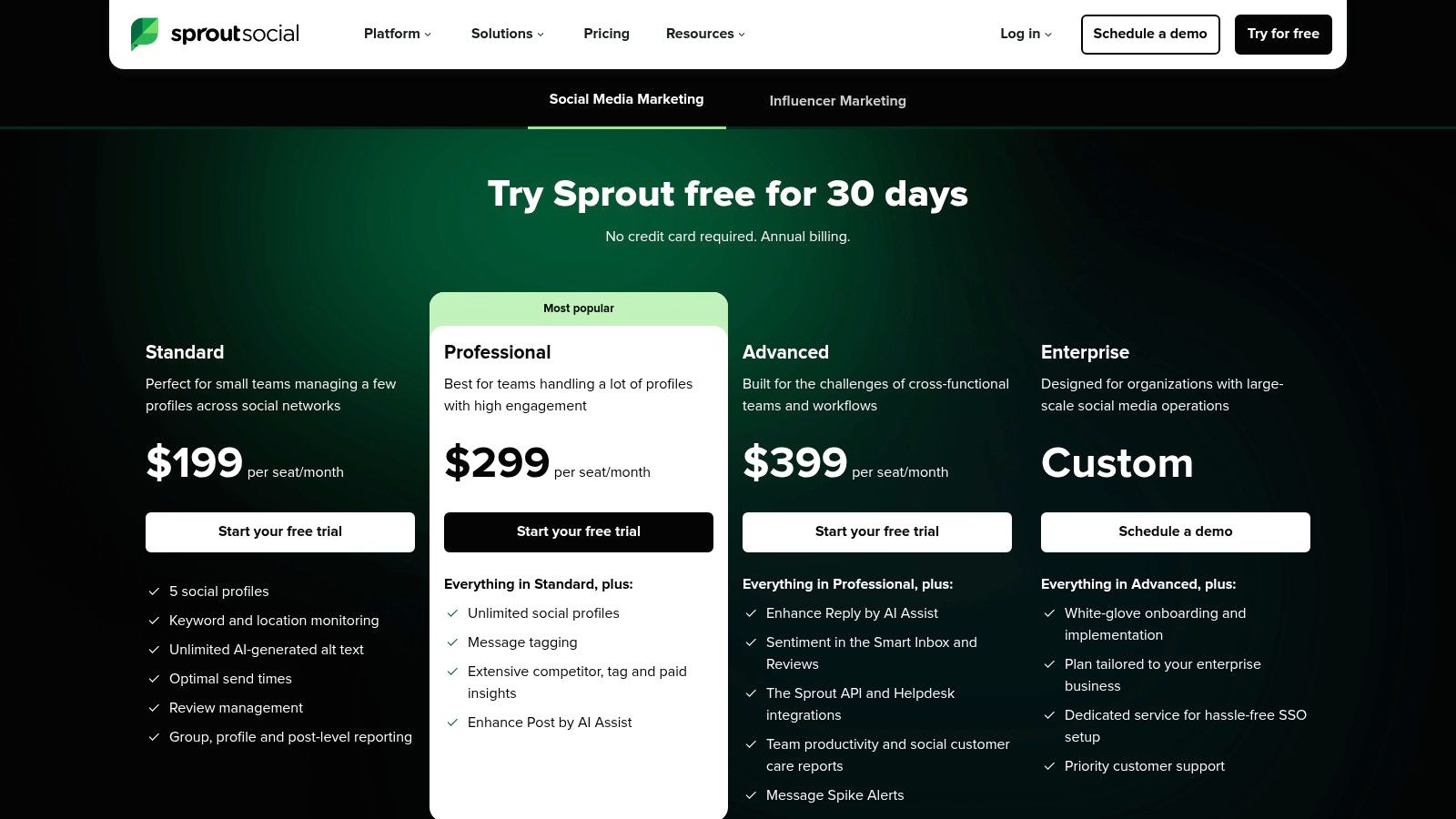
Sprout Social delivers enterprise-grade social analytics with cross-network dashboards and custom reporting designed for macOS users. Its web app runs smoothly in Safari, Chrome, or Firefox on Apple Silicon Macs, ensuring real-time insights and stakeholder-ready visuals in minutes. Native notifications integrate with macOS Notification Center and support Dark Mode.
Key Features
- Cross-network performance dashboards with drag-and-drop widgets
- Custom automated reports and presentation templates optimized for macOS print and export
- Professional paid insights, competitor and tag analysis
- AI Assist for social copy refinement and listening add-on alerts
Pricing & Access
- Plans start at per-seat pricing with a free 30-day trial (https://sproutsocial.com/pricing/)
- CRM and BI integrations available in Advanced tier add-ons
Pros and Cons
Pros
- Robust analytics built for in-depth stakeholder presentations on Mac
- Mature integrations with Salesforce, Tableau, and other BI tools
- Transparent tier structure with trial period
Cons
- Per-seat fees grow for larger teams
- Listening module requires separate add-on purchase
Practical Tips
- Schedule monthly automated reports to reduce manual dashboards upkeep via macOS Calendar integration
- Use AI Assist to optimize copy across Facebook, Twitter, LinkedIn
Learn more about Sprout Social on screencharm.com
2. Hootsuite
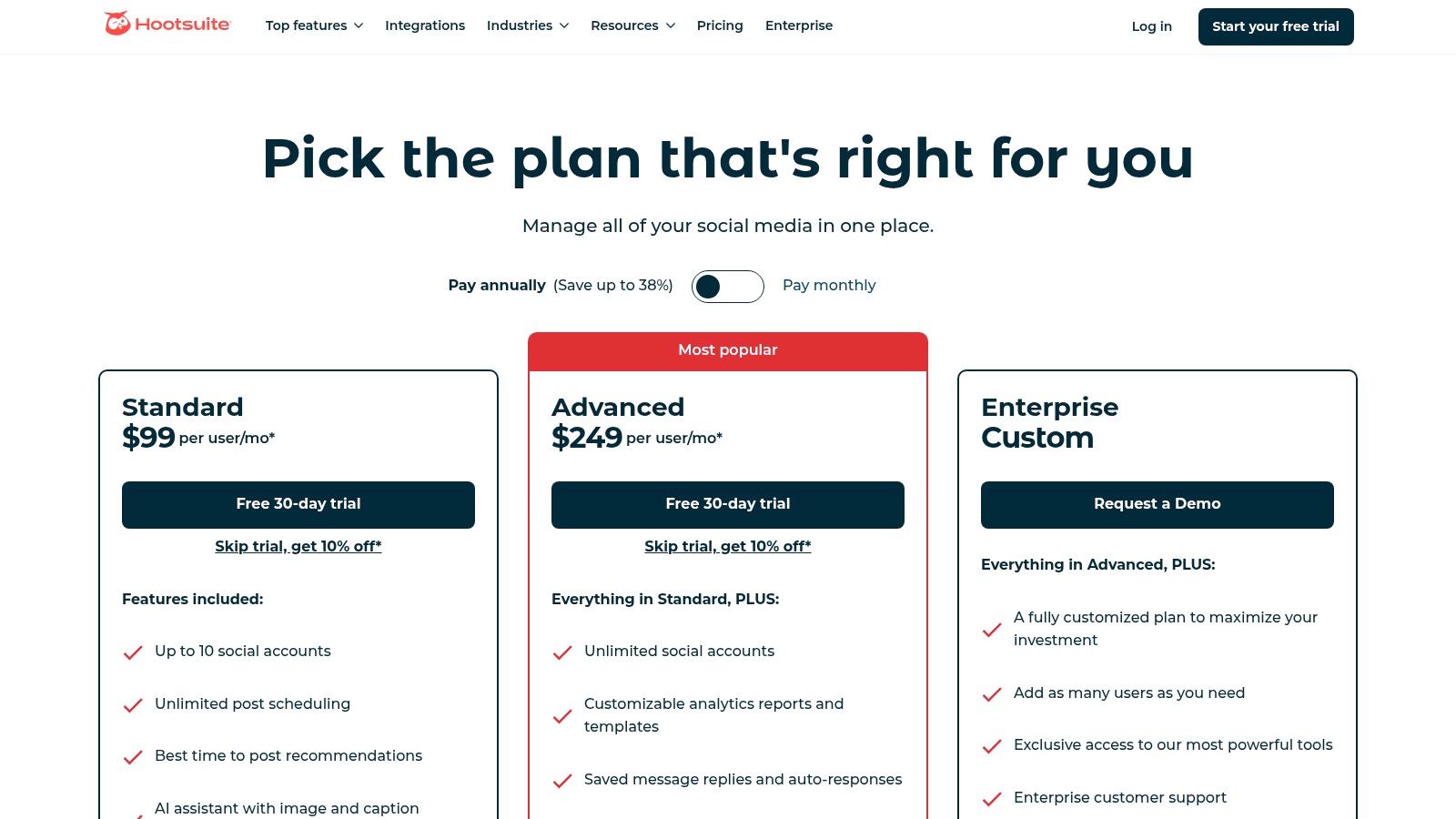
Hootsuite is an all-in-one social suite combining analytics, benchmarking, competitor sentiment, publishing and engagement workflows. As a leader among social media analytics tools, its macOS web app delivers real-time dashboards in Safari, Chrome or Firefox for unified workflow across teams, with optional Safari extensions and Notification Center alerts.
Key Features
- Brand and competitor sentiment benchmarking across networks
- Custom analytics templates with drag-and-drop reporting (Advanced tier)
- Unified inbox plus AI writing and image assist for macOS browsers
- Large ecosystem of 150+ integrations including Salesforce and Slack
Pricing & Access
- Business plan starts at $599/month for 5 users, 30-day free trial (https://www.hootsuite.com/plans/business)
- Advanced listening package available as an add-on
- Web access on macOS with browser notifications enabled
Pros and Cons
Pros
- Strong all-in-one workflow uniting publishing and analytics on Mac
- Widely adopted category leader with mature support
- Generous 30-day trial
Cons
- Deeper listening requires extra add-on purchase
- Cost scales steeply for larger teams
Practical Tips
- Build monthly custom dashboards to track key KPIs in Safari’s Reader Mode
- Use AI Assist in Safari for faster post drafts
- Integrate 5+ apps to centralize campaign reporting
Learn more about Hootsuite on screencharm.com: Learn more about Hootsuite on screencharm.com
Sponsored by the makers
Tired of boring screen recordings?
Try Screen Charm.
Auto-zoom, captions, motion blur, camera overlay and a vertical layout for Shorts. Record once, export a polished video.
Screen Charm is a native macOS app.
3. Brandwatch Consumer Research
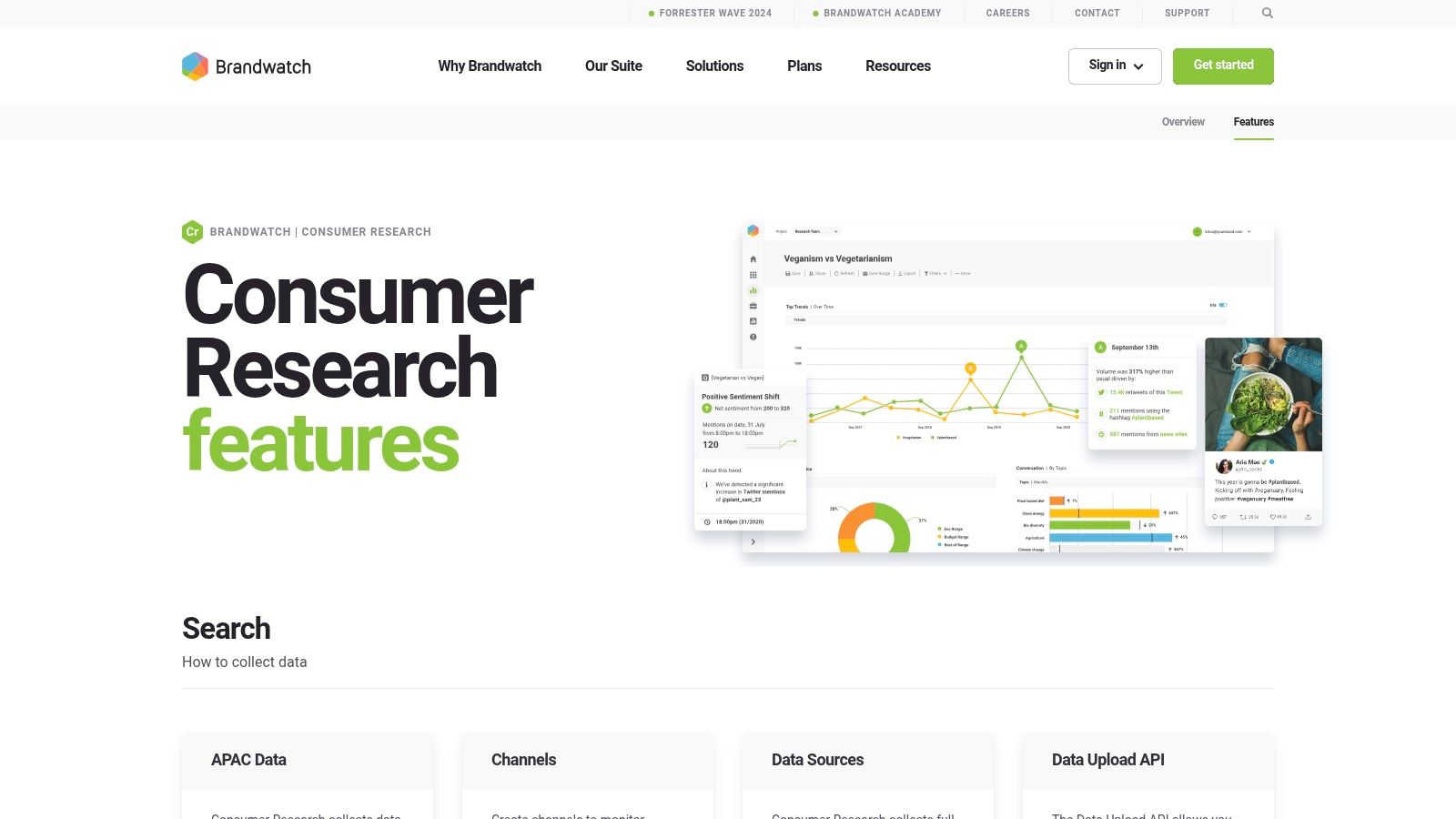
Brandwatch Consumer Research delivers advanced, listening-led social media analytics tools built on a massive indexed data lake. Its web portal runs smoothly in Safari or Chrome on Apple Silicon Macs, with real-time Signals anomaly alerts pushed through Notification Center. Enterprise teams gain deep segmentation, historical context, and granular governance in a familiar browser interface.
Key Features
- 1.2T+ documents indexed, with historical data back to 2008
- Coverage across 30+ platforms and full firehoses (X/Twitter, Reddit)
- Image logo and object detection, plus real-time Signals anomaly alerts
- Unlimited dashboards, components, and exports
Pricing & Access
- Custom enterprise pricing, request a demo at brandwatch.com
- Onboarding and training included in most plans
- Single sign-on and API access for macOS-based workflows
Pros and Cons
Pros
- Extremely deep data and granular analysis
- Enterprise grade governance and user roles
Cons
- Custom pricing can be high for smaller teams
- Dedicated onboarding required
Practical Tips
- Leverage historical queries to benchmark seasonality via macOS snapshots
- Set up Signals alerts for daily anomalies in brand mentions
4. Talkwalker
Talkwalker is a consumer intelligence platform offering tiered social listening and analytics packages (Listen, Analyze, Business) with AI-powered insights and strong global coverage. Its web app runs seamlessly on Safari, Chrome, or Firefox on macOS, delivering real-time sentiment and trend detection in minutes. Organizations gain scalable listening and competitive benchmarking across multiple markets.
Key Features
- Competitive benchmarking and custom dashboards (Analyze+)
- Coverage of 150M+ sources across 30+ platforms and 187 languages
- Blue Silk AI for sentiment analysis and real-time alerts
- Unlimited users with pro training and strategy reviews
Pricing & Access
- Tiered packages (Listen, Analyze, Business) quoted per data volume (https://www.talkwalker.com/pricing)
- Business tier includes dedicated onboarding and strategy workshops
- Flexible seat model with no hidden per-user fees
Pros and Cons
Pros
- Scalable volume and governance for global teams
- Strong onboarding support and multilingual monitoring
- Native macOS browser support ensures smooth UX
Cons
- Enterprise features gated at higher tiers
- Quote-based pricing may challenge small budgets
Practical Tips
- Set up weekly custom dashboards for stakeholder updates in Dark Mode
- Use Blue Silk AI filters on macOS to cut noise in real time
- Benchmark against competitors monthly to spot market shifts
Learn more about Talkwalker and why it ranks among top social media analytics tools.
5. Meltwater
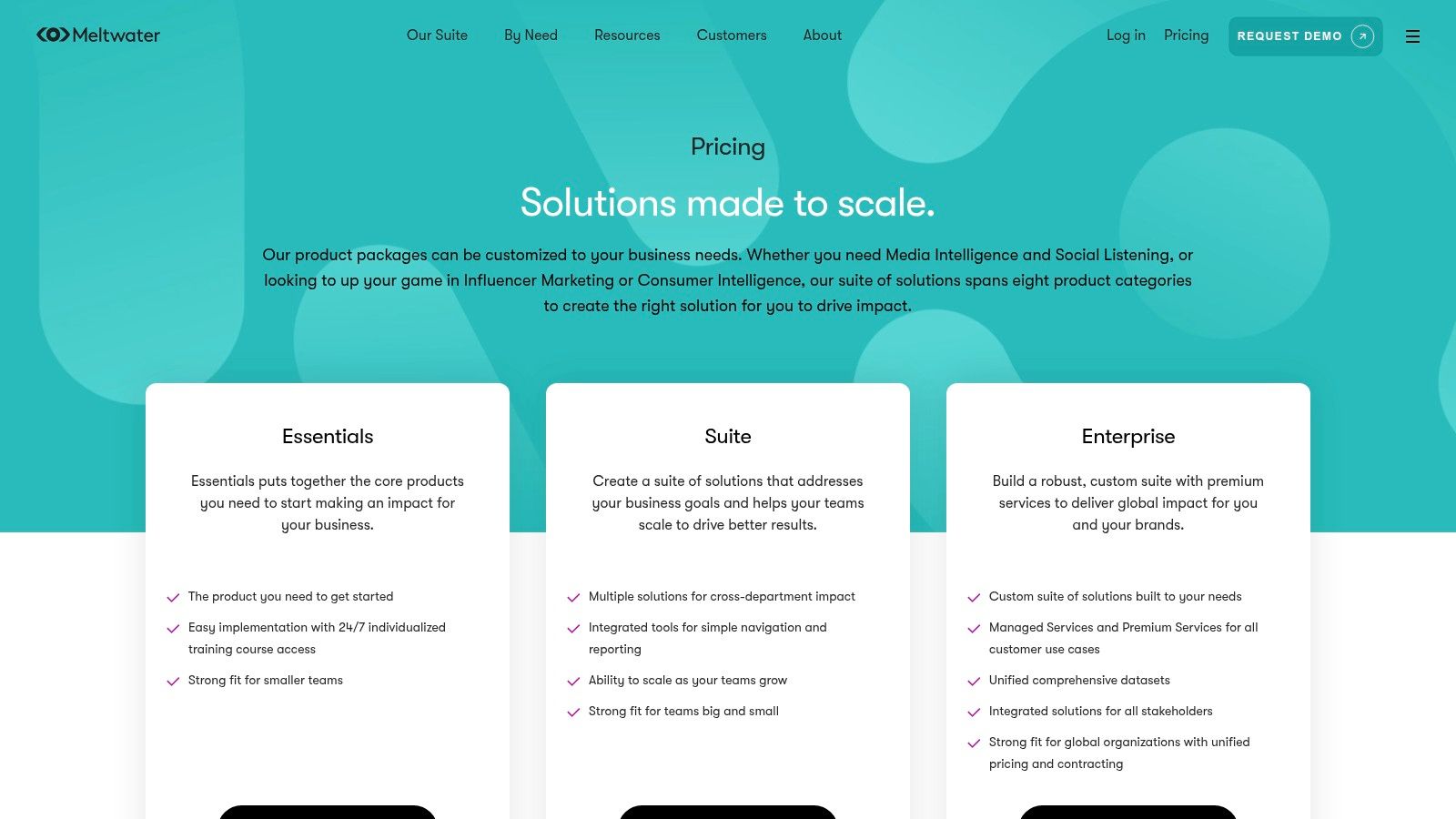
Meltwater delivers a modular suite combining media monitoring, social listening, analytics, influencer and consumer intelligence via a single vendor. Its web app runs seamlessly on macOS browsers like Safari and Chrome, offering real-time dashboards and configurable alerts for PR and social analytics workflows, optimized for Apple Silicon.
Key Features
- Social and news coverage dashboards with drag-and-drop widgets
- Custom alerting based on keywords, sentiment or region
- Enterprise governance, SSO and API integrations
- Influencer identification, outreach and ROI measurement add-ons
- Mix-and-match packaging across monitoring, analytics and intelligence
Pricing & Access
- Pricing is enterprise-level and not publicly listed
- Configurable packages let you scale from pure social listening to full PR analytics
- Free demo available on request (https://www.meltwater.com/en/pricing)
- Accessible via any modern macOS browser, optimized for Safari notifications
Pros and Cons
Pros
- One vendor for PR media and social analytics
- Highly configurable modules fit diverse use cases
Cons
- Opaque, enterprise-only pricing
- Feature depth varies by selected package
Practical Tips
- Map out core KPIs before selecting modules to avoid unneeded costs
- Use native macOS Notification Center for real-time crisis alerts
- Leverage API feeds to integrate Meltwater data into BI dashboards
6. Emplifi (formerly Socialbakers)
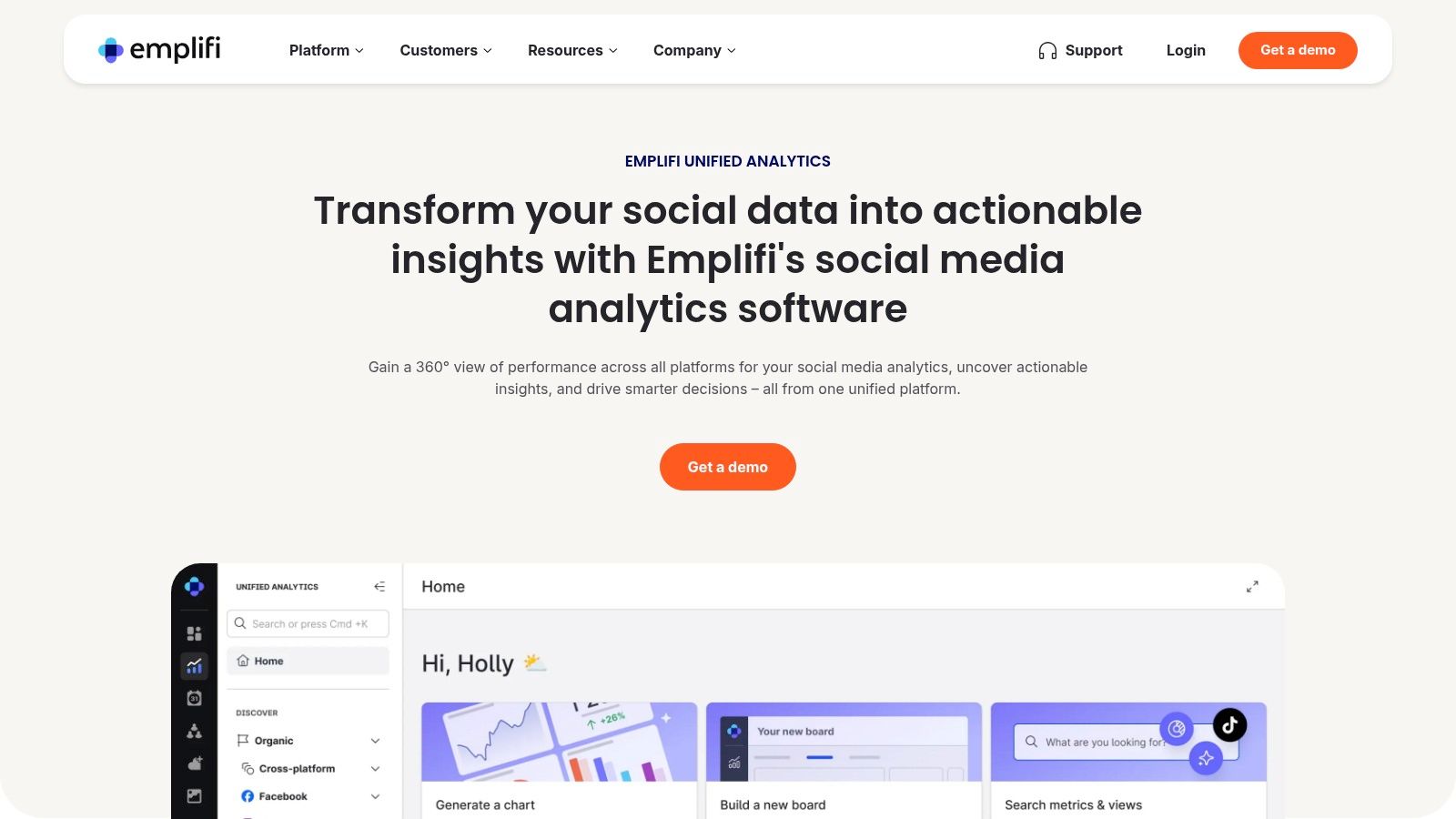
Emplifi’s unified Analytics module consolidates paid, owned, and earned social KPIs into configurable boards. macOS users can access real-time dashboards via Safari, Chrome, or Firefox for marketing, care, and commerce insights in one pane. Its AI-driven search and predefined presets speed up performance reviews, while API and Looker Studio connectors extend data pipelines for Mac-based reporting.
Key Features
- Cross-platform analytics with AI-assisted search and customizable presets
- Automated scheduled reporting with team sharing via email or Slack
- Competitive benchmarking across channels and industries
- API, CSV export, and Looker Studio connectors for advanced data workflows
Pricing & Access
- Demo-based pricing, tailored to team size and feature scope
- Best value when adopting the broader Emplifi suite for support and commerce
- Accessible via web app—no native macOS installer required
Pros and Cons
Pros
- Single-pane analytics across marketing, care, and commerce
- Scalable from SMB to enterprise with modular add-ons
Cons
- Demo-only pricing can delay cost transparency
- Enterprise-style sales process may be heavy for small teams
Practical Tips
- Use AI search to locate underperforming posts by keyword in seconds
- Schedule weekly PDF snapshots to keep stakeholders aligned
- Leverage the Looker Studio connector for custom executive dashboards
Learn more about Emplifi on their website: https://emplifi.io/products/social-media-marketing/analytics
7. Iconosquare
Iconosquare delivers creator and brand-friendly analytics focused on Instagram and TikTok with an intuitive UI optimized for macOS Safari, Chrome, and Dark Mode. Users can dive into profile and group metrics, track competitors or hashtags, and generate stakeholder-ready reports in minutes.
Key Features
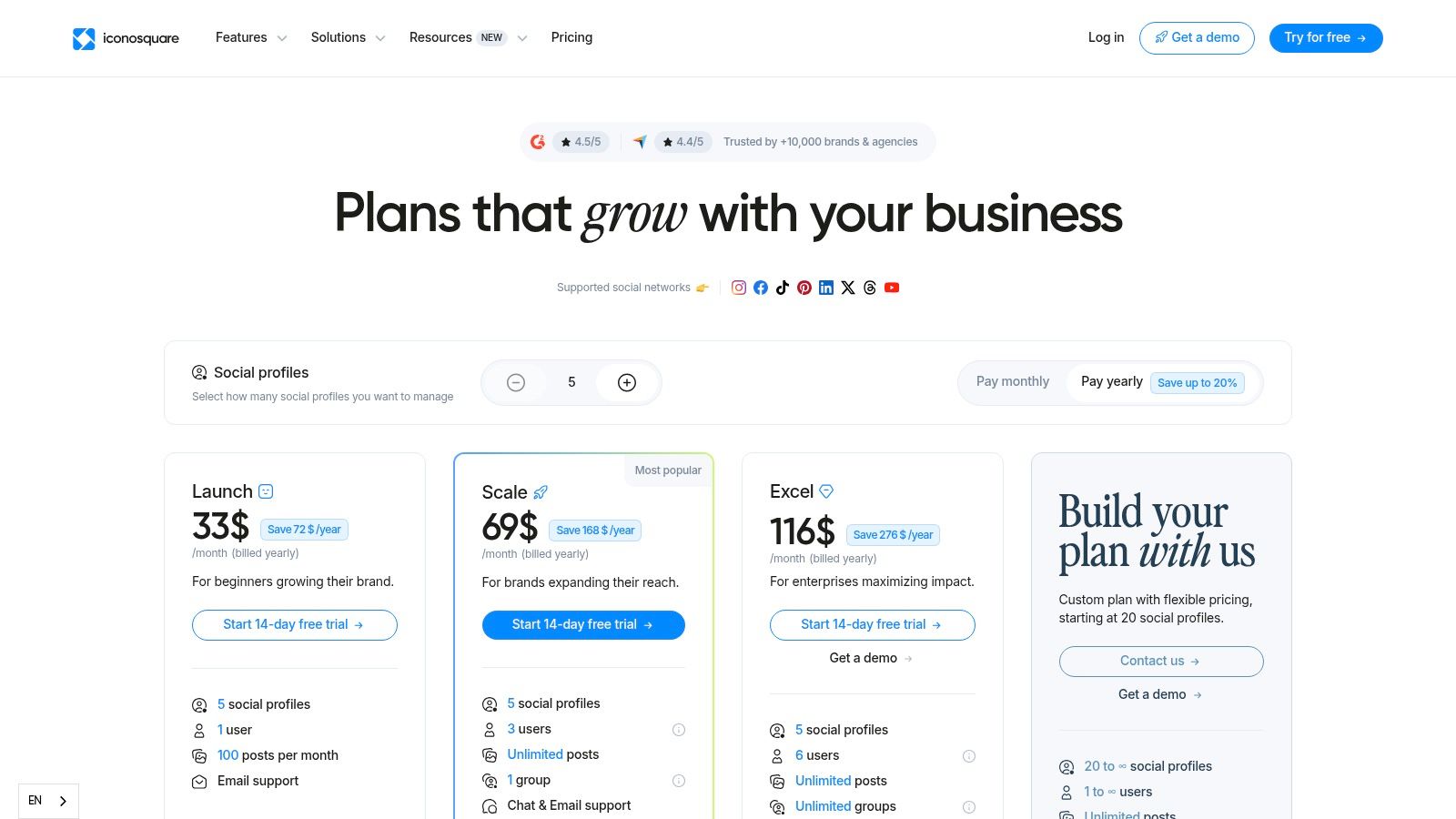
- Profile and group analytics with best-time-to-post recommendations
- Competitor, hashtag and mentions tracking (Scale+ plan)
- Promoted post analytics and white-label reports (Excel plan)
- 14-day free trial for all tiers
Pricing & Access
- Entry plans start at $49/month with 14-day free trial (https://www.iconosquare.com/plans-and-pricing)
- Scale+ tier adds hashtag listening and competitor benchmarks
- Excel plan unlocks white-label dashboards and advanced exports
Pros and Cons
Pros
- Intuitive user interface built for macOS Safari or Chrome
- Deep insights tailored to Instagram and TikTok
- Affordable entry plans ideal for SMBs and agencies
Cons
- Advanced features require higher tiers
- Data retention limits vary by plan
Practical Tips
- Automate best-time-to-post data to optimize your weekly content calendar
- Leverage white-label reports for client presentations without extra design work
- Use competitor tracking to refine hashtag and visual trends over time
8. Rival IQ
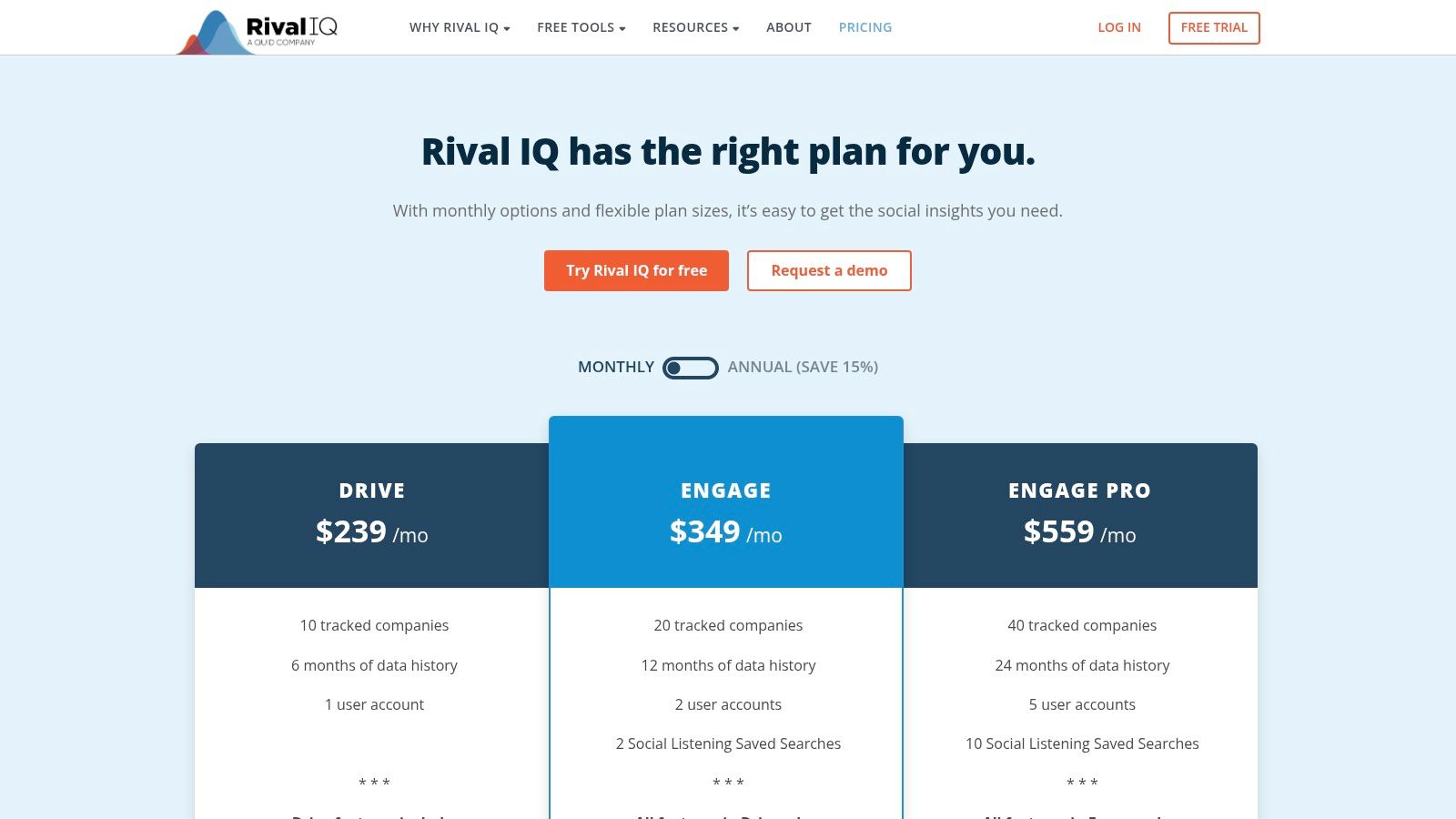
Rival IQ delivers competitor-focused social analytics and benchmarking tools ideal for teams prioritizing market audits and ongoing tracking. Its web app runs seamlessly in Safari, Chrome, or Firefox on macOS, giving you real-time competitive metrics alongside content analysis and custom alerts—optimized for Apple Silicon.
Key Features
- Competitive metrics and side-by-side content analysis across Facebook, Instagram, Twitter, LinkedIn
- Facebook Ads and private data reporting via Engage+ add-on
- Google Data Studio (Looker Studio) connector and saved searches
- Custom alerts for follower growth, engagement spikes, and share of voice
Pricing & Access
- Plans start at $199/mo for 3 profiles with a 14-day free trial (https://www.rivaliq.com/pricing/)
- No per-seat fees – costs increase with each additional tracked company
- Fully browser-based on macOS, no desktop installation required
Pros and Cons
Pros
- Excellent for competitive insights and benchmarking on Mac
- Transparent pricing and easy trial setup
Cons
- Listening depth limited compared to pure listening suites
- Pricing scales up as you add more competitors
Practical Tips
- Use saved searches to automate weekly competitor scorecards
- Sync Looker Studio reports for stakeholder presentations
- Leverage Engage+ to combine ad spend data with organic metrics
9. Agorapulse
Agorapulse is a manager-friendly social media analytics platform combining publishing, inbox management, and in-depth metrics. Its web app runs seamlessly on macOS in Safari, Chrome, or Firefox, offering white-label exports and BI-ready dashboards with Dark Mode support.

Key Features
- Scheduled and automated reports with team performance metrics
- Campaign and ROI reporting, plus Google Analytics integration
- Ad comment monitoring and moderation tools
- White-label export options for branded presentations
Pricing & Access
- Transparent per-user pricing with plans starting at $79/month
- 30-day free trial, no credit card required (https://www.agorapulse.com/pricing)
- Add-on modules for extra profiles, users, or X Plus features
Pros and Cons
Pros
- Excellent value compared with enterprise tools
- Intuitive macOS-style interface and responsive customer service
Cons
- Add-ons can raise total cost for large teams
- Advanced analytics require higher-tier plans
Practical Tips
- Automate weekly exports to reduce manual report prep using macOS Shortcuts
- Use Google Analytics integration to track UTM performance
- Leverage ad moderation for compliance and faster responses
10. Keyhole
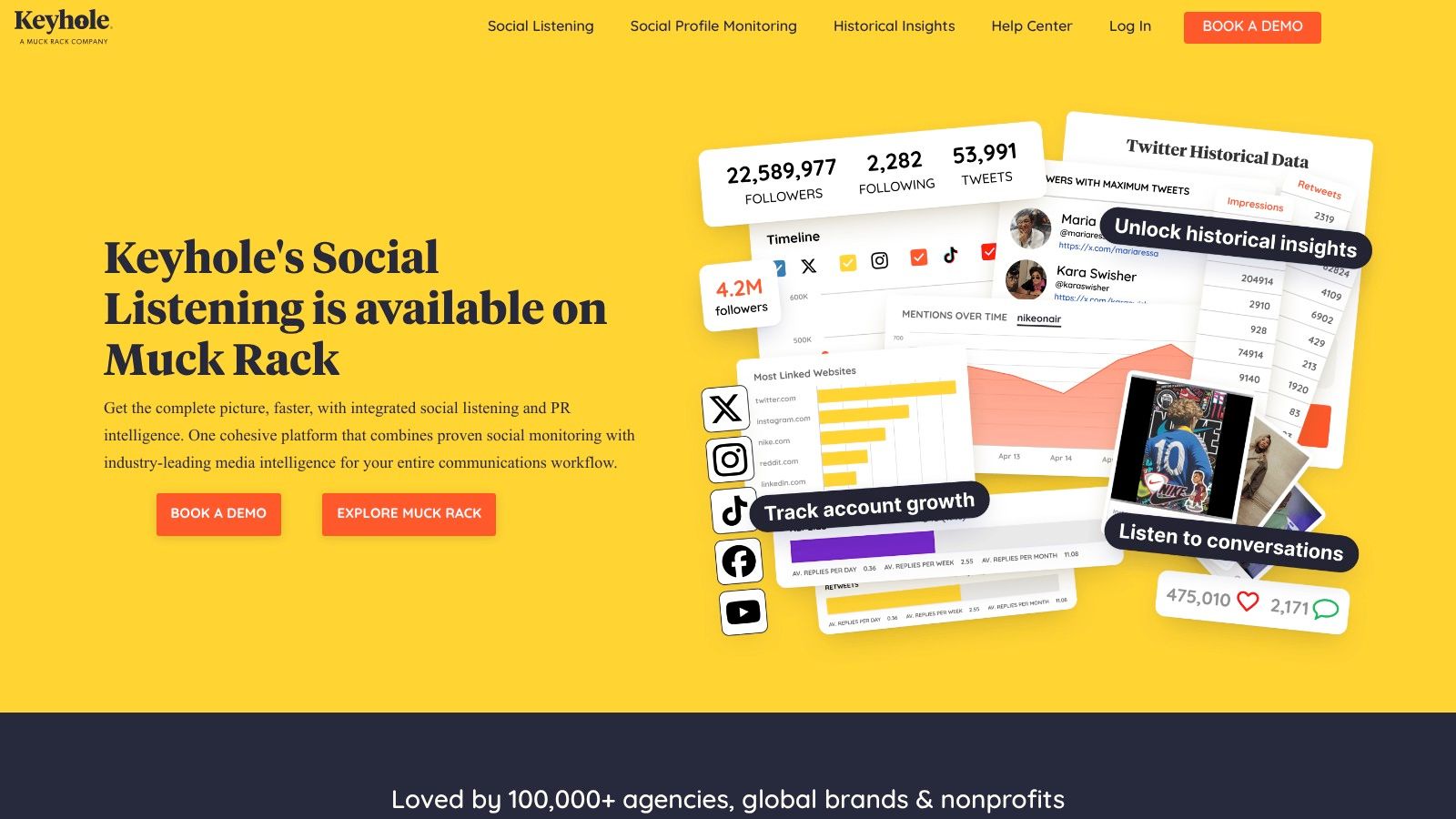
Keyhole offers real-time campaign, hashtag and profile analytics designed for live event tracking and social monitoring on macOS browsers. Its web dashboards run smoothly in Safari, Chrome, or Firefox on macOS, providing instant hashtag insights and influencer sentiment without additional setup. Customers praise its intuitive macOS-compatible interface and responsive support team for rapid issue resolution.
Key Features
- Hashtag and keyword analytics with real-time volume and reach
- Influencer and competitor tracking with sentiment analysis
- Live dashboards optimized for campaigns and events
- White-label reporting and quick macOS browser setup
Pricing & Access
- Custom pricing based on volume and features; contact https://keyhole.co/ for a quote
- Free trials available upon request, enterprise onboarding support
Pros and Cons
Pros
- Rapid setup for live event monitoring on macOS
- Deep hashtag and influencer insights for campaigns
Cons
- Pricing tiers not publicly detailed
- No native macOS desktop app, relies on browser
Practical Tips
- Predefine hashtag streams to reduce manual setup during live events
- Leverage white-label reports for stakeholder presentations
- Use competitor sentiment filters to benchmark campaign performance
11. BuzzSumo
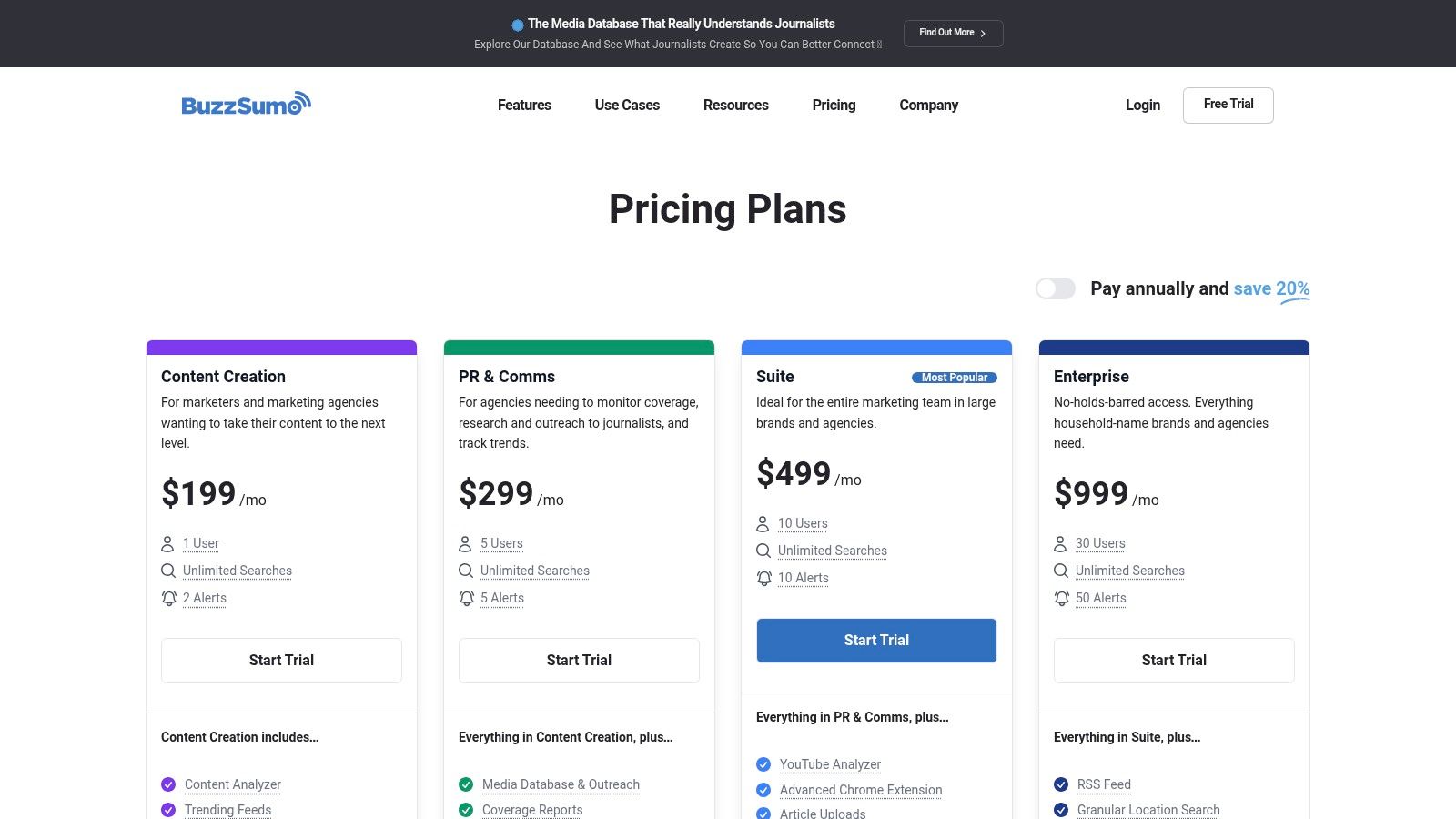
BuzzSumo specializes in content and social engagement analytics across networks, offering deep insights into trending topics and share metrics. Its web interface runs on Safari, Chrome, or Firefox on macOS, delivering real-time performance data and optional macOS Notification Center alerts for content teams.
Key Features
- Content, topic, and question analyzers with trending feeds
- Facebook Analyzer and YouTube Analyzer for engagement metrics
- Influencer discovery, custom alerts, and outreach tracking
- Chrome extension for on-page content insights and exports; browser alerts for Safari
Pricing & Access
- Plans start at $99 per month with a 30-day trial (https://buzzsumo.com/pricing/)
- Scalable seat limits and multiple tiered options for teams
- API access and enterprise add-ons available on higher plans
Pros and Cons
Pros
- Excellent for content benchmarking and trend monitoring
- Scalable seats and flexible pricing tiers
Cons
- Not a full social management suite
- PR features and advanced analytics require higher plans
Practical Tips
- Configure daily topic alerts to catch emerging trends early
- Use the Chrome extension on macOS to audit competitors’ content quickly
Learn more about BuzzSumo best practices on screencharm.com
12. G2 (Social Media Analytics category)
G2 offers a macOS-friendly comparison marketplace for social media analytics tools, featuring live category rankings, verified user reviews, and interactive Grid reports. Its web interface runs smoothly in Safari, Chrome, or Firefox on macOS, helping buyers shortlist vendors and extract insights without friction. The platform’s real-time filters and reports streamline research into social media analytics tools and vendor performance.
Key Features
- Dedicated “Best Social Media Analytics Software” category page
- Seasonal Grid and Momentum reports tracking vendor growth
- Filters by industry segment, feature set, and user satisfaction
- Thousands of verified reviews with star ratings and pros/cons
Pricing & Access
- Free to browse and compare without an account
- Optional sign-in unlocks detailed reports and reviewer profiles
- Direct links to vendor trial pages and demo requests
Pros and Cons
Pros
- Massive review volume for confident shortlist building
- No cost barrier; optimized UI for macOS browsers
- Interactive charts and filters speed up research
Cons
- Some advanced data gated behind sign-in
- Review-driven ratings can vary by season
Practical Tips
- Apply macOS-specific filters to find Safari-tested analytics tools
- Compare Momentum reports quarterly to spot emerging vendors
- Cite verified review excerpts in stakeholder presentations
Learn more about social media analytics tools on https://www.g2.com/categories/social-media-analytics
Top 12 Social Media Analytics Tools Comparison
| Tool | Core features ✨ | Quality ★🏆 | Price / Value 💰 | Target 👥 | Unique selling point 🏆 |
|---|---|---|---|---|---|
| Sprout Social | Cross-network dashboards, automated reporting, listening & CRM integrations ✨ | ★★★★, robust analytics 🏆 | 💰 Per-seat pricing; 30-day trial | 👥 Brands & agencies | Presentation-ready analytics & integrations ✨ |
| Hootsuite | Unified publishing, benchmarking, unified inbox, large integrations ✨ | ★★★★, category leader 🏆 | 💰 Tiered plans; cost rises at scale | 👥 Teams needing publishing + analytics | All-in-one workflow & broad ecosystem ✨ |
| Brandwatch Consumer Research | Massive indexed data lake, historical coverage, image detection ✨ | ★★★★★, enterprise-grade 🏆 | 💰 Custom/enterprise pricing | 👥 Enterprise researchers & analysts | Deep historical data & granular governance 🏆 |
| Talkwalker | Tiered listening, AI alerts, broad language/platform coverage ✨ | ★★★★, scalable listening 🏆 | 💰 Pricing by quote | 👥 Organizations needing global listening | Strong global coverage & real-time AI alerts ✨ |
| Meltwater | Media monitoring, social listening, influencer modules ✨ | ★★★★, modular suite 🏆 | 💰 Custom pricing; configurable packages | 👥 PR + social teams | Single vendor for PR + social analytics ✨ |
| Emplifi (Socialbakers) | Cross-platform analytics, automated reports, AI search ✨ | ★★★★, unified analytics 🏆 | 💰 Demo/quote; best value with full suite | 👥 Marketing, care & commerce teams | Single-pane view across marketing/care/commerce ✨ |
| Iconosquare | Instagram & TikTok analytics, competitor & hashtag tracking ✨ | ★★★★, intuitive UI 🏆 | 💰 Affordable entry plans; 14-day trial | 👥 SMBs, creators, agencies (visual platforms) | Ease-of-use for IG & TikTok analytics ✨ |
| Rival IQ | Competitive benchmarking, content analysis, connectors ✨ | ★★★★, competitor focus 🏆 | 💰 Clear pricing; 14-day trial | 👥 Teams prioritizing competitive insights | Transparent pricing + strong competitor benchmarking ✨ |
| Agorapulse | Publishing, inbox management, campaign & ROI reporting ✨ | ★★★★, manager-friendly 🏆 | 💰 Per-user pricing; good value; 30-day trial | 👥 Managers & small/medium teams | White-label exports & per-user simplicity ✨ |
| Keyhole | Real-time hashtag, campaign & influencer analytics ✨ | ★★★★, fast live monitoring 🏆 | 💰 Pricing varies; not fully public | 👥 Event & campaign teams | Quick setup + real-time dashboards ✨ |
| BuzzSumo | Content/topic analyzers, trending feeds, influencer discovery ✨ | ★★★★, content benchmarking 🏆 | 💰 Tiered plans; scalable seats | 👥 Content-led teams & marketers | Best for content performance & trends ✨ |
| G2 (category) | Category rankings, Grid reports, verified reviews ✨ | ★★★★, large review volume 🏆 | 💰 Free to use for buyers; some gated features | 👥 Buyers researching vendors | Extensive verified reviews & comparative grids ✨ |
Turning Data into Action on macOS
Selecting the right macOS-compatible social media analytics tool is just the start. We explored Sprout Social, Hootsuite, Brandwatch Consumer Research, Talkwalker, Meltwater, Emplifi, Iconosquare, Rival IQ, Agorapulse, Keyhole, BuzzSumo, and G2. Each platform brings unique metrics, reporting styles, and listening features that can shape your strategy on Mac.
Key Takeaways
- Unified dashboards save time on macOS by consolidating metrics in one view
- Automated reporting cuts manual work and improves consistency
- Social listening features vary, so match to your niche or vertical
- Pricing tiers often reflect data depth, so balance budget with feature needs
- Trial periods are invaluable for hands-on evaluation before full adoption
Next Steps
- Audit your current social media workflow and identify data gaps
- Map key performance indicators to the tool features you need
- Pilot two or three platforms to test macOS integration and user experience
- Train your team with bite-sized sessions on dashboard navigation
- Schedule a monthly review to iterate on reporting templates and alerts
Choosing the Right Tool
When evaluating social media analytics tools on macOS, focus on your main objectives. Marketing professionals might prioritize post scheduling and sentiment analysis. Educators and content creators may need easy data exports and overlay options for tutorials. Customer support teams benefit from real-time alerting and query tracking. Align feature sets with workflows to maximize ROI.
Implementation Tips
- Integrate with macOS notifications and Calendar for timely updates
- Use native Shortcuts and Automator scripts to export reports automatically
- Leverage APIs or Zapier integrations to sync data with your CRM or spreadsheets
- Set up user permissions carefully to protect sensitive insights
- Regularly revisit your dashboard layouts and filter settings to avoid data fatigue
With clear goals, the right social media analytics tools, and a macOS-optimized setup you can transform raw data into actionable insights. Keep refining your approach as audience behaviors evolve, and let the numbers guide smarter content and engagement strategies.
Ready to showcase your social metrics on-screen with clarity and flair? Try Screen Charm on macOS for seamless overlays during presentations and tutorials. Screen Charm empowers you to highlight real-time analytics results right over your social dashboards for more engaging demos.