If you're trying to grow on Instagram today, you have to forget almost everything you knew about engagement. The game has changed. It's no longer about chasing public vanity metrics like likes. The real currency is now private engagement—think DMs, saves, and shares.
Real success on the platform now comes from creating content that starts a real conversation or provides so much value that people have to save it for later or send it to a friend. That's what the algorithm is rewarding, and for macOS users, having an efficient content workflow is key to making this happen.
Rethinking Modern Instagram Engagement

Have you noticed a dip in likes and comments on your posts? You’re not alone, and it’s not a sign you're failing. It’s simply a reflection of a huge shift in how people use the app. The old model of posting a pretty picture and watching the likes flood in just doesn't work anymore.
Today, the algorithm is smart. It prioritizes meaningful connections.
Instead of a simple double-tap, users are now sharing useful posts to their Stories, sending a hilarious Reel to a group chat, or saving an in-depth carousel to a collection. From Instagram's perspective, these actions are a much stronger signal that your content is high-quality and genuinely resonates.
This isn't just a hunch; the data backs it up. The median engagement rate recently plummeted from 2.94% to a mere 0.61%. That’s a staggering 79% collapse in just one year, all because users are interacting more privately. Buffer's analysis really breaks down this trend if you want to dig deeper.
This guide is built for this new reality. We’re moving past the outdated metrics to focus on what actually drives growth today. Consider this your playbook for building a community that the algorithm can't help but notice. For a deeper dive, check out these proven strategies to increase engagement on Instagram.
To give you a quick roadmap, here's a look at the modern approach to building an engaged audience.
The Modern Instagram Engagement Blueprint
A quick overview of the content strategies that build genuine community and drive algorithm-friendly interactions.
| Strategy Pillar | Primary Goal | Essential Content Formats |
|---|---|---|
| Value & Education | Generate Saves & Shares | Carousels, Infographics, How-To Reels |
| Conversation & Connection | Spark DMs & Comments | Story Polls/Q&As, Provocative Questions |
| Community Building | Foster Loyalty & Advocacy | User-Generated Content, Collaborations, Live Video |
This table lays out the core pillars, but putting them into practice is what truly matters. It's all about making your content work for you in this new landscape.
The New Rules of Engagement
So, what does this actually mean for your day-to-day content plan? Simple. You have to prioritize value and conversation above everything else. Every single piece of content you create should be designed to hit one of these goals:
- Spark Private Conversations: Create something that makes people want to slide into your DMs or immediately share it with their inner circle.
- Encourage Saves: Give away so much value—tutorials, checklists, hacks, or inspiration—that saving it feels like a no-brainer.
- Build a Loyal Community: Stop thinking about followers as numbers. Focus on interactions that build real relationships and turn passive observers into true fans.
This modern approach means you need to know your audience inside and out, and you also need the right tools in your corner. For creators on macOS, having an efficient workflow to produce high-quality content directly from your Mac is critical. By keeping a sharp eye on your numbers with the right social media analytics tools, you can spot what’s resonating and do more of it. Thriving on Instagram today is all about adapting.
Dialing in Your Content for Maximum Interaction
If you really want to move the needle on your Instagram engagement, you have to get serious about the type of content you're creating. The reality is, what worked two years ago just doesn't cut it anymore. Today's game is all about two formats: Reels and Carousels.
Let's be blunt: static, single-image posts have lost most of their power. The Instagram feed is a blur of constant motion. Your job is to create something that makes people slam on the brakes, stop the scroll, and actually pay attention. This means shifting your mindset from just posting pretty pictures to creating interactive, story-driven experiences.
You Can't Argue with the Power of Reels
Reels have absolutely taken over Instagram, and it's not by accident. They're built for discovery and have an incredible knack for reaching people who don't even follow you yet. The numbers don't lie.
Instagram Reels pull in 2x more engagement than standard photo posts. And for established creators, it gets even better. Influencer Reels can hit engagement rates as high as 2.08%—the best of any format out there. If you're ignoring Reels, you're leaving a massive amount of engagement on the table. For a deeper dive, these compelling Instagram statistics really paint the full picture.
Making great Reels isn't about chasing every dance trend. It’s about packaging genuine value into a short, punchy video that people can't look away from.
Crafting Reels That Actually Stop the Scroll
The first three seconds are everything. Seriously. If you don't give someone a compelling reason to stop scrolling in that tiny window, they're gone. That's where the hook comes in.
A good hook is a promise. It tells the viewer exactly what they'll get by sticking around. It can be a provocative question, a bold claim, or a visual that just makes them curious.
- Try a Question Hook: "Are you making this huge mistake with your MacBook?"
- Use a Statement Hook: "Here’s a macOS productivity hack I wish I'd known years ago."
- Go with a Visual Hook: Start your video mid-action—maybe you're dragging a file to a hidden spot or clicking an obscure menu item in macOS.
Once you’ve got them hooked, the rest of the Reel has to deliver. Think of it as a mini-story: a clear beginning (your hook), a middle (where you provide the value), and an end (your call-to-action).
The secret to a great Reel is momentum. Use quick cuts, on-screen text that pops up, and dynamic camera movements. It's less about filming one long shot and more about stitching together a series of energetic micro-moments.
My macOS Workflow for Polished Reels
Good news for macOS users: you have a powerhouse for creating professional-looking Reels right at your fingertips. With the right tools and a smart workflow, you can produce high-quality content without leaving your Mac. I lean heavily on apps like CapCut and Final Cut Pro to get the job done.
Here’s a simple workflow I use all the time:
- Capture Your Screen: I either use the Mac’s built-in recorder (Shift + Command + 5) or an app like Screen Charm to grab my footage. Screen Charm has been a game-changer for me; it's a native macOS app, and its auto-zoom feature tracks my cursor, which creates dynamic, professional-looking shots without me having to keyframe anything manually.
- Import and Edit: I'll Airdrop any supplementary footage from my iPhone and pull everything into my editor. CapCut is my go-to for quick edits and adding trendy effects, while Final Cut Pro gives me more granular control for bigger projects.
- Set the Pace: This is where I'm ruthless. I trim out every bit of dead air, add quick cuts to keep things moving, and weave in B-roll to make it more visually interesting.
- Add Text Overlays: I add text on-screen to highlight the most important steps or takeaways. This is crucial because so many people watch with the sound off. It makes the content scannable and easy to digest.
- Find the Right Audio: Before I export, I’ll pop into the Instagram app and find a trending audio clip that matches the vibe of my video. The algorithm tends to give a little extra love to Reels using popular sounds.
This process lets me churn out high-quality Reels efficiently, right from my Mac. If you want to explore this more, we put together a detailed guide on the best social media video formats for various platforms.
Designing Carousels That Beg to Be Swiped
While Reels are your engine for reach, Carousels are your secret weapon for deep engagement. They’re practically designed to be saved and shared, which are powerful signals to the Instagram algorithm. The more time someone spends swiping through your slides, the more Instagram flags your content as valuable.
The trick is to build a narrative that pulls people from one slide to the next. Don't just dump information; tell a story.
Think of your Carousel as a mini-presentation. The first slide is your title and hook, and the final slide is your conclusion and call-to-action. The magic happens in the slides between, where you deliver the goods.
A Few Carousel Ideas That Work Like a Charm:
- Step-by-Step Guides: Break down a complicated process into bite-sized, visual steps. Each slide is one action, making it super easy for people to follow along and save for later.
- Educational Listicles: Share a curated list of tools, tips, or resources. A title like "5 macOS Apps That Will Save You Hours" is perfect for a 7-slide carousel (an intro slide, one for each of the 5 tips, and a concluding CTA slide).
- Myth-Busting Content: Tackle a common misconception in your industry. Dedicate a few slides to debunking it with data, evidence, and your own expert take.
By blending the broad reach of Reels with the deep engagement of Carousels, you create a content strategy that's built for growth. This one-two punch is fundamental to cracking the code of Instagram engagement.
Sponsored by the makers
Tired of boring screen recordings?
Try Screen Charm.
Auto-zoom, captions, motion blur, camera overlay and a vertical layout for Shorts. Record once, export a polished video.
Screen Charm is a native macOS app.
Forget Reels for a Second—Carousels Are Your Engagement Powerhouse
Everyone's chasing viral Reels, but if you’re serious about building a real, engaged community on Instagram, you can't afford to sleep on Carousels. They are, without a doubt, the unsung heroes of deep, meaningful interaction.
The secret sauce is in the swipe. Every time someone swipes through your Carousel, they're sending a strong signal to the Instagram algorithm that your content is valuable. This increases their dwell time—a critical metric that tells Instagram to show your post to more people.
Think about it: a Reel can be a fleeting, passive view. A well-designed Carousel, on the other hand, encourages your audience to slow down, absorb your message, and actively engage with it. That’s how you build loyalty.
This simple workflow shows how Reels and Carousels can work together, forming the backbone of a strong content strategy.
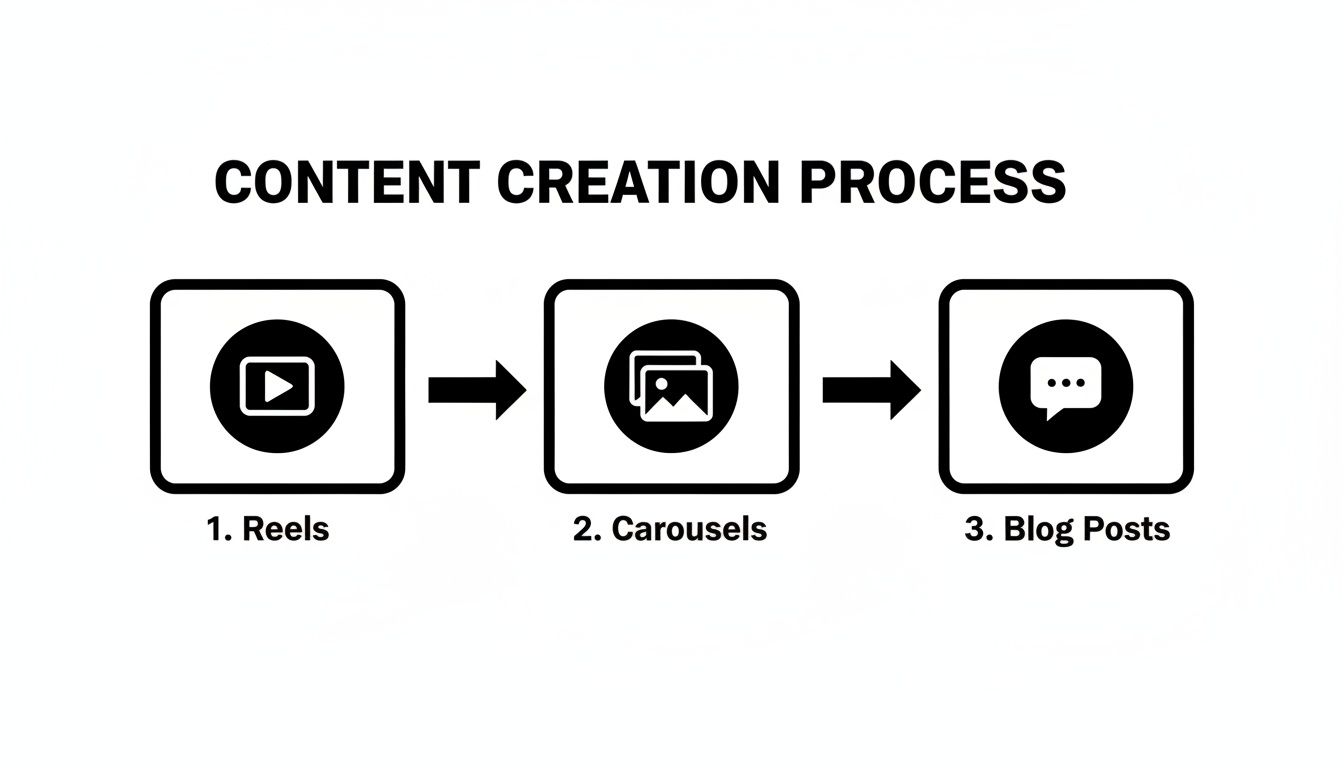
As you can see, they aren't competing formats; they're two sides of the same coin, each essential for driving different kinds of interaction.
Actionable Carousel Recipes for Any Goal
One of the best things about Carousels is their sheer flexibility. You can use them for just about anything, from quick tips to in-depth brand stories. Instead of reinventing the wheel every time, it's smarter to rely on a few proven "recipes."
Here are a few of my favorite frameworks you can start using today:
- The 5-Slide Quick Tip: Perfect for sharing a simple how-to, a useful macOS keyboard shortcut, or a mini-checklist. It's designed to deliver immediate value and is incredibly "savable."
- The 7-Slide Storyteller: Use this to build a genuine connection. Take people behind the scenes, showcase a client win, or share the origin story of your brand. This format is all about creating an emotional bond.
- The 10-Slide Deep Dive: This is your go-to for positioning yourself as an authority. Go all out and use the full 10 slides to break down a complex topic, share insightful data, or give away a comprehensive guide your audience will reference again and again.
Of course, a great recipe is only half the battle. Your execution is what really counts, and that starts with a killer first slide and ends with a clear call-to-action.
How to Craft a High-Performing Carousel
A great Carousel isn't just a random collection of images; it’s a story. It needs a beginning, a middle, and an end that guides your follower on a journey. To get this right, you have to nail the "bookends"—your hook and your CTA.
Your First Slide is Everything You have one job with your first slide: stop the scroll. It needs a bold headline and compelling visuals that promise real value in the slides to come, making that first swipe irresistible.
Your Last Slide Must Drive Action Don't let your audience swipe through all your great content only to drift away. The last slide is your moment to ask for something specific.
Forget weak calls-to-action like "Like this post." Instead, give a direct, value-driven command that encourages high-quality engagement. Try "Save this for your next marketing meeting!" or "Share this with a founder who needs to hear it." The algorithm loves these kinds of interactions.
Creating a multi-slide educational post might feel like a lot of work, but a solid structure makes it much easier.
Here's a blueprint I use for building Carousels that are designed to be saved and shared.
The 10-Slide Educational Carousel Blueprint
This framework helps you turn a complex idea into a simple, swipeable journey that provides immense value to your audience.
| Slide Number | Content's Purpose | Example Action |
|---|---|---|
| 1 | The Hook | State a bold claim or ask a provocative question related to a common pain point. |
| 2 | Agitate the Problem | Describe why this problem is so frustrating and what people are getting wrong. |
| 3 | Introduce the Solution | Briefly present your unique perspective or the "secret" you're about to share. |
| 4 | Step 1 / Tip 1 | Detail the first actionable step with a clear heading and concise text. |
| 5 | Step 2 / Tip 2 | Explain the second step. Use a visual or icon to add clarity. |
| 6 | Step 3 / Tip 3 | Break down the third step. Keep the language simple and direct. |
| 7 | Common Mistake | Highlight a common pitfall to avoid, adding extra value and building trust. |
| 8 | Example in Action | Show a mini case study, a screenshot, or a "before and after" to prove it works. |
| 9 | Key Takeaway Summary | Summarize the main points in a quick, scannable list for easy reference. |
| 10 | Call to Action (CTA) | Ask for a Save, Share, or Comment. Prompt a specific response. |
By following a clear structure like this, you ensure every slide serves a purpose and leads your audience logically to the final call to action.
To get the most out of your high-effort Carousels, you need to post them at the right time. Learning how to effectively schedule carousel posts on Instagram is a game-changer for consistency and reach.
Writing Captions and CTAs That Actually Start Conversations
A stunning Reel can stop the scroll, sure. But it’s your words that get people to stick around, to feel something, and to come back for more. Think of it this way: your visuals are the handshake, but your caption is the conversation that follows.
This is where you turn a passive scroller into an active part of your community. We're not just chasing likes; we're after the good stuff—the comments, saves, DMs, and shares that tell the Instagram algorithm your content is worth showing to more people.
So, How Do You Write Captions That Connect?
Let's be real, a one-sentence caption feels like an afterthought. It signals you don't have much to say, which doesn’t exactly scream "let's talk!" Instead, treat your caption as a mini-blog post, a chance to add context, personality, and genuine value.
One of the easiest ways to do this? Tell a story. People are hardwired to connect with stories—the messy behind-the-scenes moments, the hard-won lessons, the relatable screw-ups. It’s what makes your brand feel human.
Another killer tactic is asking a good question. And by "good," I mean something that can't be answered with a simple "yes" or "no." You want to spark a real discussion.
- Instead of: "Do you like our new look?"
- Try this: "What's the first thing you noticed about our new design? I'd love to hear your thoughts!"
See the difference? One is a poll, the other is an invitation to a conversation.
A Few "Fill-in-the-Blank" Ideas to Get You Started
Staring at that blinking cursor can be brutal. If you’re ever stuck, try using these prompts as a launchpad. Just swap in your own details and let your brand's voice shine through.
For sharing your expertise:
- "I get asked all the time how I __________. Honestly, the biggest mistake most macOS users make is __________."
For getting personal:
- "Story time: I almost quit __________ entirely. What I learned that day was a huge lesson in __________."
For launching something new:
- "It's finally here! I’m so excited to share __________ with you. This has been a game-changer for my __________ because it helps me __________."
These aren't meant to be rigid formulas, but rather a way to kickstart your writing process when you're feeling uninspired.
The Secret to a Powerful Call-to-Action
Your call-to-action (CTA) is the most important sentence in your entire caption. It's you, looking your reader in the eye and telling them exactly what to do next. A post without a clear CTA is like a ship without a rudder—it just drifts.
And sorry, but "Link in bio" doesn't cut it anymore. Your audience is smart, and they need a compelling reason to take that extra click. A great CTA is specific, driven by value, and dead simple to follow.
A powerful CTA doesn't just ask for an action; it gives a clear benefit for doing it. It answers your follower's unspoken question: "What's in it for me?"
Let’s look at how a few small tweaks can make a world of difference.
| Weak CTA | Strong, Specific CTA | Why It Works |
|---|---|---|
| "Check it out" | "Save this post for your next branding project!" | It prompts a high-value action (a save) and connects it to a future benefit for the user. |
| "Comment below" | "What's your #1 macOS productivity hack? Drop your best tip below!" | It’s focused, inviting people to share their own expertise, which boosts engagement. |
| "Link in bio" | "DM me the word 'CHECKLIST' and I'll send you my free guide." | This feels exclusive, sparks a direct conversation in your DMs, and delivers immediate value. |
The stronger CTAs are direct, confident, and all about the user. When you start framing your CTAs this way, you're not just asking for engagement—you're earning it.
Go Beyond the Feed: Build a Thriving Community

Real, lasting growth on Instagram doesn’t just come from the public metrics you see on your feed. The real magic happens behind the scenes, where you foster a genuine community—a group of people who actually feel connected to you and what you do. This is how you turn passive scrollers into your biggest fans.
Chasing vanity metrics like likes and follows is a hollow victory. Building relationships, on the other hand, creates true loyalty and turns followers into advocates. It's the difference between someone double-tapping your post and someone trusting you enough to buy what you’re selling.
Master the Art of Conversation in Your Comments
Every single comment on your posts is an open door. Simply dropping a heart emoji or a generic "Thanks!" is like slamming that door shut. Your mission, should you choose to accept it, is to respond to every comment in a way that keeps the conversation going.
Treat it like you would in real life. If someone praised your work, you wouldn't just nod and walk away, right? You'd ask them something.
- When they say: "This is such a great tip!"
- You could reply: "Awesome, so glad it helped! What's the biggest thing you're struggling with on that topic right now?"
That tiny shift turns a dead-end compliment into a real dialogue. It not only multiplies your engagement on that post but also signals to the algorithm (and everyone else) that your content sparks meaningful discussion.
Use Instagram Stories as Your Engagement Playground
Think of Instagram Stories as your low-pressure lab for direct audience interaction. Their 24-hour lifespan makes them perfect for casual, fun, and highly engaging content that keeps you top of mind.
Even better, Stories are loaded with interactive stickers practically begging for a tap.
- Polls & Quizzes: Let your audience vote on your next tutorial topic or test their knowledge with a fun quiz. These are super low-effort ways for them to engage.
- Q&A Sessions: Host an "Ask Me Anything" session. This is a goldmine for future content ideas because your audience is literally telling you what they want to know.
- "Add Yours" Sticker: This is brilliant for sparking user-generated content. A macOS developer, for instance, could start a "Show Us Your WFH Setup" chain and get tons of community participation.
The secret to making Stories work is consistency. Try to post something interactive every day. You're training your audience to look for and participate with your content, which makes them far more likely to engage with your feed posts, too.
The Power of the Private Conversation (aka DMs)
While comments are your public town square, Direct Messages are where you build your strongest one-on-one connections. This is the space where followers become die-hard fans and loyal customers. Don't just sit back and wait for DMs to roll in—be proactive.
Let's say someone consistently likes and comments on your posts about macOS productivity. Shoot them a personal message. Something simple like, "Hey, I noticed you've been enjoying my macOS tips! Just found a new shortcut I thought you'd appreciate."
This provides personalized value and makes that person feel seen.
Nurturing these private connections is a non-negotiable part of a smart engagement strategy. In fact, it's a foundational skill you'll need as you learn how to grow social media followers who are genuinely invested in your brand. By putting real effort into your comments, Stories, and DMs, you're not just getting engagement—you're building a community that will champion your work.
Your Top Instagram Engagement Questions, Answered
Trying to keep up with Instagram's algorithm can feel like a full-time job. Just when you've cracked the code, something shifts. Let's cut through the noise and answer some of the most common questions I get about driving real engagement.
So, How Many Hashtags Should I Actually Be Using?
Forget everything you heard about stuffing 30 hashtags into your posts. These days, less is more. For real.
The sweet spot is now somewhere between 5-10 hyper-relevant hashtags. Think of it as giving Instagram a super-clear signal about who needs to see your content. A good strategy is to mix broad, community-specific, and niche tags.
For example, if you’re a macOS developer sharing a tutorial, you might use:
#macOS(broad)#MacApps(community)#XcodeTips(niche)
This combination helps Instagram find the right audience—people who will actually care and engage. Always remember: relevance crushes quantity every single time.
Does Posting Time Really Still Matter?
Yes, absolutely. But you can officially ignore all those generic blog posts telling you the "best time to post on Instagram." Your audience is unique, and the only data that matters is your own.
Dive straight into your Instagram Insights. Under the "Total Followers" section, scroll down, and Instagram will literally show you the exact days and hours your community is online and scrolling. That’s your gold mine.
For those of us on macOS, tools like Later or Buffer have fantastic desktop apps that can analyze this data for you and recommend your personal best times to post. The key is to test and see what works for your account.
It's not just about posting at peak times—it's about being consistent during those times. Showing up when your audience is already there is the easiest win you'll get for immediate visibility.
Why Are My Reels Flopping?
If your Reels just aren't getting the views you expect, it usually comes down to one of a few things. It’s time for a quick, honest audit.
First, your hook. The first 1-3 seconds are everything. If you don't give people a reason to stop scrolling immediately, they won't.
Next, check your audio. Are you using a trending sound? Tapping into popular audio (as long as it fits your vibe) can give you a serious algorithmic boost.
Then there's the technical stuff. Is the video blurry? Is it formatted for a phone screen in that 9:16 vertical ratio? Low-quality production is an instant swipe-away. Finally, ask yourself if the Reel provides genuine value. Is it educational, entertaining, or inspiring? Look at your past winners and figure out what made them work.
Likes vs. Saves and Shares: What Should I Focus On?
Hands down, focus on saves and shares. Likes are a vanity metric—nice for the ego, but they're a passive, low-effort action.
Saves and shares are the signals that tell Instagram your content is genuinely valuable.
- A save means someone found your post so useful they want to come back to it later. It's one of the most powerful endorsements you can get.
- A share puts your content directly in front of a new, highly-relevant audience when someone sends it to a friend or posts it to their Story.
If you want to drive these high-value actions, create content that's too good not to save. Think in-depth Carousel guides, checklists, and quick-tip Reels that solve a real problem.
Creating high-quality videos to get those coveted saves and shares can be a huge time-sink, especially when you're busy. That's exactly why we built Screen Charm for macOS.
It helps you record polished, professional-looking product demos and tutorials in minutes, not hours. With smart features like auto-zoom that follows your cursor, you can produce engaging content that hooks viewers without ever touching complicated video editing software.