
Best practices for knowledge management: Elevate Team Efficiency
In a fast-paced environment, your organization's most valuable asset is its collective knowledge. But is that knowledge trapped in individual minds, scattered across disparate apps, or walking out the door with departing team members? Effective knowledge management is not just about storing information; it is about creating a living, accessible system that empowers your team to learn, innovate, and perform at their peak. It transforms scattered data into a powerful strategic advantage.
For teams operating within the macOS ecosystem, the opportunity to build a visually rich and seamlessly integrated knowledge hub is significant. The native capabilities and specialized software available on macOS allow for a more intuitive and engaging approach to capturing and sharing expertise. This is particularly true when creating dynamic content like product demos, tutorials, and promotional videos, which are crucial for developers, educators, and marketing professionals alike.
This guide moves beyond generic advice to provide a comprehensive roundup of the 10 essential best practices for knowledge management. We will explore actionable strategies tailored for the macOS environment, focusing on how to make complex information clear, engaging, and accessible. From centralizing knowledge and leveraging video documentation to establishing communities of practice, you will discover practical methods to implement a robust system. We will show you how to leverage specialized tools to turn your team's collective genius into a tangible, well-organized, and easily discoverable resource, ensuring critical information is always right where you need it.
1. Centralized Knowledge Repository System
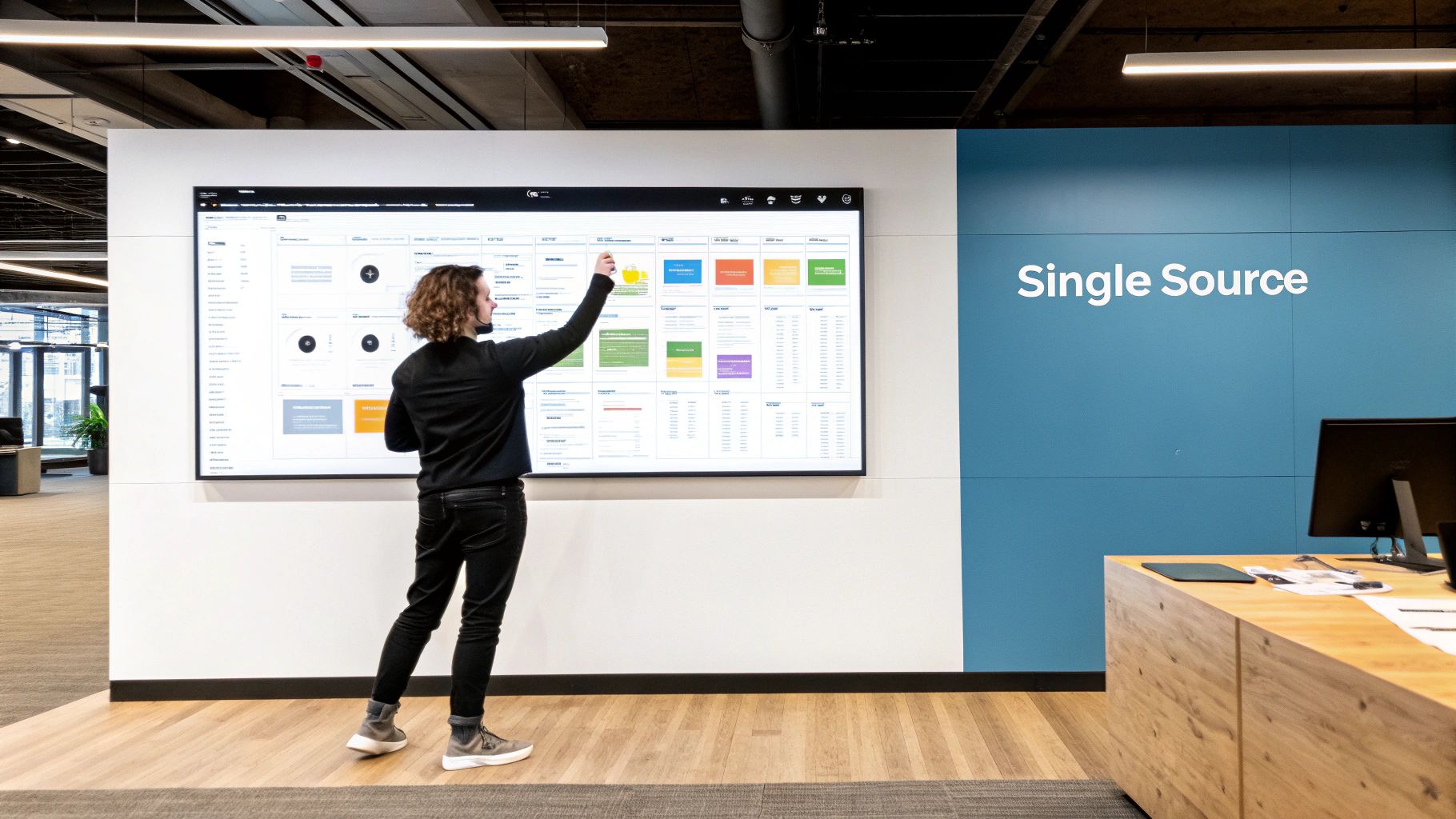
A centralized knowledge repository is the cornerstone of effective knowledge management. It acts as a unified, searchable database, or a “single source of truth,” for all critical organizational information. This includes everything from process documentation and best practices to video tutorials and institutional expertise. By consolidating knowledge, organizations eliminate redundant efforts and break down information silos, ensuring every team member can access accurate, up-to-date information instantly.
This approach is particularly powerful for distributed teams or companies with complex workflows. For instance, a macOS development team can use a central repository to store Xcode project templates, Swift coding standards, and guidelines for publishing on the App Store. This prevents vital information from being trapped in private Slack channels or individual Mac hard drives, streamlining onboarding for new developers and ensuring consistency across projects.
How to Implement a Centralized Repository
Implementing a central repository is a strategic move that requires careful planning. Companies like Zapier utilize Notion for internal documentation, while a macOS-centric company might use a tool like Craft or Bear for its native look and feel.
Here are actionable steps to build your own:
- Start Small: Begin with a pilot project for a single department, like your macOS engineering team. Document one critical workflow, gather feedback, and iterate before rolling it out company-wide.
- Establish Clear Taxonomy: Create logical folder structures and strict naming conventions from day one. For example, use prefixes like
[GUIDE],[SOP], or[TEMPLATE]to make content types instantly recognizable. On macOS, you can even use color-coded Finder tags for an extra layer of visual organization. - Prioritize Search: The system’s primary interface should be its search functionality. A powerful, intuitive search bar, much like macOS's Spotlight, encourages users to find what they need independently rather than asking colleagues.
- Assign Ownership: Appoint “knowledge champions” for different subject areas. These individuals are responsible for creating, updating, and archiving content to prevent it from becoming stale.
- Schedule Regular Audits: Implement a quarterly or bi-annual content review process to identify and remove or update outdated information. This ensures the repository remains a trustworthy resource.
By investing in a centralized system, you create a foundation for a scalable and efficient knowledge-sharing culture, which is one of the most vital best practices for knowledge management.
Sponsored by the makers
Tired of boring screen recordings?
Try Screen Charm.
Auto-zoom, motion blur, camera overlay, and background music. All built in. Record once, export a polished video.
See what it does2. Video-Based Knowledge Documentation
Video-based documentation transforms knowledge sharing from static text into dynamic, engaging content. It involves capturing complex processes, software workflows, and institutional expertise through video, making it easier to digest and retain information. This visual approach is exceptionally effective for demonstrating tasks that are difficult to explain in writing, such as navigating a complex macOS UI or debugging code, accommodating different learning styles and reducing ambiguity.
This method is invaluable for teams where visual context is key. For example, a macOS developer can create a short screen recording using a tool like ScreenFlow or the built-in QuickTime Player to demonstrate how to resolve a specific Xcode build error or configure a new provisioning profile. This video can then be shared and archived, providing a clear, repeatable solution that far surpasses a text-based explanation, making it one of the most effective best practices for knowledge management.

How to Implement Video-Based Documentation
Adopting video documentation is a high-impact strategy that can significantly improve clarity and speed up learning. Many macOS-focused companies build their entire internal knowledge base with video platforms, while others use Final Cut Pro or iMovie to create polished training materials.
Here are actionable steps to get started:
- Standardize Your Toolkit: Choose a primary screen recording and editing tool for your macOS team, like ScreenFlow or a dedicated app, to ensure a consistent look and feel across all videos.
- Keep Segments Short: Aim to keep individual videos under five minutes. Shorter, single-topic videos are more digestible and easier to search for when users need a specific answer quickly.
- Use Visual Cues: Leverage cursor highlights, zoom effects, and on-screen annotations to direct the viewer’s attention to critical areas of the screen. This is especially helpful in detailed macOS software walkthroughs.
- Prioritize Accessibility: Always include auto-generated captions or provide a full transcript. macOS has built-in features to support this, and it not only aids those with hearing impairments but also makes the video content searchable.
- Organize into Playlists: Group related videos into logical playlists or learning paths, such as "Onboarding for New macOS Engineers" or "Mastering SwiftUI." This provides a structured learning experience for viewers.
3. Structured Onboarding and Knowledge Transfer Programs
A structured onboarding and knowledge transfer program is a systematic process for passing crucial information from experienced team members to new hires. This goes beyond a simple welcome packet; it involves documented best practices, mentorship, and formalized training modules. By creating a deliberate system, organizations ensure that vital institutional knowledge isn't lost when key personnel leave and that new team members become productive contributors far more quickly.
This approach is essential for specialized teams where expertise is concentrated. For example, a macOS development team can create an onboarding track that includes a deep dive into their specific Swift coding conventions, processes for notarizing apps with Apple, and a buddy system pairing new developers with senior engineers. This prevents new hires from struggling to piece together critical information, a common bottleneck in fast-paced Mac software environments, and is one of the most effective best practices for knowledge management.
How to Implement Structured Onboarding
Building a robust onboarding program transforms a potential knowledge gap into a strategic advantage. Many successful Mac software companies use extensive internal documentation and transfer protocols to bring new engineers up to speed on their specific tech stack.
Here are actionable steps to build your own program:
- Create Role-Specific Tracks: Avoid one-size-fits-all onboarding. Design unique learning paths for different roles. A macOS QA tester will need a different track than a UI designer, focusing on TestFlight, XCTest, and bug reporting protocols specific to the Apple ecosystem.
- Pair Documentation with Demos: Cater to multiple learning styles by complementing written guides with video walkthroughs. For complex tasks like configuring a new Xcode development environment on a new MacBook, a screen recording can be far more effective than text alone.
- Build-in Knowledge Checkpoints: Integrate short quizzes or practical assignments at the end of each module to assess comprehension. This ensures new hires are truly absorbing the information before moving on to more complex topics.
- Establish Knowledge Departure Protocols: Implement a formal offboarding process. Before a team member leaves, have them document their core responsibilities and participate in handover sessions. To delve deeper into this, you can explore various knowledge retention strategies on screencharm.com.
- Gather Feedback and Iterate: Regularly survey new hires after their first 30, 60, and 90 days to gather feedback on the onboarding process. Use this input to continuously refine and improve the program’s effectiveness.
By investing in a structured onboarding system, you build a resilient team capable of scaling knowledge efficiently and preserving expertise for the long term.
4. Communities of Practice (CoPs) and Peer Learning Networks
Beyond static repositories, dynamic knowledge sharing happens through human connection. Communities of Practice (CoPs) are groups of people who share a concern or a passion for something they do and learn how to do it better as they interact regularly. These peer learning networks leverage collective intelligence to solve problems, innovate, and drive continuous improvement outside of formal hierarchies.
This approach is invaluable for specialized fields where expertise is constantly evolving. For example, a CoP for macOS security engineers could create a dedicated Slack channel to discuss new threats to the App Sandbox, share Swift code snippets for keychain access, and collectively vet third-party security libraries. This peer-to-peer exchange is often faster and more practical than waiting for formal documentation to be created and approved.
How to Foster Communities of Practice
Building a thriving CoP requires more than just creating a channel or a forum; it requires intentional cultivation. Many Apple-centric developer communities thrive on platforms like Discord or dedicated forums. For insights into building and maintaining these engaged groups, it's beneficial to explore various strategies for effective community management.
Here are actionable steps to build your own:
- Establish a Clear Purpose: Define the community's goal from the outset. Is it to solve common macOS debugging issues, explore SwiftUI best practices, or share user acquisition strategies for the App Store? A clear charter attracts the right members.
- Create Regular Touchpoints: Schedule consistent events like bi-weekly "Code & Coffee" sessions, monthly "Demo Days" where members showcase a new macOS feature they've built, or asynchronous weekly challenges to keep engagement high.
- Recognize and Celebrate Contributions: Actively highlight valuable contributors. A simple shout-out in a company-wide newsletter or a dedicated "Top Contributor" role can significantly boost participation and morale.
- Appoint a Facilitator: Designate a community lead or moderator who is passionate about the topic. Their role is to spark conversations, welcome new members, and ensure the community remains a safe and respectful space.
- Promote Psychological Safety: Create and enforce clear guidelines around respectful dialogue and constructive feedback. Members must feel safe to ask "silly" questions or share failed experiments without fear of judgment.
By nurturing these communities, you tap into the tacit knowledge and passion within your organization, making it a cornerstone of your overall strategy for the best practices for knowledge management.
5. Documentation Automation and Continuous Knowledge Capture
Manual documentation is often the bottleneck in knowledge management. Documentation automation and continuous knowledge capture shift this paradigm by integrating knowledge creation directly into daily workflows. Instead of treating documentation as a separate, often-neglected task, this approach uses tools to automatically record processes, decisions, and updates as they happen, ensuring information remains current with minimal human effort.
This method is a game-changer for fast-moving teams, especially in macOS software development. This could mean using GitHub Actions to automatically generate documentation from Swift code comments or pull request descriptions. Similarly, a screen recording tool can automatically capture a bug fix session on a Mac, instantly creating a shareable video tutorial. This practice drastically reduces the burden on individuals and transforms knowledge capture from a chore into a seamless byproduct of work, solidifying its place among the best practices for knowledge management.
How to Implement Documentation Automation
Integrating automation requires a thoughtful selection of tools that fit your existing macOS ecosystem. For instance, teams can leverage macOS's powerful scripting capabilities with Automator or AppleScript to automate repetitive documentation tasks.
Here are actionable steps to get started:
- Identify High-Impact Areas: Begin by automating documentation for critical or repetitive processes. For a macOS developer, this might be the build and deployment pipeline using Xcode Cloud or the steps for setting up a new development environment using Homebrew.
- Integrate with Existing Tools: Choose automation solutions that plug directly into your current workflow. For instance, integrate a tool that captures screen recordings of user-testing sessions on macOS and automatically uploads them to a shared knowledge base.
- Use Templates and Scripts: Create standardized templates for documents that are frequently generated. For written guides, learning how to write blog posts faster without losing quality can help create high-quality, structured content that is easier to automate.
- Establish Automated Triggers: Set up rules to capture knowledge at key moments. For example, automatically create a knowledge-base entry when a support ticket with a specific tag is closed or when a pull request is merged. Learn more about how to automate your repetitive tasks.
- Implement Quality Checks: While automation captures the data, schedule periodic human reviews to add context, refine clarity, and ensure the captured knowledge remains accurate and valuable.
6. Knowledge Management Systems (KMS) with Intelligent Search and Discovery
A modern Knowledge Management System (KMS) with intelligent search elevates a simple repository into a proactive knowledge engine. These sophisticated platforms use AI and advanced algorithms to not only store information but also to understand context, anticipate user needs, and surface relevant content automatically. This moves beyond basic keyword matching to deliver a smarter, more intuitive discovery experience, which is one of the most advanced best practices for knowledge management.
For a macOS development company, this means a KMS can intelligently connect a bug report in a tool like Linear to the relevant Swift coding standards, a specific Xcode project template, and even a Slack conversation where a similar issue was resolved. Instead of manually searching disparate systems, developers get a holistic view of the knowledge surrounding their task. This mirrors the intelligence of macOS Spotlight, which can search across local files, apps, and the web contextually.
How to Implement an Intelligent KMS
Deploying an intelligent KMS requires a focus on data quality and integration to fuel its AI capabilities. The goal is to create a system that learns from user behavior and content relationships to become smarter over time.
Here are actionable steps to implement an intelligent KMS:
- Establish a Rich Metadata Strategy: From the start, enforce a comprehensive tagging and metadata policy. For example, tag all macOS-related documents with version numbers (e.g.,
[Sonoma],[Xcode-15]) and feature names ([SwiftUI],[CoreData]) to enable precise, context-aware search. - Prioritize Deep Integration: Choose a KMS that integrates seamlessly with the macOS tools your team lives in, like Slack, Linear, and GitHub. This allows the system to index conversations and code commits, enriching its knowledge base.
- Analyze Search Analytics: Regularly review search logs and user queries. Identify common searches that yield no results and use that data to prioritize new content creation or improve existing documentation.
- Combine Search Technologies: Ensure your system leverages both keyword search for direct queries and semantic search for understanding intent. This helps it find "how to fix memory leaks in Swift" even if the document uses the term "retain cycles."
- Pilot and Gather Feedback: Roll out the KMS with a specific team, like your macOS UI kit developers. Use their direct feedback to fine-tune recommendation algorithms and improve the overall user experience before a company-wide launch.
7. Mentorship and Expert Knowledge Mapping
Formalizing mentorship and mapping internal expertise is a powerful way to manage the human element of knowledge. This practice involves systematically identifying, documenting, and making accessible the subject matter experts within an organization. It creates a transparent directory of institutional wisdom, connecting individuals who need knowledge with those who possess it and safeguarding critical expertise against employee turnover.
This strategy prevents knowledge from being siloed in the minds of a few key individuals. For a macOS development team, this could mean creating an expert map that identifies the go-to person for Metal graphics programming, another for SwiftUI animation complexities, and a third for App Store submission intricacies. When a developer hits a roadblock with a complex Core Animation issue, they don't lose hours searching for help; they can directly consult the designated expert, accelerating problem-solving and facilitating direct knowledge transfer.
How to Implement Mentorship and Expert Mapping
Building an expert network isn't just about listing names; it's about creating a culture where sharing is encouraged. Many macOS-focused companies foster this internally to retain deep, platform-specific knowledge that is hard to hire for.
Here are actionable steps to build your own system:
- Create Clear Expertise Categories: Define specific skill domains relevant to your organization. For a macOS team, this could be
SwiftUI,Objective-C Legacy Code,Xcode Build Automation, orAppKit Framework. - Make Participation Voluntary and Valued: Frame mentorship as a leadership opportunity, not a requirement. Recognize and reward experts for their contributions to building the team's collective skill set.
- Use Video Introductions: Ask experts to record short, personal videos introducing their area of expertise and their willingness to help. This personalizes the connection and makes approaching them less intimidating.
- Track and Celebrate Success: Monitor the impact of mentorship connections. Celebrate successful knowledge transfers and project wins that resulted from expert collaboration to showcase the program's value.
- Rotate Expertise Roles: Encourage experts to train others to become specialists in their domain. This builds organizational resilience and prevents any single person from becoming a knowledge bottleneck.
By actively mapping and mobilizing your internal experts, you transform tacit knowledge into an accessible, dynamic asset, which is one of the most proactive best practices for knowledge management.
8. Process Documentation and Standard Operating Procedures (SOPs)
Process documentation and Standard Operating Procedures (SOPs) are the detailed, step-by-step instructions that define how work gets done. They transform tribal knowledge into a scalable, repeatable asset, covering everything from decision workflows to common procedures. By documenting these processes, organizations ensure consistency, accelerate onboarding, and minimize errors, allowing every team member to follow proven, optimized methods.
This practice is crucial for maintaining quality and efficiency, especially in technical environments. For a macOS app development team, SOPs could define the entire release cycle: from creating a new branch in Git and running automated tests in Xcode Cloud, to generating release notes and submitting the build for App Store review. This ensures no critical steps are missed, even under pressure.

How to Implement Effective Process Documentation
Creating robust SOPs is a foundational element of the best practices for knowledge management. Any successful macOS application relies on meticulously documented procedures for everything from user support to software deployment.
Here are actionable steps to document your processes:
- Document First, Optimize Second: Don't wait for a perfect process. Capture your current workflow as it exists today. The act of writing it down often reveals immediate opportunities for improvement.
- Use Clear, Simple Language: Write for the newest team member, not the expert. Avoid jargon and use concise, direct language to ensure the instructions are universally understood.
- Explain the 'Why': A great SOP doesn't just list steps; it explains the reasoning behind them. This context empowers team members to make better decisions when unexpected situations arise.
- Create Video Walkthroughs: For complex, multi-step procedures like configuring a macOS development environment, supplement written guides with a screen recording. This visual aid can significantly reduce confusion.
- Have End-Users Test Documentation: Ask a team member unfamiliar with the process to follow your SOP. Their questions and stumbling blocks are invaluable feedback for improving clarity and completeness.
9. Customer Knowledge Sharing and User-Generated Documentation
Empowering your user base to contribute to your knowledge ecosystem is one of the most scalable best practices for knowledge management. This approach, known as user-generated documentation, transforms passive consumers into active co-creators of knowledge. It involves creating platforms and incentives for customers to share their expertise, build solutions, and answer each other's questions, effectively crowdsourcing your support and documentation efforts.
This model is particularly effective for macOS software. A developer could foster a community where users create and share complex Automator workflows or AppleScripts that integrate with their app. This not only populates the knowledge base with real-world use cases that the internal team might never have considered but also builds a highly engaged and loyal Mac user community. Apps like Alfred and Keyboard Maestro have thrived on this model for years.
How to Implement Customer Knowledge Sharing
Building a thriving user-generated content ecosystem requires creating a structured, rewarding, and well-moderated environment. It shifts the support burden from a one-to-many model to a many-to-many community model.
Here are actionable steps to build your own:
- Establish a Dedicated Hub: Create an official community forum, a dedicated Discord server, or a section on your website where users can easily submit content, ask questions, and interact.
- Provide Clear Guidelines: Develop and publish straightforward submission guidelines, style guides, and templates. For a macOS app, this could include a template for documenting a custom shortcut or troubleshooting a specific bug on the latest macOS version.
- Recognize and Reward Contributors: Implement a system to acknowledge top contributors. This can range from badges and special titles on the community forum to discounts, early access to new features, or features on your official blog.
- Implement Quality Control: Use a moderation team and community-driven rating systems (like upvotes) to ensure the information shared is accurate, helpful, and high-quality.
- Feature User Content Prominently: Showcase the best user-generated guides, templates, and solutions on your official documentation site or within the product itself. This validates community efforts and provides immense value to other users.
10. Feedback Loops and Continuous Knowledge Refinement
Static knowledge quickly becomes obsolete. Implementing feedback loops is a critical practice for creating a living, breathing knowledge base that evolves and improves over time. This involves establishing systematic processes for users to report inaccuracies, suggest improvements, or ask for clarification directly on knowledge assets. This iterative refinement ensures your documentation remains accurate, relevant, and genuinely useful to the people who depend on it.
This approach transforms knowledge management from a top-down content push into a collaborative, user-centric system. For example, a macOS development team might have a wiki page on configuring a new Mac for development with Homebrew and specific Xcode settings. A new engineer might find a command is deprecated or a step is missing for macOS Sonoma. A feedback loop allows them to flag this instantly, ensuring the guide is corrected for the next person.
How to Implement Feedback Loops
Building a continuous improvement cycle is a proactive strategy. Many macOS app developers include a "Send Feedback" menu item that links directly to a support forum or ticketing system, a simple yet powerful way to gather user sentiment and pinpoint problem areas.
Here are actionable steps to build your own feedback system:
- Integrate Feedback Directly: Add a comment section, a simple rating system (thumbs up/down), or a "Suggest an Edit" button at the bottom of every knowledge base article. Make providing feedback a low-friction, one-click action.
- Establish a Triage Process: Designate a point person or team to review incoming feedback. Create a simple workflow in a tool like Linear or Trello to track suggestions from submission to resolution.
- Set Response SLAs: Define clear Service Level Agreements (SLAs) for addressing feedback. For instance, commit to acknowledging critical errors (like a broken script) within 24 hours and resolving them within 48 hours.
- Analyze Feedback Trends: Regularly review feedback data to identify recurring themes. If multiple people are confused about the same process for code-signing a macOS app, it signals a need for a major rewrite or a new video tutorial.
- Close the Loop: When a suggestion is implemented, notify the person who submitted it. This simple act of acknowledgment encourages future contributions and makes users feel valued.
By embracing feedback, you cultivate a culture of collective ownership and ensure your knowledge base is a reliable asset, which is one of the most impactful best practices for knowledge management.
Top 10 Knowledge Management Practices Comparison
| Approach | Implementation Complexity 🔄 | Resource Requirements ⚡ | Expected Outcomes 📊 | Ideal Use Cases 💡 | Key Advantages ⭐ |
|---|---|---|---|---|---|
| Centralized Knowledge Repository System | High — centralized design, taxonomy, integrations 🔄 | Medium — storage, search infra, content owners ⚡ | Consistent communications, faster resolution, lower duplication 📊 | Org-wide documentation, onboarding, cross-team knowledge 💡 | Single source of truth, searchable, reduces silos ⭐ |
| Video-Based Knowledge Documentation | Medium — recording and production workflows 🔄 | Medium–High — creation time, hosting/bandwidth ⚡ | Higher retention and faster comprehension for visual learners 📊 | Training, product walkthroughs, customer education 💡 | Engaging demos, repurposable content, clarifies workflows ⭐ |
| Structured Onboarding & Knowledge Transfer Programs | Medium–High — program design, assessments, mentorship 🔄 | Medium — trainers, materials, coordination ⚡ | Faster time-to-productivity, preserved institutional knowledge 📊 | New hires, role transitions, customer onboarding 💡 | Measurable competency, reduces errors, knowledge continuity ⭐ |
| Communities of Practice (CoPs) & Peer Learning Networks | Low–Medium — facilitation and community setup 🔄 | Low — coordination, lightweight tooling ⚡ | Accelerated peer learning, diverse problem-solving insights 📊 | Cross-functional learning, innovation, informal knowledge sharing 💡 | Low-cost engagement, collective intelligence, member retention ⭐ |
| Documentation Automation & Continuous Capture | High — automation pipelines, integrations, filtering 🔄 | Medium — tooling, storage, governance ⚡ | Continuously up-to-date docs, reduced manual effort, audit trails 📊 | Repetitive processes, engineering workflows, compliance capture 💡 | Minimal manual docs, real-work capture, higher accuracy ⭐ |
| KMS with Intelligent Search & Discovery | High — AI models, semantic indexing, integrations 🔄 | High — licensing, data, training sets ⚡ | Dramatically improved discoverability and personalized relevance 📊 | Large enterprises, knowledge-heavy roles, fast retrieval needs 💡 | Semantic search, AI recommendations, context-aware results ⭐ |
| Mentorship & Expert Knowledge Mapping | Medium — mapping, profiles, pairing systems 🔄 | Low–Medium — directories, coordination, incentives ⚡ | Faster expert access, reduced single points of failure 📊 | Specialist domains, escalation paths, leadership development 💡 | Transparent expertise, targeted transfer, mentorship culture ⭐ |
| Process Documentation & SOPs | Medium–High — detailed mapping, version control 🔄 | Medium — authors, reviewers, maintenance ⚡ | Consistent operations, fewer errors, scalable processes 📊 | Ops teams, compliance, incident runbooks, QA processes 💡 | Repeatability, accountability, clear procedures ⭐ |
| Customer Knowledge Sharing & User-Generated Documentation | Low–Medium — community platforms and governance 🔄 | Low — platform hosting, moderation ⚡ | Reduced support volume, real-world use cases and advocacy 📊 | Consumer products, developer platforms, marketplace ecosystems 💡 | Scalable content creation, community advocacy, diverse perspectives ⭐ |
| Feedback Loops & Continuous Knowledge Refinement | Medium — feedback systems, analytics, review cycles 🔄 | Medium — analytics, content owners, SLAs ⚡ | Improved accuracy, identification of knowledge gaps, higher satisfaction 📊 | Any documentation lifecycle, product learning, training materials 💡 | Iterative improvement, user-driven updates, measurable impact ⭐ |
From Information Overload to Intelligent Action
Navigating the landscape of modern business means confronting a constant deluge of information. The difference between organizations that thrive and those that merely survive often boils down to a single, critical capability: the ability to transform raw data into collective wisdom. This article has explored ten foundational best practices for knowledge management, moving beyond generic advice to provide a strategic blueprint for building a smarter, more agile organization. We've journeyed from establishing a centralized knowledge repository to fostering communities of practice, and from automating documentation to leveraging customer-generated insights.
The overarching theme is a transition from passive information storage to active, intelligent knowledge application. It’s not enough to simply collect information; you must create a living ecosystem where knowledge is easily created, shared, discovered, and refined. A powerful knowledge management system isn't just a database; it's the central nervous system of your organization, enabling faster decision-making, accelerating innovation, and creating a culture of continuous improvement.
Synthesizing the Core Principles
Let's distill the key takeaways from our exploration. The most effective knowledge management strategies are built on three pillars: Accessibility, Engagement, and Evolution.
- Accessibility: Your knowledge must be easy to find and consume. This is where practices like implementing a Centralized Knowledge Repository System with intelligent search (Best Practice #1 & #6) become non-negotiable. If your team can't find the information when they need it, it might as well not exist.
- Engagement: Knowledge sharing must be an active, engaging process, not a passive chore. This pillar is supported by creating dynamic content, like Video-Based Knowledge Documentation (Best Practice #2), and fostering human connection through Communities of Practice and Mentorship Programs (Best Practice #4 & #7). When people are engaged, they are more likely to contribute to and benefit from the collective knowledge base.
- Evolution: Knowledge is not static. It must be constantly updated and improved. This requires establishing Feedback Loops and Continuous Knowledge Refinement (Best Practice #10) and automating the capture of new insights through Documentation Automation (Best Practice #5). A system that doesn't evolve will quickly become obsolete.
Your Actionable Path Forward
Embarking on this journey can feel daunting, but progress is made one step at a time. Rather than attempting to implement all ten practices at once, select one or two that address your organization's most pressing pain points.
- Is your macOS team struggling with inconsistent processes? Start by creating clear Process Documentation and Standard Operating Procedures (SOPs) (Best Practice #8).
- Is new hire onboarding slow and inefficient? Focus on building a Structured Onboarding and Knowledge Transfer Program (Best Practice #3).
- Are your subject matter experts overwhelmed with repetitive questions? Empower them to create a library of Video-Based Knowledge Documentation (Best Practice #2) to answer common queries at scale.
For teams operating within the macOS ecosystem, leveraging native tools that streamline this process is a significant advantage. The goal is to lower the barrier to knowledge creation so significantly that it becomes a natural part of everyone's workflow. By integrating these best practices for knowledge management into your daily operations, you build organizational resilience. You empower your team to not just solve today's problems but to anticipate and innovate for tomorrow's challenges. The ultimate reward is a self-sustaining cycle of learning and growth, turning your collective knowledge into your most valuable competitive advantage.
Ready to supercharge your video documentation and knowledge sharing? Screen Charm makes it incredibly simple for anyone on your macOS team to create polished, professional screen recordings, tutorials, and demos in minutes. Stop telling and start showing with Screen Charm.